


File Information
| Property | Details |
|---|---|
| Name | Hoppscotch |
| Version | Mac: 2.0.0, Windows: 2.0.0, Linux: 2.0.0 |
| File Size | Mac: 120 MB, Windows: 110 MB, Linux: 125 MB |
| Platform | Mac, Windows, Linux |
| License | MIT License (Open Source) |
| Official Repository | GitHub |
Table of contents
Description
For developers, testers, and API enthusiasts, Hoppscotch is quickly becoming the go-to open-source alternative to Postman. It combines power, simplicity, and flexibility in a lightweight package that works across Mac, Windows & Linux. Whether you are testing REST, GraphQL, or WebSocket APIs, Hoppscotch offers an intuitive interface with everything you need to streamline your API workflows without being bogged down by bloated software.
Built with performance and accessibility in mind, Hoppscotch works directly from your desktop or browser. Its open-source nature ensures freedom, transparency, and community-driven improvements, giving developers the confidence to extend functionality or contribute to its growth. The application supports advanced features such as automated testing, environment management, request collections, and real-time collaboration.
Developers also love that Hoppscotch is lightweight, fast, and requires minimal system resources. Hoppscotch is fully free & open-source, allowing teams of any size to integrate it into their development workflow seamlessly. With support for Apple Silicon, Intel Macs, Windows 64-bit, and various Linux distributions, installing Hoppscotch on your preferred platform is simple and quick.
Hoppscotch empowers you to create, test, and share API requests effortlessly. Its clean interface, extensive feature set, and cross-platform support make it an indispensable tool for modern software development.
Features of Hoppscotch
| Feature | Description |
|---|---|
| REST & GraphQL Requests | Send requests to REST endpoints & GraphQL APIs with full customization |
| WebSocket & SSE Support | Test real-time applications with WebSocket & Server-Sent Events |
| Environment Management | Switch easily between multiple environments |
| Collections & Workspaces | Organize requests into collections & collaborate with teams |
| Automated Testing | Scripted tests for validating API responses |
| Lightweight & Fast | Minimal system requirements & smooth performance |
| Export & Import | Export or import collections for easy sharing |
| Cross-Platform | Available on Mac, Windows, Linux & Web |
| Plugins & Extensions | Extend capabilities with community plugins |
| Open-Source & Free | Fully MIT licensed, free for all developers |
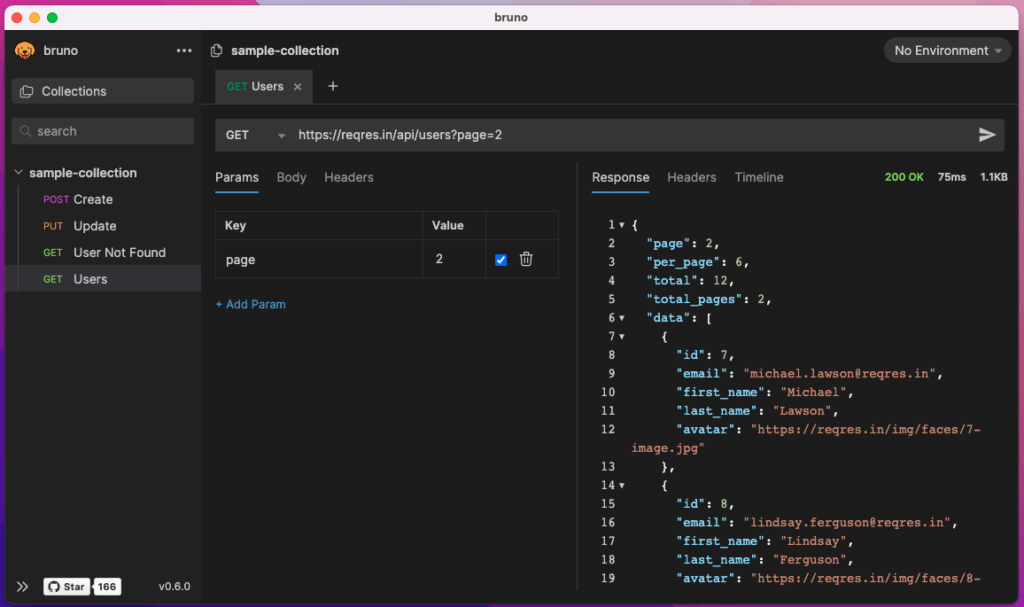
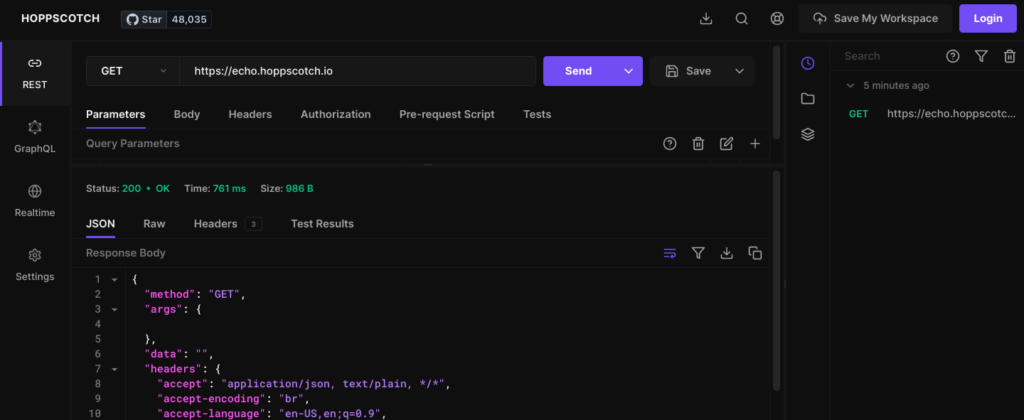
Screenshots
System Requirements
| OS | Minimum Requirements |
|---|---|
| Mac | macOS 10.14 or later, 4 GB RAM, 500 MB disk space |
| Windows | Windows 10 64-bit or later, 4 GB RAM, 500 MB disk space |
| Linux | Ubuntu 18.04+, Debian-based systems, 4 GB RAM, 500 MB disk space |
How to Install Hoppscotch ??
Windows (.msi)
- Download the Windows Installer (.msi) file from the download section above.
- Double-click the
.msifile to start the installation. - Follow the on-screen prompts in the setup wizard.
- Once completed, launch Hoppscotch from the Start Menu or Desktop shortcut.
Mac: Apple Silicon & Intel (.dmg)
- Download the
.dmgfile for your Mac architecture (Apple Silicon or Intel). - Double-click the
.dmgfile to mount it. - Drag the Hoppscotch app icon into your
Applicationsfolder. - Open Hoppscotch from the Applications folder. If prompted with a security warning, click Open.
Linux: AppImage
- Download the
.AppImagefile from the Linux section above. - Open your terminal and navigate to the folder where the
.AppImagefile is located. - Make the file executable:
chmod +x Hoppscotch.AppImage - Run Hoppscotch by typing:
./Hoppscotch.AppImage
Linux: Debian (.deb)
- Download the
.debpackage from the Linux section above. - Open your terminal and navigate to the folder where the
.debfile is saved. - Install the package using:
sudo dpkg -i hoppscotch.deb - If there are missing dependencies, run:
sudo apt-get install -f - Launch Hoppscotch from your applications menu.
This guide ensures smooth installation across all platforms, making Hoppscotch ready for API testing in minutes.
Download Hoppscotch: Top Open-Source Postman Alternative for Mac, Windows & Linux
Conclusion
Hoppscotch is perfect for developers seeking a fast, free, and powerful alternative to Postman. Its open-source nature allows you to explore, modify, and integrate it into your projects without restriction. With support for modern APIs, real-time testing, and collaborative features, Hoppscotch is more than just a tool, it’s a complete API development platform designed for modern software teams.
Support Hoppscotch team by sponsoring through Github Sponsors, your small donation to this project can help it advance more, Thank You & Enjoy!




