

File Information
| Field | Details |
|---|---|
| Name | Qalculate! – Advanced Desktop Calculator |
| Version | v5.8.2 |
| File Format Provided | .msi (Windows) • .tar.gz (Linux) |
| Platforms | Windows • Linux • macOS |
| Size | 66.4MB (msi) • 22.1MB (.tar.xz) |
| License | Open Source (GPL v2 License) |
| Official Repository | GitHub Qalculate! |
| Official Site | Qalculate! |
| Category | Calculator • Math • Science • Productivity |
Table of contents
Description
Qalculate! is a powerful, open-source desktop calculator designed for both everyday calculations and advanced mathematical work.
While it looks simple at first glance, Qalculate! offers features usually found only in heavy mathematical software. It supports everything from basic arithmetic and percentages to symbolic math, unit conversions, currency exchange, plotting graphs, and high-precision calculations.
Despite its depth, Qalculate! remains fast, flexible, and easy to use, making it suitable for students, engineers, scientists, developers, and anyone who needs more than a basic calculator.
Use Cases
- Everyday calculations and percentage math
- Unit and currency conversion
- Scientific and engineering calculations
- Symbolic math (equations, integrals, derivatives)
- High-precision and uncertainty-aware calculations
- Plotting mathematical functions and data
Screenshots

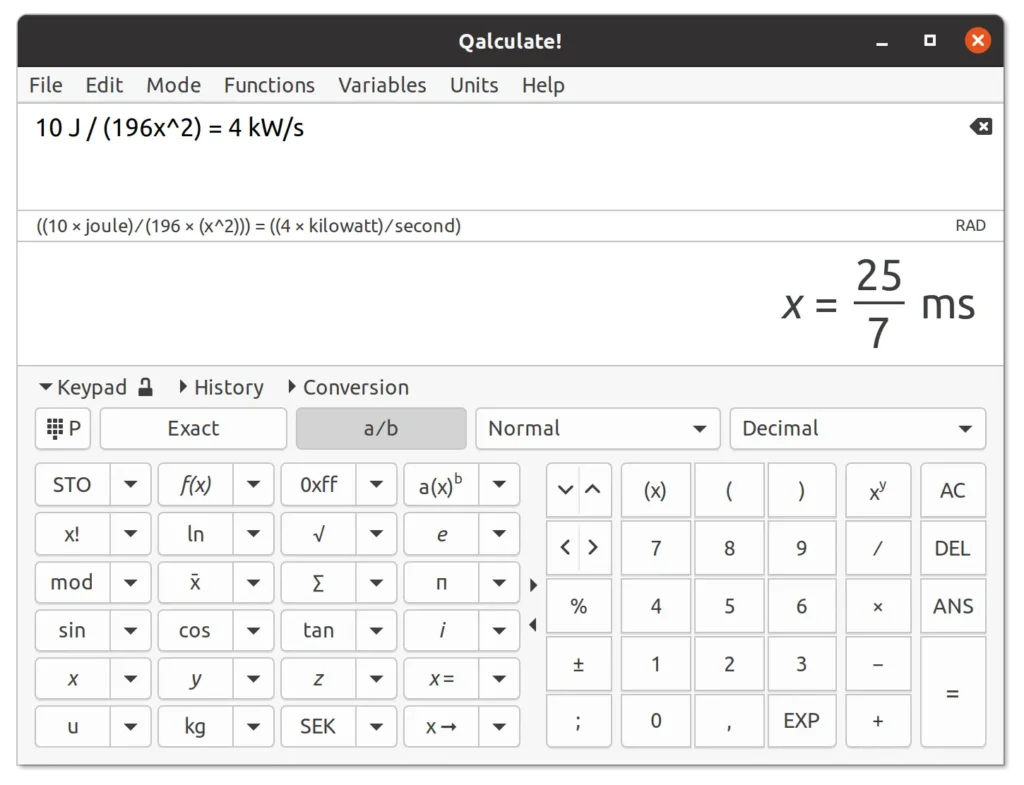
Features of Qalculate!
| Feature | Description |
|---|---|
| Advanced Math Engine | Supports arithmetic, logical, bitwise, and symbolic calculations |
| Symbolic Calculations | Factorization, simplification, differentiation, and integration |
| Unit Conversion | Convert between 400+ units including SI, imperial, and atomic units |
| Currency Conversion | Uses daily updated exchange rates |
| Arbitrary Precision | Exact and approximate calculations with high precision |
| Functions Library | 400+ built-in functions across math, science, finance, and statistics |
| Variables & Constants | Built-in physical constants, custom variables, and datasets |
| Plots & Graphs | Create graphs and plots using Gnuplot |
| Multiple Interfaces | GTK GUI, Qt GUI, and command-line interface |
| Highly Customizable | Customize input behavior, output formats, shortcuts, and UI |
System Requirements
| Requirement | Details |
|---|---|
| OS | Windows • Linux • macOS |
| RAM | 2 GB minimum |
| Disk Space | ~100 MB |
Recommended For You: CopyQ – Advanced Clipboard Manager for Windows, macOS & Linux
How to Install Qalculate!??
Windows (.msi)
- Download the Qalculate! Windows installer (.msi)
- Double-click the installer
- Follow the setup instructions
- Launch Qalculate! from the Start Menu
macOS (via MacPorts)
Qalculate! is available on macOS through MacPorts.
- First, install MacPorts on your system
Follow the official MacPorts installation guide - Open Terminal
- Paste the following command and press Enter:
sudo port install libqalculate
- Wait for the installation to complete
Once installed, Qalculate! libraries will be available on your system. You can then use Qalculate! through supported interfaces or tools that rely on libqalculate.
Linux (.tar.gz)
- Download the Qalculate! source archive (.tar.gz)
- Extract the archive
- Follow the included build or install instructions
- Launch Qalculate! from your application menu or terminal
Download Qalculate: Advanced Open Source Desktop Calculator
Conclusion
Qalculate! bridges the gap between simple desktop calculators and complex mathematical software. It delivers serious computational power without sacrificing usability or speed.
If you need a calculator that can grow with your skills, from daily math to advanced symbolic calculations, Qalculate! is one of the best open-source tools available.