
File Information
| Property | Details |
|---|---|
| App Name | Proton VPN |
| Version | Latest Android version (check official site for most recent) |
| File Size | Depends on APK build, ~20-35 MB |
| License | Freemium (free plan available, optionally paid upgrades) |
| Platform | Android 5.0 or higher |
| File Type | APK |
| Developer | Proton AG |
| Required Permissions | VPN permission, network access, etc. |
Table of contents
Description
In an era where online tracking is everywhere and geo-restrictions frustrate streaming and browsing, Proton VPN Android APK offers a powerful solution for anyone who values privacy and freedom. With this APK version, Android users can bypass the Google Play store, install directly, and still enjoy the same robust features that make Proton VPN one of the top-rated VPNs in 2025.
When you install Proton VPN APK, you get access to Swiss-grade privacy. Your IP can be masked, your DNS queries protected, and worst case scenarios like DNS leaks guarded against. All of this while surfing, streaming, or downloading. You won’t lose sleep over what others might see—or track—about your online behavior.
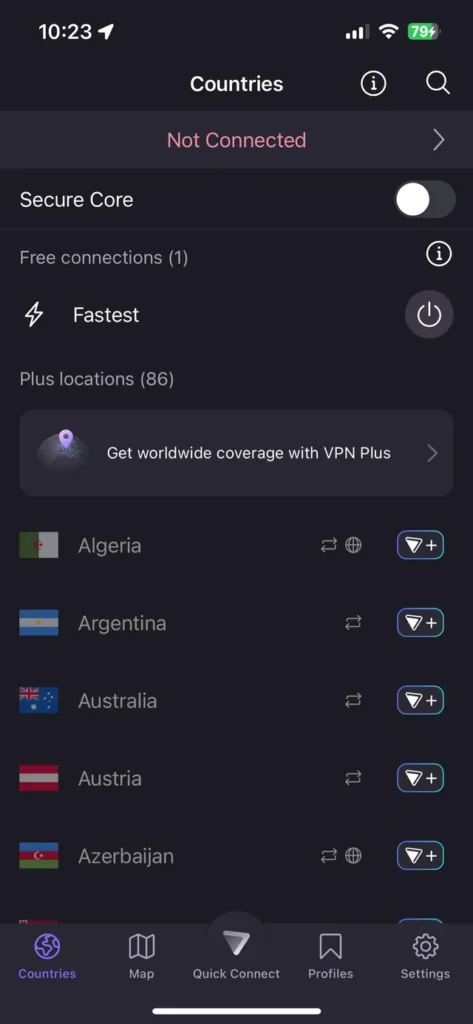
Proton VPN free plan includes several servers, and the company has taken steps so users in many countries can connect without creating an account. Thanks to strong encryption—AES-256, OpenVPN, WireGuard protocols—and Secure Core servers (multi-hop routes through privacy friendly countries) your data is doubly shielded before reaching its destination.
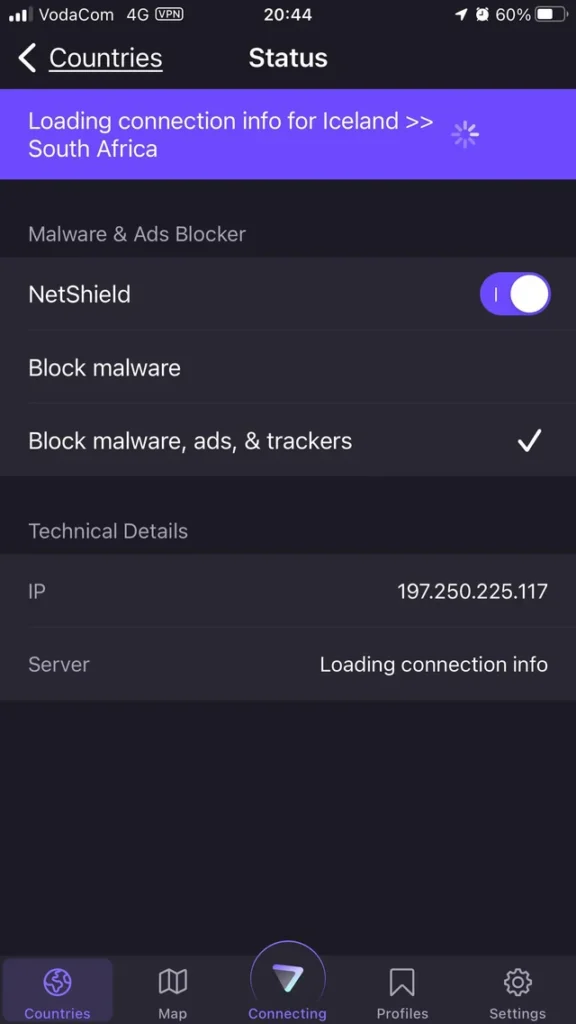
With features like a built-in ad-blocker (NetShield), always-on VPN, kill switch (to block all traffic if connection drops), discreet icon option, and bypass tools to dodge censorship, this VPN app is built to serve those who want total control and transparency. Since it’s open source software, anyone can audit the code, which means the community helps keep it honest and secure.
Features of ProtonVPN App
| Feature | What It Lets You Do |
|---|---|
| No-Logs Policy | Your browsing history, IP, and session info are never stored |
| AES-256 & Strong Protocols | Use OpenVPN, WireGuard, or IKEv2 with strong encryption and perfect forward secrecy |
| Secure Core Servers | Your traffic goes through multiple secure servers to hide metadata and location |
| NetShield Ad-Blocker | Blocks ads, trackers & malicious domains at DNS level |
| Kill Switch & Always-On | Ensure your connection never leaks if VPN drops |
| Discreet Icon Mode | Change the app icon to look like a harmless utility (notes, weather, etc.) |
| Tor over VPN | Route traffic to Tor network from inside the app |
| DNS & IPv6 Leak Protection | Prevent leaks that expose your IP or browsing behavior |
| Free Plan with No Mandatory Account | Use in many countries without account for basic protection |
Screenshots
System Requirements
| Requirement | Minimum |
|---|---|
| Android Version | Android 5.0 / Lollipop or newer |
| RAM | At least 2 GB RAM |
| Storage | At least 50 MB free space for installation and cache/data |
| Network | Stable internet connection (WiFi or mobile data) |
How to Install Proton VPN App??
Before installing, scroll down to the Download section to grab the latest APK file.
- Download the APK from the link below. Make sure you trust the source.
- On your Android device, go to Settings → Security or Apps & Permissions and enable Install from Unknown Sources for your browser or file manager.
- Locate the downloaded APK using your file manager.
- Tap the APK file to begin installation. Accept prompts.
- Once installed, open Proton VPN and if required allow VPN permissions.
- Choose a free server and connect. For stronger privacy use Secure Core or Tor over VPN.
- Enable features like kill switch, always-on VPN, and NetShield from settings for maximum protection.
Download Proton VPN Free APK for Android – Secure, Fast & Private Browsing
Why Proton VPN APK Stands Out
- Based in Switzerland under strong privacy laws
- Open source & audited by security experts
- Free usage with essential features without forced subscription
- Strong encryption & leak protection
- Discreet mode for safely using app where VPN use is restricted