
File Information
| File | Details |
|---|---|
| Name | OpenPencil: Prompt-to-UI & Code Generation |
| Version | v0.1.2 |
| Platforms | Windows • macOS • Linux |
| Size | 80MB (exe) • 113MB (dmg) • 88MB (deb) 112MB (AppImage) |
| License | MIT License (Open Source) |
| Category | AI-Native Design Tool |
| Github Repository | OpenPencil Github |
Table of contents
Description
This OpenPencil feels like it was built by someone who got tired of dragging rectangles around.
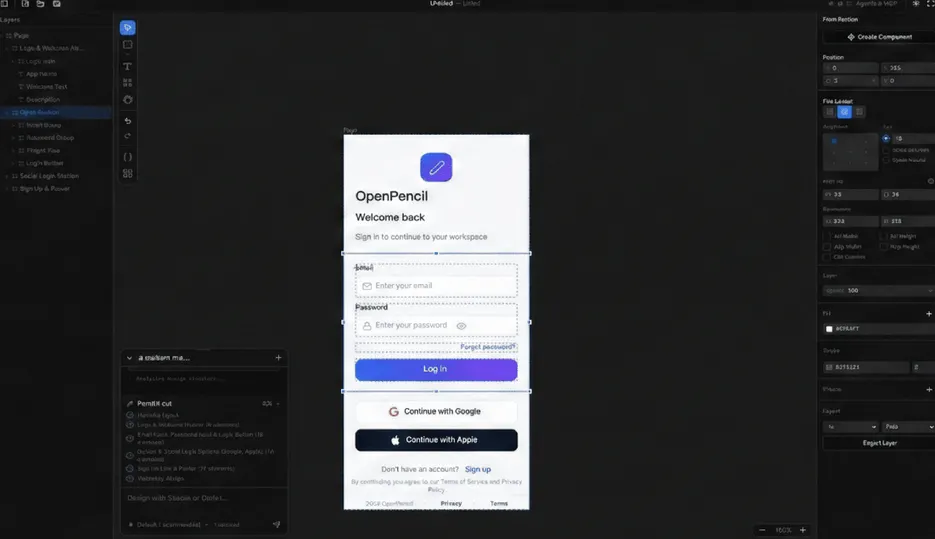
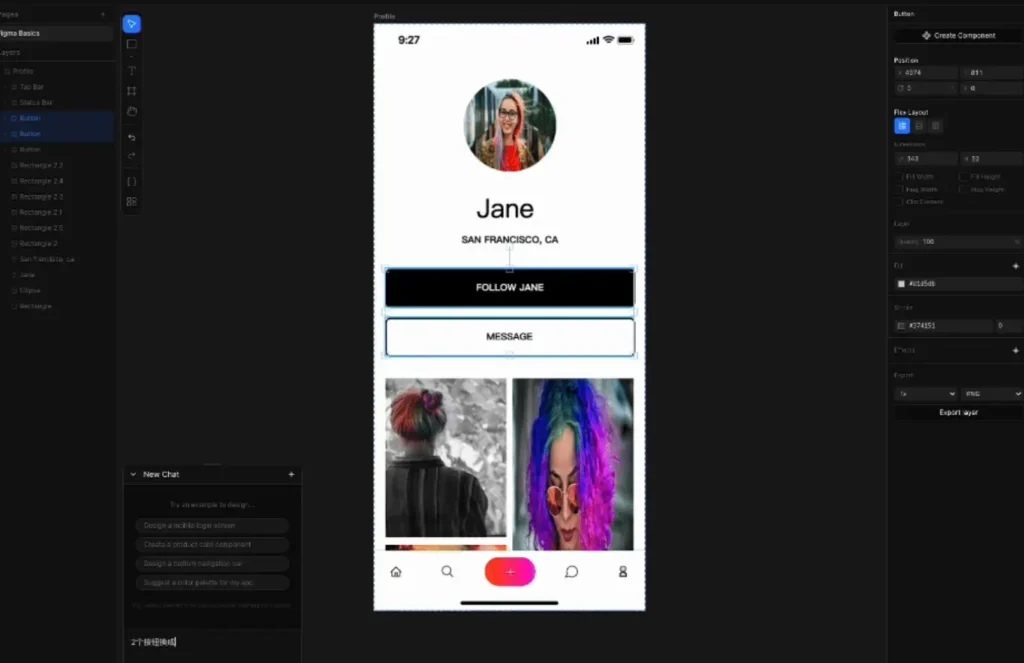
It doesn’t pretend to be another Figma clone. The whole idea is to describe the UI, and it builds it.
You can prompt an entire landing page and watch it take shape on the canvas. Or highlight a few elements and say, “make this tighter, change the spacing, switch the theme.” It can even use a screenshot as a reference and rebuild something similar. When the prompt gets complicated, it breaks the job into smaller chunks and handles them in parallel.
It feels closer to working in a dev environment that happens to draw your interface as you go.
Use Cases
- Generating landing pages directly from prompts
- Iterating UI concepts without manually placing every element
- Syncing design tokens with CSS variables
- Automating design changes via AI agents
Screenshots
Features of OpenPencil UI Editor
| Feature | What it Does |
|---|---|
| Prompt-to-UI | Generate full layouts in real time from text descriptions |
| Multi-agent orchestration | Breaks complex designs into parallel AI tasks |
| Built-in MCP server | Connect AI agents like Claude Code or Codex |
| Code generation | Export React + Tailwind or clean HTML + CSS |
| Infinite canvas | Pan, zoom, smart guides, snapping |
| Design variables | Tokens with multi-theme support |
| Component system | Reusable components with overrides |
| Figma import | Import .fig files with layout and styles preserved |
| Desktop app | Electron-based app for macOS, Windows, Linux |
System Requirements
| Component | Minimum Requirement |
|---|---|
| OS | Windows 10/11 • macOS • Linux |
| RAM | 4 GB recommended |
| Disk Space | 300 MB+ |
| Internet | Required for AI integrations |
| Runtime (Dev Mode) | Bun ≥ 1.0, Node.js ≥ 18 |
How to Install OpenPencil UI Editor?
Windows
- Download the .exe installer.
- Double-click the downloaded file.
- Follow the setup wizard.
- Launch OpenPencil once installation completes.
macOS
- Download the .dmg file.
- Open the downloaded file.
- Drag OpenPencil into your Applications folder.
- Open it from Applications.
- If macOS blocks it the first time, go to System Settings → Privacy & Security and click Open Anyway.
Linux
Method 1: .deb File
- Download the .deb file
- Open the file
- It will open in your system’s Software Install application, Install it.
- After Installation, Open OpenPencil from your Applications Menu.
Method 2: .AppImage File
- Download the .AppImage file.
- Right-click the file and open Properties.
- Enable Allow executing file as program.
- Double-click the AppImage to launch it.
Related : OpenPencil: AI Design Editor & Powerful Figma Alternative
Download OpenPencil AI-Native Open-Source UI Editor
Why To Use OpenPencil UI Editor
If you think in components, tokens, and commits instead of just pixels, OpenPencil will probably click with you.
It lets you describe interfaces instead of manually building every block. You can generate layouts from prompts, tweak designs in plain language, and export real code without jumping between tools.