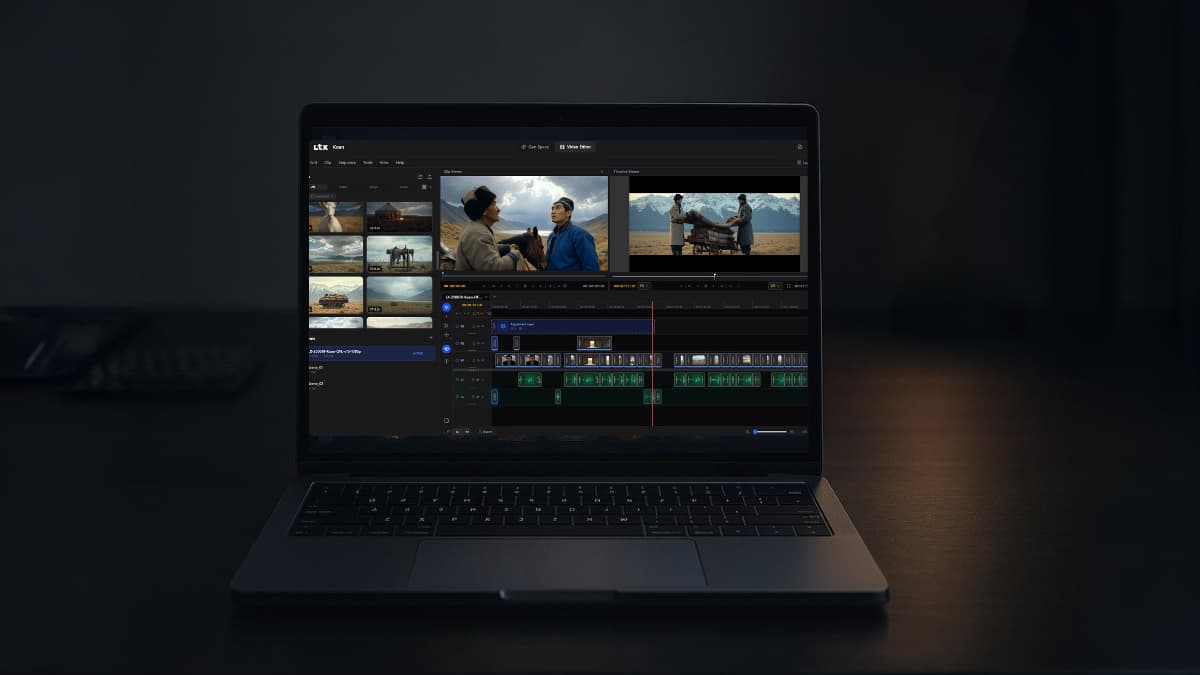

Two years ago, if you wanted to generate a decent AI video, the only real option was a subscription. Pick a tool, pay monthly, generate on their servers. That was just how AI video worked.
Open source models eventually closed the gap on quality, but running them locally meant terminals, dependency errors, and a lot of patience. Not everyone wanted that headache. Most people didn’t.
But now that just changed. On March 5th, Lightricks dropped two things at once. LTX 2.3, a major upgrade to their open source video model, and LTX Desktop, a proper video editor built entirely on top of it. Its Open Source & you can install it like any other app on your computer.
If you have the hardware, we’re talking 32GB VRAM for the full experience, you genuinely don’t need a subscription for video generation anymore. Just your GPU doing the work.
And if you’re not there on hardware yet, LTX still offers an API. Paid, but flexible. The point is you have options now.
Table of contents
So What Did Lightricks Actually Build?
Lightricks has been building LTX for a while now. LTX 2 was already turning heads in the open source community, and 2.3 is the most complete version they’ve shipped yet. It’s a diffusion-based video model that generates both video and audio together in a single pass. The sound, the motion & the visuals all come from the same model at the same time. That alone separates it from most of what’s out there.
The base model is 22B parameters and uses Google’s Gemma 3 12B as its text encoder, which is the part that reads your prompt and figures out what to generate. It’s a capable brain for a capable model.
Here’s what actually changed in 2.3.
Sharper output: Lightricks rebuilt the VAE, the part responsible for encoding and decoding visuals. Previous versions softened fine details like hair and edges, especially at lower resolutions. Cleaner textures now, less fixing in post.
Better prompt following: Complex prompts with multiple subjects or specific spatial relationships used to drift from what you asked for. If you’ve been dumbing down your prompts to get consistent results, you can stop.
Image to video that actually moves: Previous versions would often produce a slow pan or freeze entirely when animating a still image. They reworked the training specifically to fix this.
Native portrait video: Vertical resolution up to 1080×1920, trained on actual vertical data. First time in LTX. Relevant if you’re making content for TikTok, Reels, or Shorts.
Cleaner audio: New vocoder, cleaner training data. The audio actually aligns with what’s on screen instead of feeling tacked on.
LTX-Desktop: AI Video Without the Setup
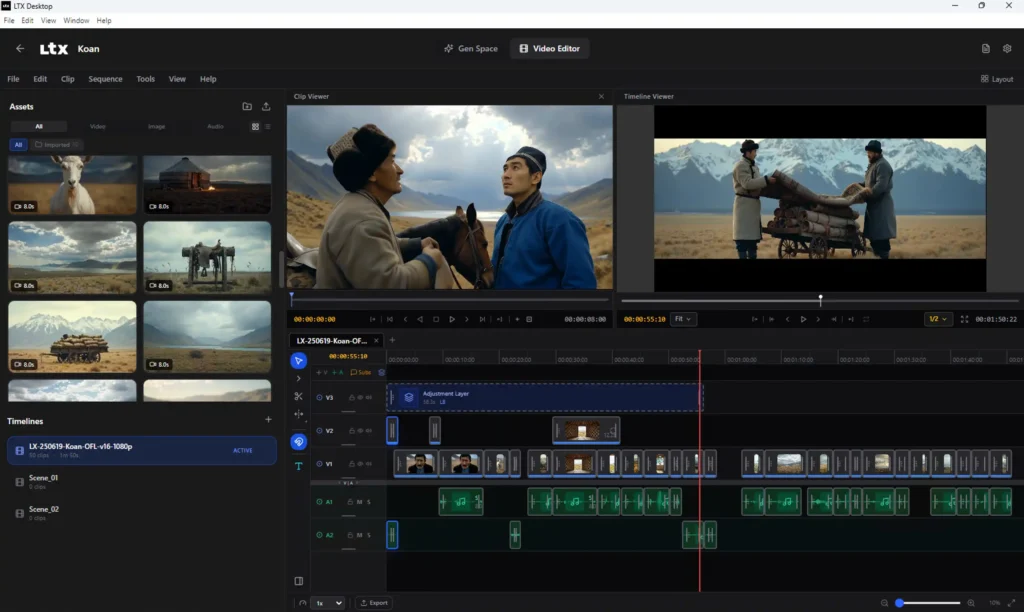
This is where it gets better. LTX-Desktop is a proper video editor built on LTX 2.3 and you install it like any other app.
If you have at least 24GB VRAM, everything runs fully local. Your GPU does the work, simply no cost per generation or if you don’t have the hardware? LTX Desktop connects to their API instead but generation just happens on their servers & its paid.
Either way you’re working inside one app. And if one small detail looks off, the Retake tool lets you fix just that area without regenerating the whole clip. On a paid cloud tool you’d re-roll the entire thing and pay for it. Here you just fix it.
LTX 2.3 vs Veo 3.1
Veo 3.1 is probably the most talked about AI video model right now, so that’s the one worth comparing directly.
| Metric | LTX 2.3 (Local) | LTX 2.3 (API) | Veo 3.1 (API) |
|---|---|---|---|
| Price | Free | $0.04–$0.24/sec | $0.15–$0.60/sec |
| 4K pricing | Free (your GPU) | $0.16–$0.24/sec | $0.35–$0.60/sec |
| Audio | Native, included | Native, included | Native, included |
| Privacy | 100% local | Cloud | Cloud |
| Retake/Edit | Yes, in Desktop app | Yes | No |
| Open Source | Yes | Yes | No |
| Runs offline | Yes | No | No |
Pricing is based on official pages as of March 2026 and may change.
Related: This Free Tool Let Me Run AI Video, Image and Music Models Locally Without ComfyUI
Before You Start Using LTX 2.3
Lightricks recommends a Windows machine with a CUDA GPU and at least 32GB VRAM to run this locally. That’s the honest requirement. Not everyone has that sitting on their desk right now, and that’s fine.
If you’re not there on hardware yet, the API route through LTX Desktop is still a solid option. You get the same editor, the same Retake feature, just without the local generation. When you go through the setup you’ll see the pricing plans and you can pick what works for your usage.
The local route is where the real freedom is. But the API keeps it accessible while you get there.
Related: Qwen3.5-4B: The Small AI Model That Thinks, Sees, and Runs on Your Machine
So, Is LTX 2.3 Worth It?
If you have the hardware, honestly yes. A free, open source video model with native audio, portrait support, a proper desktop app, and no subscription attached to it — that’s not a small thing. Six months ago this combination didn’t exist in open source.
If you don’t have the hardware yet, it’s still worth keeping an eye on. The model is only going to get faster, the community is already building on it, and the API option means you can start using it today without waiting on a GPU upgrade.
Paid tools aren’t going away tomorrow. But they’re going to have a harder time justifying their price tags every time something like this drops.
LTX 2.3 is one of those releases that quietly shifts what people expect for free.