



File Information
| Property | Details |
|---|---|
| Name | Foxel |
| Version | Latest (Python + React) |
| File Size | Varies depending on deployment |
| Platform | Linux, Windows, macOS (via Docker) |
| License | MIT License (Open Source) |
| Official Repository | Foxel |
| Online Demo | Foxel Demo (Account: admin / admin) |
Table of contents
Description
Foxel is a highly extensible private cloud storage solution designed for individuals, teams, and enterprises who want full control over their data. Built with Python and React, Foxel combines modern web technologies with advanced cloud features, making it a perfect alternative to NextCloud. With MIT licensing, you are free to use it for personal, educational, or commercial projects.
Foxel emphasizes privacy, flexibility, and intelligence. Its AI-powered semantic search allows you to find files, images, documents, and other unstructured content using natural language queries. You can manage your entire data ecosystem in one place while integrating multiple storage backends, previewing files without downloading, and sharing securely with public or private links.
While Foxel provides a ready-to-use cloud framework, note that deploying it as a fully functional SaaS product may require additional development, security hardening, and server setup. However, it offers a strong foundation for creating your own cloud storage platform, whether for personal use, internal team collaboration, or commercial projects.
Features of Foxel
| Feature | Description |
|---|---|
| Unified File Management | Centralize files across multiple storage backends in one interface. |
| Pluggable Storage Backends | Easily extend Foxel to support additional storage types using an adapter pattern. |
| Semantic Search | Find content across files, images, and documents using natural language queries. |
| Built-in File Preview | Preview images, videos, PDFs, Office documents, text, and code files directly in-browser. |
| Permissions & Sharing | Share files securely with private or public links; control access at a granular level. |
| Task Processing Center | Asynchronous task processing for indexing, backups, and other background operations. |
| MIT License | Allows commercial use and modifications, giving flexibility for personal and enterprise projects. |
| Online Demo | Test the interface and functionality instantly using the provided demo account. |
Screenshots
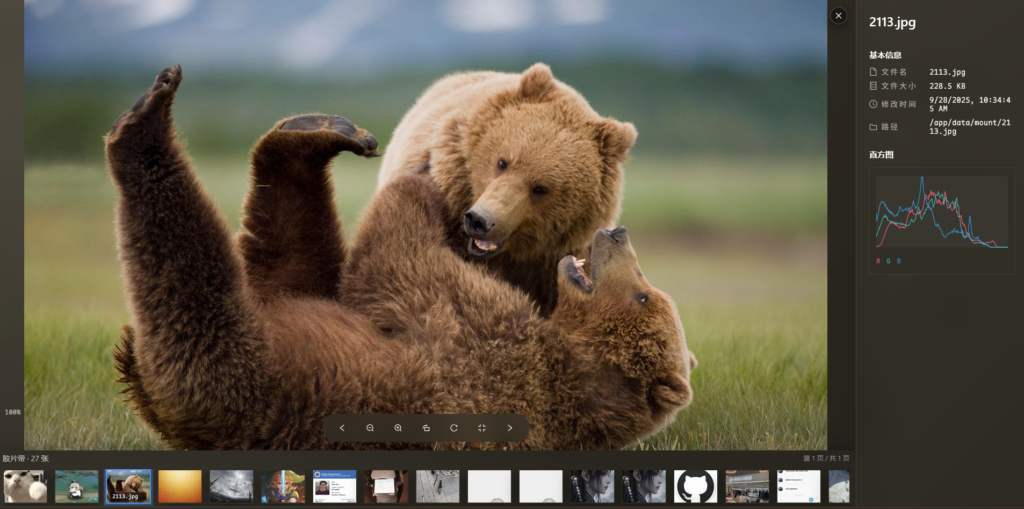
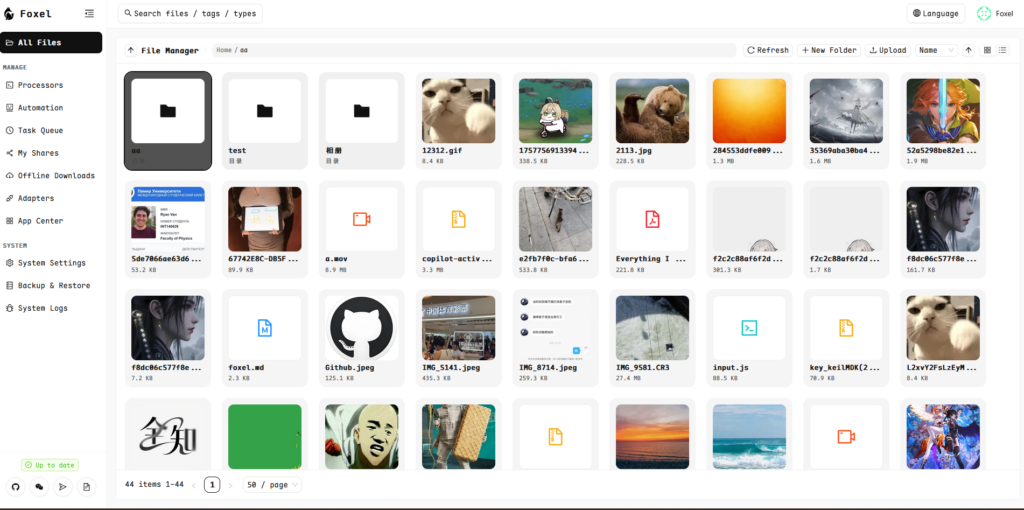
System Requirements
| Component | Minimum Requirement |
|---|---|
| Operating System | Linux (Recommended), Windows, macOS (via Docker) |
| Processor | Modern x86_64 CPU |
| RAM | 4 GB+ (8 GB+ recommended for large datasets) |
| Storage | At least 20 GB free space (more for larger datasets) |
| Docker | Docker & Docker Compose installed |
How to Install Foxel??
1. Prerequisites
- Docker (Docker Desktop for Windows/Mac, Docker Engine for Linux)
- Docker Compose
- Git (optional, for cloning repo)
- Minimum 4GB RAM
2. Open a Terminal / Command Prompt
You need a place to run commands:
| OS | Terminal/Command Prompt |
|---|---|
| Windows | PowerShell or Git Bash (recommended for Linux-style commands) |
| Mac | Terminal.app |
| Linux | Terminal (default shell) |
3. Create Data Directories
Run the following in your terminal/PowerShell:
mkdir -p data/db
mkdir -p data/mount
chmod 777 data/db data/mount   # On Windows, skip chmod if it fails
data/db→ database storagedata/mount→ file storage
Make sure Docker can access these folders.
4. Download Docker Compose File
Option 1: Clone the repo:
git clone https://github.com/DrizzleTime/Foxel.git
cd Foxel
Option 2: Download directly:
curl -L -O https://github.com/DrizzleTime/Foxel/raw/main/compose.yaml
5. Configure Environment Variables
- Open
compose.yamlin a text editor - Replace default keys:
SECRET_KEY→ strong random stringTEMP_LINK_SECRET_KEY→ strong random string
Generate keys using Python:
python -c "import secrets; print(secrets.token_urlsafe(32))"
6. Start Foxel
Run:
docker-compose up -d
- Downloads images and starts containers
- Check logs if needed:
docker-compose logs -f
7. Access the Application
- Open a browser and go to:
http://localhost:8000
- Follow the first launch setup to create the admin account
8. Stop / Restart / Remove Containers
docker-compose stop    # Stop containers
docker-compose start   # Start again
docker-compose down    # Stop and remove containers
Platform Notes
| OS | Special Notes |
|---|---|
| Windows | Use PowerShell or Git Bash. Store data in C:\Users\YourName\data. Skip chmod if errors occur. |
| Mac | Use Terminal.app. Store data in /Users/YourName/data. |
| Linux | Run Docker as a user with proper permissions or use sudo docker-compose. |
Tip: Always run commands inside a terminal/command prompt where Docker can access your folders. Once the service is up, the web app works the same across all platforms.
Why Foxel is a NextCloud Alternative
Foxel is perfect for those who want:
- Full control over private cloud storage without depending on third-party providers.
- AI-powered semantic search for smarter file retrieval.
- A foundation to build a commercial SaaS product.
- Flexible storage options that scale with your needs.
While it’s not a plug-and-play SaaS solution, Foxel provides all the core tools needed to create your own cloud ecosystem with advanced features and modern UI.
Download Foxel: Next Cloud Alternative Source Code
Conclusion
Foxel is an excellent starting point for individuals, startups, and enterprises looking to own their cloud infrastructure with powerful AI-driven tools.




