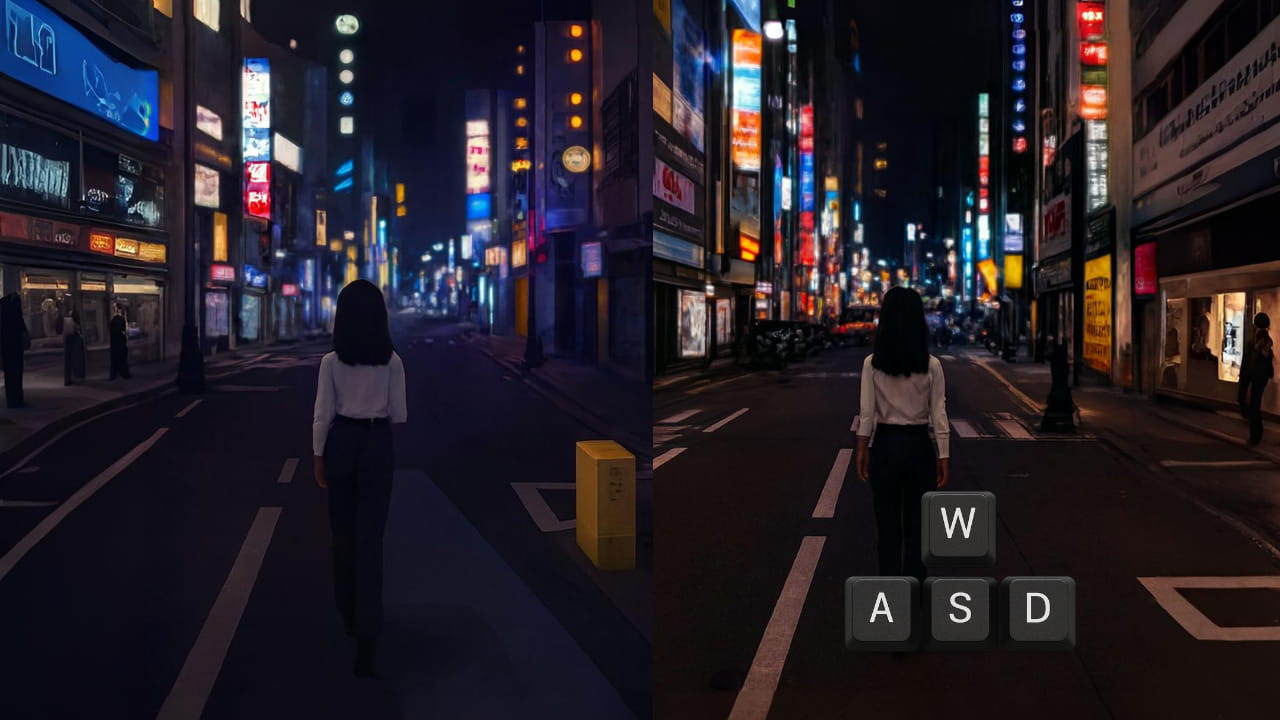

We’ve all seen AI video generators that spit out cool clips. But what if I told you Yume 1.5 goes way beyond that into full-on digital world creation? It’s not just a video. Not a static image. It’s a living, breathing world you can explore using only your keyboard. This open-source model doesn’t just create scenes, it builds entire worlds you can genuinely explore.
Type a description. Upload an image. Watch as a complete, navigable environment springs to life. It’s like having a game engine powered purely by your imagination.
The cherry on top? A single-file Windows installer. No complex setups. Just pure, local world-building power right on your computer.
Table of contents
Features of Yume 1.5
| Feature | Description |
|---|---|
| Interactive World Generation | Generate fully explorable 3D worlds from a single text description or image input. Move through the environment using keyboard controls (WASD). |
| Open-Source Model | Fully open-source with access to model weights, training code, and inference scripts. Ideal for researchers, developers, and enthusiasts. |
| Text-to-World & Image-to-World | Supports both text-conditioned and image-conditioned world creation for maximum flexibility. |
| Event & Action Control | Decompose scenes into events and actions for precise control over dynamic interactions within the generated world. |
| Long Video / World Continuity | Maintains spatial and temporal consistency across long sequences, producing seamless explorations. |
| Streaming Acceleration | Real-time generation is optimized via bidirectional attention distillation and linear attention for faster inference. |
| Single-File Windows Installer | Easy one-click setup for Windows users. No complex environment configuration or cloud dependency required. |
| Demo & Exploration Ready | Compatible with example workflows and demo videos. Quickly test model outputs without additional setup. |
| Customizable Parameters | Adjust distance, camera rotation, and movement speed to fine-tune world navigation and user experience. |
Yume 1.5 Demo
Here’s an official demo video from Yume 1.5 showcasing what the model can actually generate. The following official demo showcases interactive world exploration, real-time camera control, and long, continuous environments created entirely by AI.
Before You Install: System Requirements Checklist
Before installing Yume 1.5, make sure your system meets these basic requirements. This helps avoid crashes, slow performance, or failed launches.
| Component | Requirement |
|---|---|
| OS | Windows 10 / 11 (64-bit) |
| GPU | NVIDIA RTX 3090 / 4090 |
| GPU VRAM | 16 GB (absolute minimum), 24 GB recommended |
| RAM | 32 GB |
| Storage | 40–50 GB free (SSD strongly recommended) |
| Internet | Required for first run |
Below 16 GB VRAM, expect erros or unusable performance
Also Read: Run TRELLIS 2 Locally & Generate High-Quality 3D Models from Images
How to Install Yume 1.5 on Windows??
Step 1: Download the Official Yume Repository
- Go to the official Yume GitHub repository
- Download the project as a ZIP file
- Save it anywhere on your PC (Desktop is fine)
Step 2: Extract the ZIP File
- Right-click the downloaded ZIP file
- Select Extract All (7-Zip is Recommended)
- Open the extracted folder
You’ll now see several files and folders inside, these are required files, you won’t need to touch most of them.
Step 3: Run the One-Click Installer
Inside the extracted folder:
- Look for a file named
run_oneclick_debug.bat - Double-click it
That’s it. No manual setup needed.
The script will automatically:
- Set up the required environment
- Download the necessary model files from Hugging Facea
- Launch the Yume web demo locally
Note: First launch may take time, model files are large.
Step 4: Open Yume in Your Browser
Once the script finishes running:
- A local URL will appear in the terminal (something like
http://127.0.0.1:xxxx) - Open that link in your browser
Congrats! You’re now inside Yume 1.5
From here, you can generate and explore interactive AI worlds directly on your own machine.
Performance Tips
- Recommended GPU: 16 GB VRAM or higher
- You can adjust sampling steps (between 4 and 50)
- Lower steps = faster results
- Higher steps = better quality (but slower)
If your system feels slow, start with lower sampling steps and increase gradually.
How to Use Yume 1.5 (Beginner-Friendly)
Once Yume 1.5 is running in your browser, using it is surprisingly simple.
- Open the local web interface
After installation, Yume launches in your browser via a local URL. - Choose how you want to create a world
- Text -> World (describe a scene)
- Image -> World (upload a single image)
- Enter a prompt or upload an image
- Example: “A futuristic city at night with neon lights and flying vehicles”
- Or upload a photo to turn it into an explorable world
- Start generation
Click the generate/run button and wait for the world to load. - Explore using your keyboard
- W A S D -> Move around
- Mouse -> Look around
- You’re not watching a video, you’re inside the AI generated world
- Regenerate or refine
Change the prompt, tweak settings, or try a different image to create a new world.
How Yume 1.5 Is Different From AI Video Generators
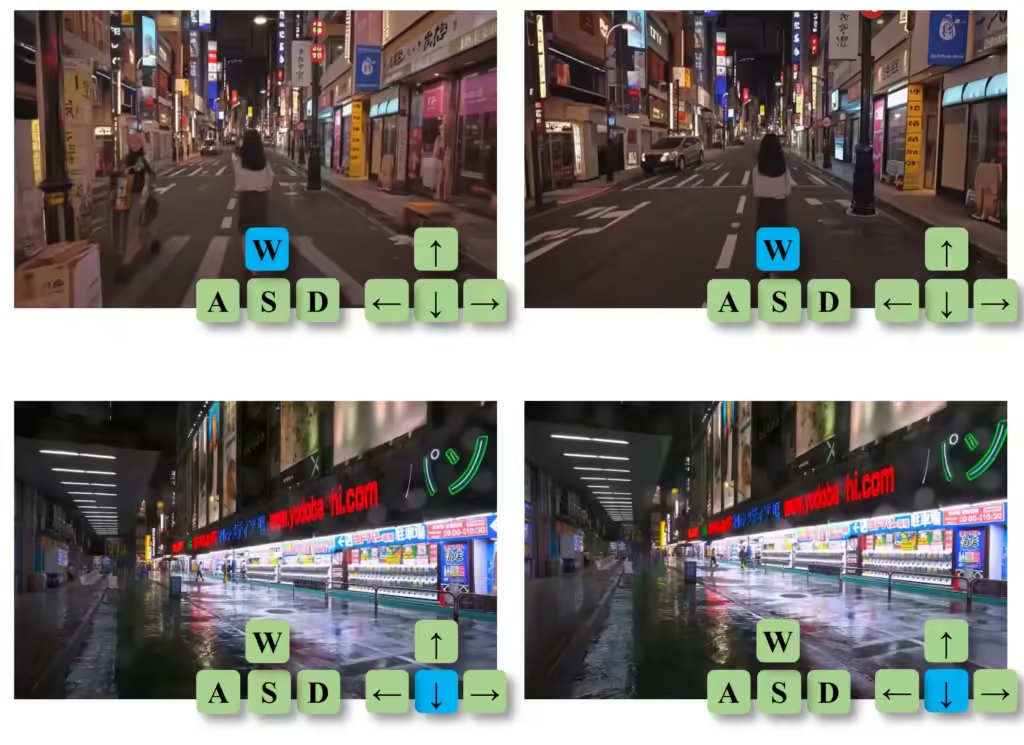
Most AI video generators focus on producing short clips that you simply watch. Yume 1.5 takes a completely different approach. Instead of generating a finished video, it creates a living world that you can actively explore & control.
To make the difference clear, here’s how Yume 1.5 compares to traditional AI video generators:
| Feature | AI Video Generators | Yume 1.5 |
|---|---|---|
| Output Type | Pre-rendered video clips | Interactive, explorable worlds |
| User Interaction | None (watch-only) | Full keyboard control (WASD) |
| Camera Control | Fixed, pre-defined | User-controlled, real-time |
| Duration | Limited | Continuous, long-form exploration |
| Input Types | Text prompt, Images & Some supports videos | Text & image |
| World Continuity | Scene ends with video | World persists as you move |
| Use Case | Short AI clips, demos | World building, research, creative exploration |
Wrapping Up
AI models like Yume 1.5 are setting a new benchmark for what open-source AI can achieve. This is a powerful tool for developers, creators, and genuinely curious minds who want to go beyond static images and videos.
With Yume 1.5, you can generate entire AI worlds, move through them, and interact in real time, all while running everything locally on your own system. The fact that it’s fully open source and licensed under Apache 2.0 makes it even more valuable, giving the community freedom to experiment, build, and innovate without restrictions. If you’re interested in where AI is heading next, Yume 1.5 is not just worth trying, it’s worth paying attention to.