

File Information
| File | Details |
|---|---|
| Name | Blender |
| Version | 4.5.1 LTS (Latest Stable) |
| License | Free & Open Source (GPL v2) |
| File Types | .msi, .dmg, .tar.xz |
| Platforms | Windows, macOS, Linux |
| Size | ~200 MB (Windows), ~180 MB (macOS), ~220 MB (Linux) |
| Developer | Blender Foundation |
| Official Site | blender.org |
Table of contents
Description
Blender is more than just a 3D modeling tool, it is a comprehensive suite that encompasses a wide range of functionalities, making it suitable for various creative projects. Whether you are interested in modeling, sculpting, texturing, rigging, animating, or rendering, Blender has the tools you need to bring your ideas to life.
One of the standout features of Blender is its user-friendly interface, which can be customized to fit your workflow. The software supports a variety of file formats, allowing for seamless integration with other applications. Blender’s powerful rendering engine, Cycles, provides realistic lighting and shading, making it ideal for creating high-quality visual content.
Blender also includes advanced features such as physics simulations, particle systems, and sculpting tools, enabling artists to create intricate designs and animations. The software’s extensive community support means that users can access a wealth of tutorials, plugins, and resources to enhance their skills and projects.
Additionally, Blender is constantly updated, ensuring that users have access to the latest features and improvements. Its open-source nature means that it is free to use, making it accessible to everyone, from hobbyists to professionals.
If you appreciate the work of the Blender Team and the value they provide to the community, consider donating to support their ongoing development efforts.
Features
- Comprehensive 3D Modeling Tools: Create detailed 3D models with a variety of sculpting and modeling options.
- Animation & Rigging: Advanced tools for character rigging & animation, including keyframing and motion paths.
- Realistic Rendering: The Cycles rendering engine provides high-quality, photorealistic results.
- Physics Simulations: Simulate realistic physics, including fluid, smoke, and particle systems.
- Extensive Plugin Support: Enhance functionality with a wide range of community-created plugins.
- User-Friendly Interface: Customizable layout to suit individual workflows.
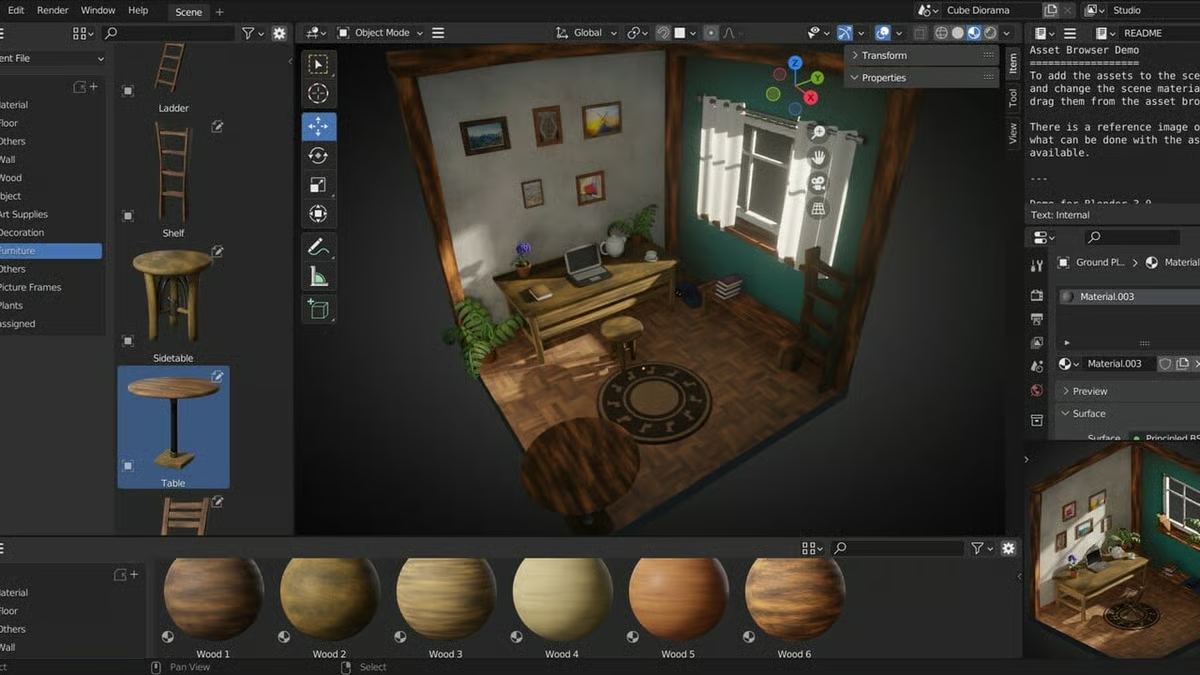
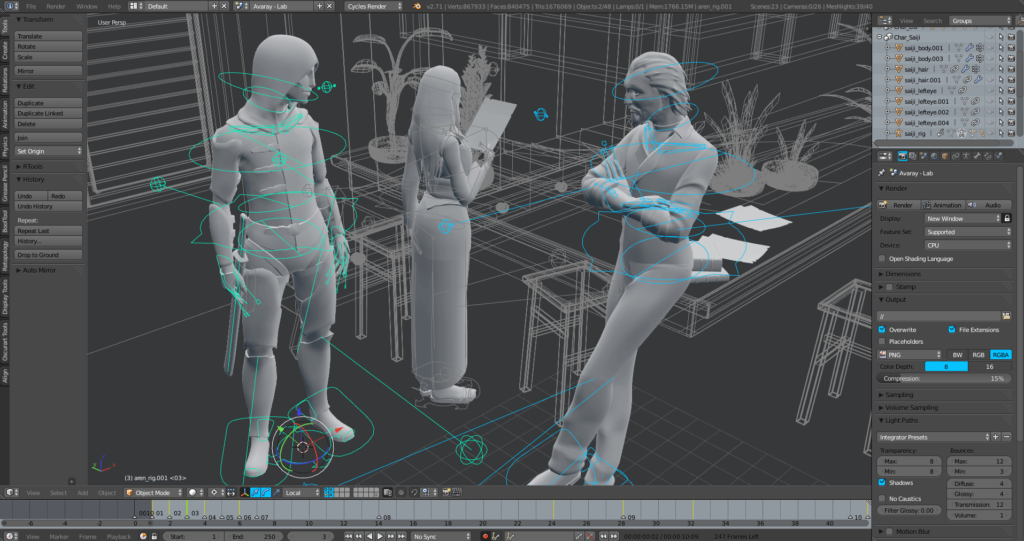
ScreenShots
System Requirements
| Operating System | Minimum RAM | Recommended RAM | Disk Space |
|---|---|---|---|
| Windows | 4 GB | 8 GB | 500 MB |
| macOS | 4 GB | 8 GB | 500 MB |
| Linux | 4 GB | 8 GB | 500 MB |
How to install Blender??
Before you begin the installation process, download the Blender file by scrolling down to the download section. Choose the appropriate file for your operating system:
- Windows: Download the .exe file.
- macOS: Download the .dmg file.
- Linux: Download the .tar.xz file.
Installation Steps
For Windows:
- Locate the downloaded .exe file and double-click to run it.
- Follow the on-screen instructions to complete the installation.
- Once installed, launch Blender from the Start menu.
For macOS:
- Open the downloaded .dmg file.
- Drag the Blender icon into the Applications folder.
- Open Blender from the Applications folder.
For Linux:
- Extract the downloaded .tar.xz file to your desired location.
- Navigate to the extracted folder in the terminal.
- Run Blender by executing the command
./blender.