
File Information
| File | Details |
|---|---|
| Name | App Lock |
| Latest Version | v2.0.0 |
| File Type | .apk (Android Application) |
| License | Open Source (MIT License) |
| Size | 2MB |
| Github Repository | Github AppLock |
| Primary Use | Mobile App Privacy & Security |
Table of contents
Description
App Lock is a sophisticated privacy shield designed to protect your most sensitive digital spaces. This open-source Android application provides robust protection without requiring root access, ensuring your personal information remains strictly confidential.
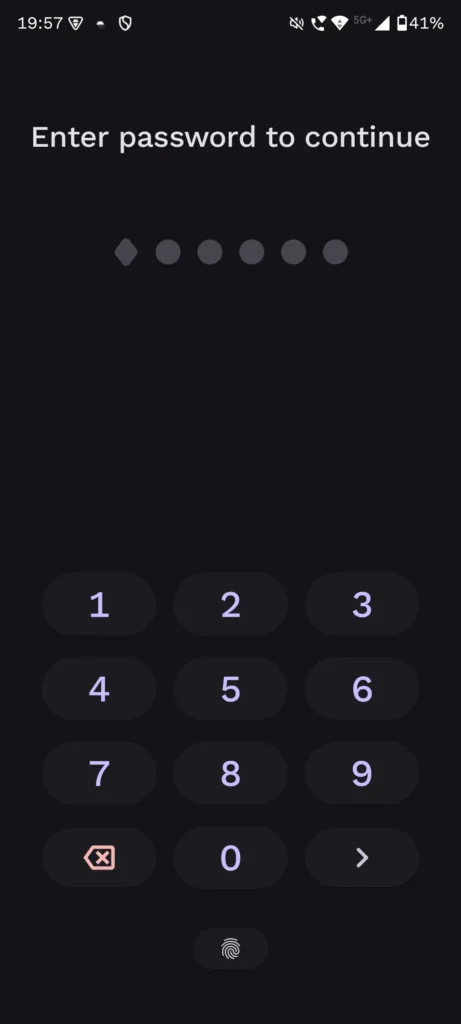
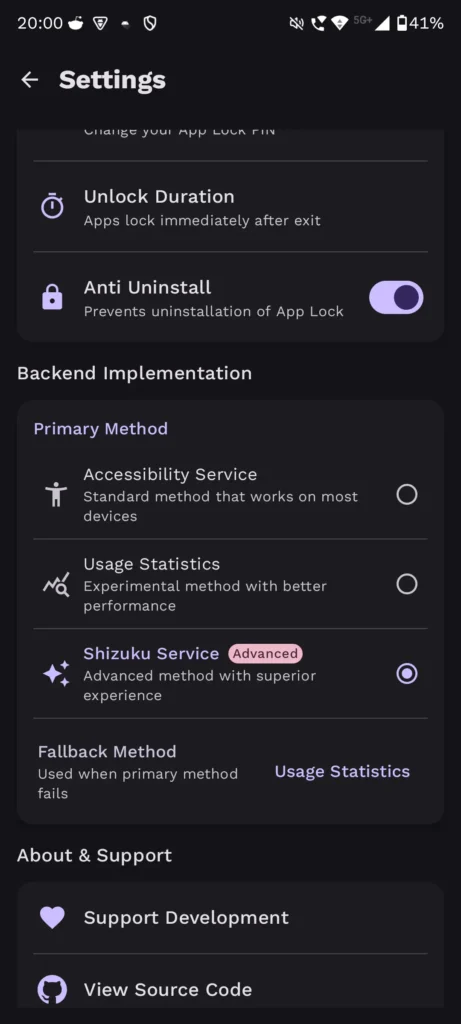
Screenshots
Features of AppLock
| Feature | Description |
|---|---|
| Material You Design | Adaptive theme integration |
| Multi-Authentication | Biometric & PIN support |
| One-Tap Locking | Instant app protection |
| Background Protection | Real-time security monitoring |
| Anti-Uninstall Protection | Prevents unauthorized removal |
System Requirements
| Device Specification | Minimum Requirements | Recommended |
|---|---|---|
| Android Version | Android 6.0+ | Android 10+ (Recommended) |
| RAM | 2 GB | 4 GB+ |
| Storage | 50 MB Free Space | 128 MB Free Space |
| Processor | Quad-Core | Octa-Core Processor |
How to install Open Source AppLock??
- Download
.apkfile - Enable “Unknown Sources” in device settings
- Tap downloaded APK
- Follow on-screen installation wizard
- Grant necessary permissions
- Configure initial security settings
Download AppLock App: An Open Source Powerful App Lock for Android Security
Unique Use Cases
| Scenario | Protection Level | Benefit |
|---|---|---|
| Shared Devices | High | Prevent unauthorized app access |
| Parental Controls | Advanced | Monitor & restrict app usage |
| Work Device Security | Professional | Protect sensitive corporate applications |
Security Verification
- VirusTotal Analysis: Comprehensive security scan
- Exodus Privacy Report: Detailed privacy assessment
- Open-Source Transparency: Community-verified codebase
you can also verify these analysis at the official github repository document
Pro Tips for Maximum Privacy
- Utilize biometric authentication
- Set strategic unlock timeouts
- Regularly update the application
- Combine with device-level security features
Why Choose App Lock?
App Lock stands out by offering:
- Zero Root Requirement
- Minimal Performance Impact
- Complete Data Locality
- Customizable Security Protocols
Your digital privacy isn’t a luxury, it’s a necessity. App Lock delivers professional-grade protection with user-friendly simplicity.
Support AppLock Project
If you like this application and found this useful then do visit the official repository of the project and you can contribute or donate over there to support the work of the developer.
Conclusion
App Lock represents more than just an application, it’s a comprehensive privacy ecosystem designed to empower Android users in an increasingly complex digital landscape. By offering robust, user-friendly protection without compromising device performance, this open-source solution bridges the gap between convenience and security.