
File Information
| Name | AB Download Manager |
|---|---|
| Version | v1.7.1 |
| File Size | Windows: ~61MB • macOS: ~84MB • Linux: ~87MB |
| Platforms | Windows • macOS • Linux |
| License | Open Source (Apache-2.0 license) |
| Official Repository | GitHub – ABDownloadManager |
| Official Site | abdownloadmanager |
Table of contents
Description
AB Download Manager is a powerful, free, and open-source desktop application designed to supercharge your downloading experience. Whether you’re downloading videos, large files, or documents, AB Download Manager ensures blazing-fast speed, seamless organization, and complete control over your downloads.
Unlike traditional download managers, AB Download Manager focuses on speed, simplicity, and customization, making it a perfect open-source alternative to Internet Download Manager (IDM). With multi-threaded downloads, browser extensions, modern UI themes, and advanced scheduling, it provides everything you need for a great download experience.
Features of AB Download Manager
| Feature | Description |
|---|---|
| Faster Download Speed | Uses multi-threaded download acceleration to achieve lightning-fast speeds. |
| Queues & Schedulers | Schedule downloads for specific times or create queue lists for batch downloading. |
| Browser Extensions | Integrates seamlessly with Chrome, Firefox, and Edge for one-click downloading. |
| Cross-Platform | Available for Windows, macOS, and Linux ensuring flexibility across all devices. |
| Multiple Themes | Comes with elegant Dark and Light themes, providing a modern and sleek interface. |
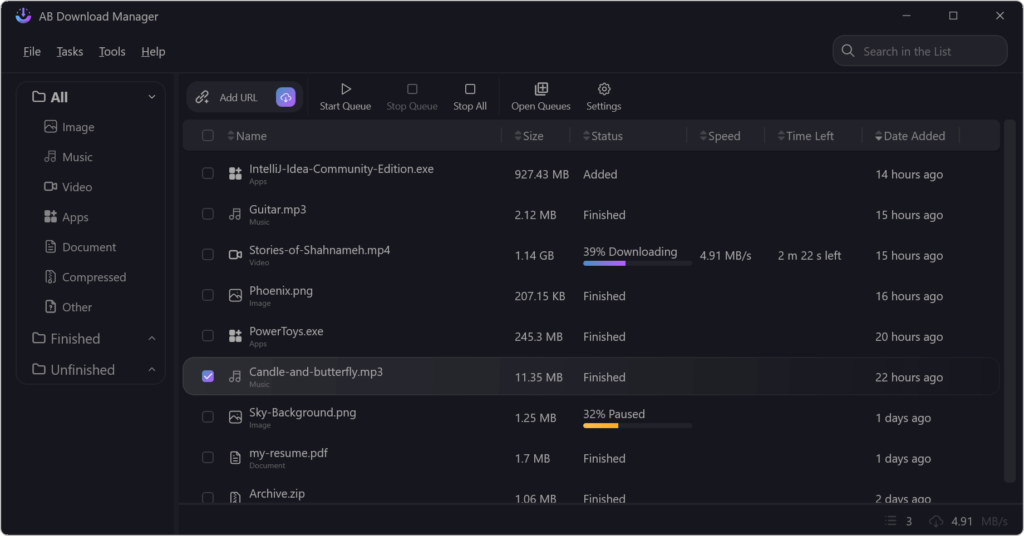
| Smart File Organization | Automatically categorizes files based on type (videos, documents, archives, etc.). |
| Notifications | Get notified when your downloads are completed or encounter issues. |
| Secure & Private | 100% offline and open source — no data tracking, no ads, no spyware. |
| Completely Free | Open-source and community-driven, enjoy premium features without paying a dime. |
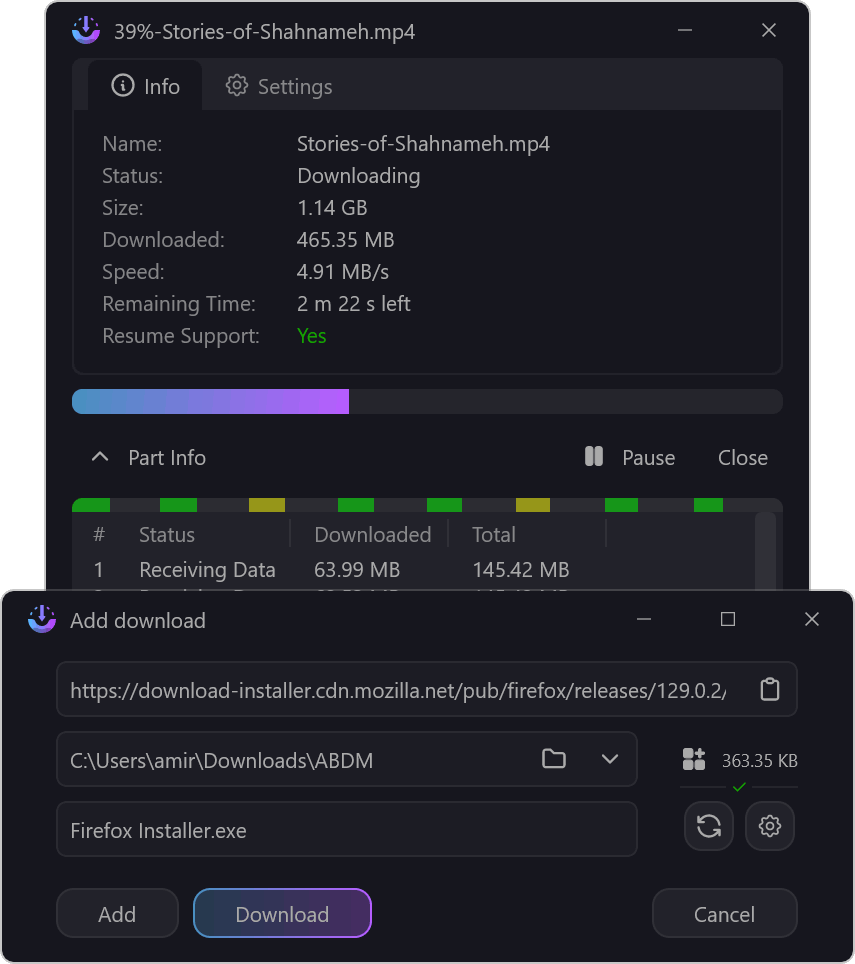
Screenshots
System Requirements
| Operating System | Minimum Requirements |
|---|---|
| Windows | Windows 10 or later, 2 GB RAM, 100 MB free disk space |
| macOS | macOS 11 (Big Sur) or later, 2 GB RAM |
| Linux | Ubuntu 20.04+ / Fedora 36+ / AppImage supported, 2 GB RAM |
How to Install AB Download Manager??
Windows
- Download the
.exeinstaller for Windows from the download section below. - Run the installer and follow on-screen instructions.
- Launch the app and start managing your downloads instantly!
macOS
- Download the
.dmgfile from the official site. - Open the file and drag the app to your Applications folder.
- Launch it, macOS may prompt you to allow permissions for network access.
For Linux (.tar.gz Package)
Download the .tar.gz package.
- Open the terminal and extract it:
tar -xvzf ABDownloadManager_1.7.1_linux_x64.tar.gz
- Navigate to the extracted folder:
cd ABDownloadManager
- Launch the app:
./ABDownloadManager
(Optional) Create a desktop shortcut for easy access.
Download AB Download Manager For Windows, macOS & Linux
Conclusion
AB Download Manager stands out as one of the best open-source download managers for those who value performance, privacy, and design. It’s an excellent alternative to Internet Download Manager (IDM) delivering similar speed and functionality but completely free and open-source.
With modern UI themes, active community development, and browser integration, AB Download Manager is not just a tool, it’s your all-in-one solution for managing downloads efficiently across any platform.
Whether you’re a student downloading study material, a professional managing large files, or just someone who wants a clutter-free download experience, AB Download Manager is the perfect choice.