


File Info
| File | Details |
|---|---|
| Name | OpenHuman |
| Version | v0.53.22 |
| Type | Personal AI Assistant / Agentic Desktop App |
| Developer | Tiny Humans AI |
| License | GPL v3.0 License |
| Size | 130MB-170MB (may vary by OS) |
| Platforms | Windows • macOS • Linux |
| File Formats | .exe • .msi • .dmg • .deb |
| Integrations | Gmail • Notion • GitHub • Slack • Calendar • Drive • Jira • Stripe • 118+ more |
| Github Repository | github/openhuman |
Table of Contents
Description
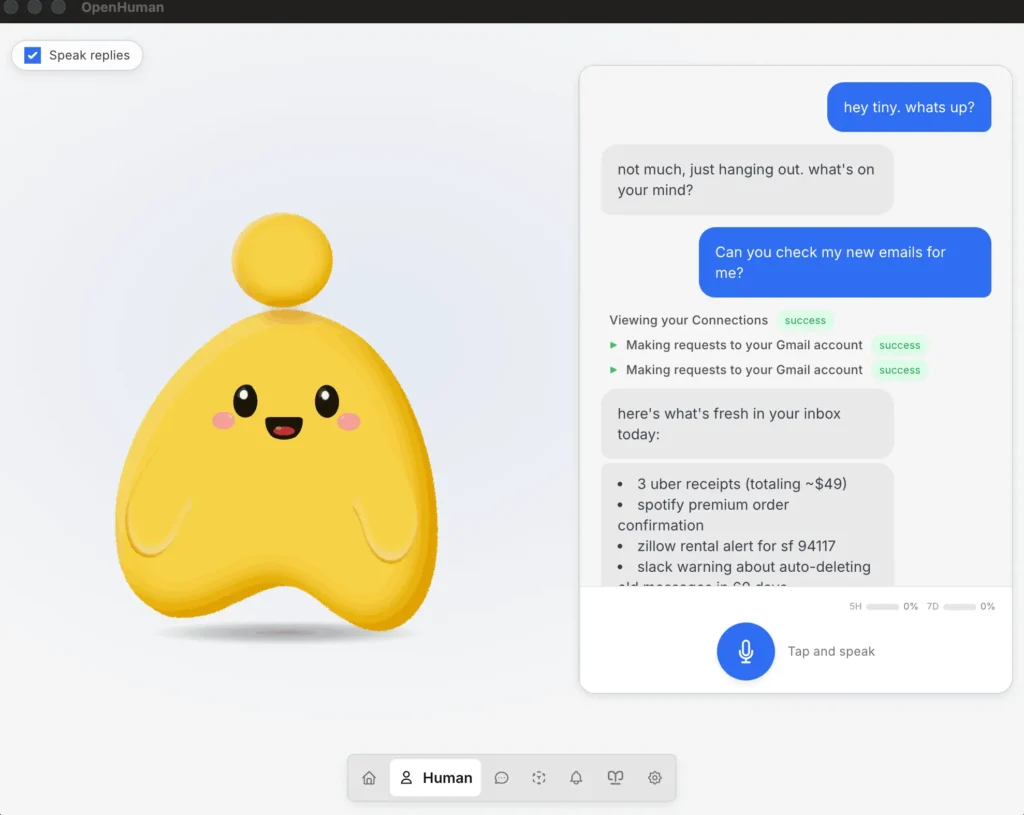
OpenHuman is trying to make personal AI assistants feel less like developer tools and more like something you can actually live with every day. You install it, connect apps like Gmail, Notion, GitHub, Slack, or Calendar, and it starts building a private memory system from your data on your own machine. It feels closer to installing a desktop app and getting started in a few minutes.
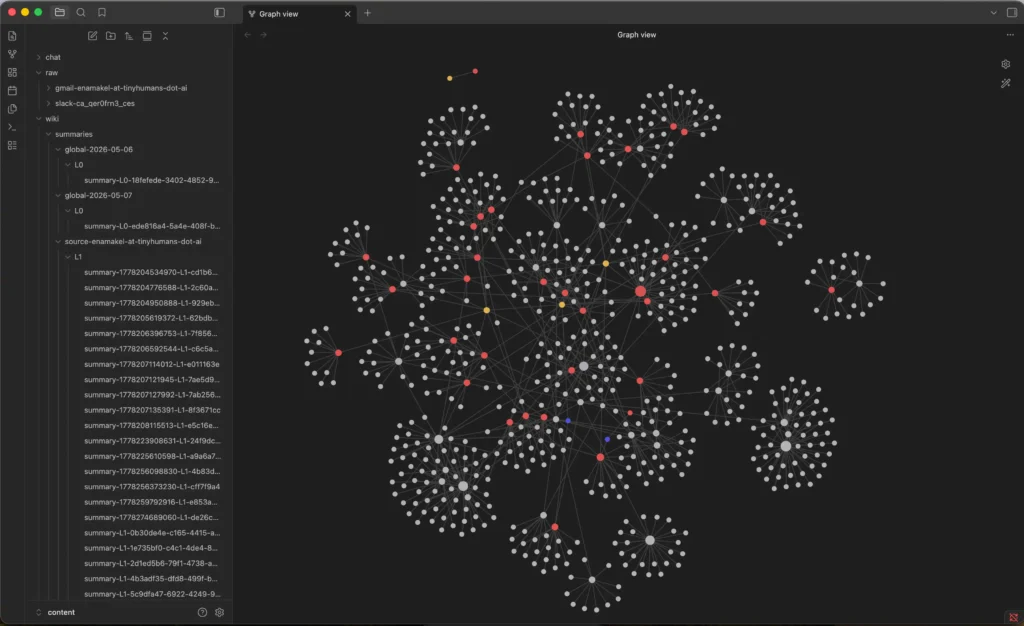
It also comes with a lot built in already including voice support, web search, coding tools, local AI through Ollama, and a memory system that stores everything as Markdown inside an Obsidian compatible vault. The agent keeps syncing connected apps every 20 minutes, so it slowly builds context around your work.
The project is still in early beta, so there are rough edges, but the direction is interesting. Especially if you’ve been looking for an AI assistant that feels personal.
Use Cases
- Personal AI assistant with long term memory
- Local first AI workflows with Ollama
- AI assistant connected to Gmail, Notion, GitHub, Slack, and Calendar
- Voice based desktop assistant
- AI coding and research workflows
- Obsidian based AI knowledge management
Screenshots
Features of OpenHuman
| Feature | Description |
|---|---|
| Persistent Memory | Builds a long-term memory graph from your data |
| Obsidian-Compatible Vault | Stores synced knowledge as editable Markdown files |
| 118+ Integrations | Connect Gmail, Slack, GitHub, Notion, Calendar and more |
| Auto-Sync | Refreshes connected data automatically in the background |
| Native Voice Support | Speech-to-text, TTS, mascot reactions, Meet support |
| Local AI Support | Optional Ollama integration for private local workloads |
| Built-In Tools | Web search, scraping, filesystem, git, testing tools |
| TokenJuice Compression | Compresses tool outputs before sending to models |
| Model Routing | Automatically uses different models for different tasks |
| Privacy Focused | Data stays local and encrypted on your device |
System Requirements
| Component | Requirement |
|---|---|
| Operating System | Windows, macOS, Linux |
| RAM | 8 GB recommended |
| Internet | Required for integrations and cloud AI features |
| Optional | Ollama for local AI models |
Related: Hermes Desktop: Run Hermes Agent with a GUI (Open Source, No CLI)
How to Install OpenHuman Personal AI Assistant
Windows
- Download the exe file
- Run the installer
- Follow the setup steps
- Launch OpenHuman from the Start Menu
macOS
- Download the
.dmgfile - Drag OpenHuman into the Applications folder
- Open the app and complete onboarding
Linux
- Download the
.debpackage - Open it with your package installer
- Install and launch OpenHuman
Download OpenHuman AI Assistant
A different kind of AI assistant
A lot of AI assistant projects still feel like experiments for power users. OpenHuman is trying to turn that into an actual desktop experience you can install, connect to your apps, and use daily without spending hours configuring everything first. It is still early, but the mix of long term memory, local AI support, voice features, and deep app integrations makes it one of the more interesting open source AI agents to watch right now.




