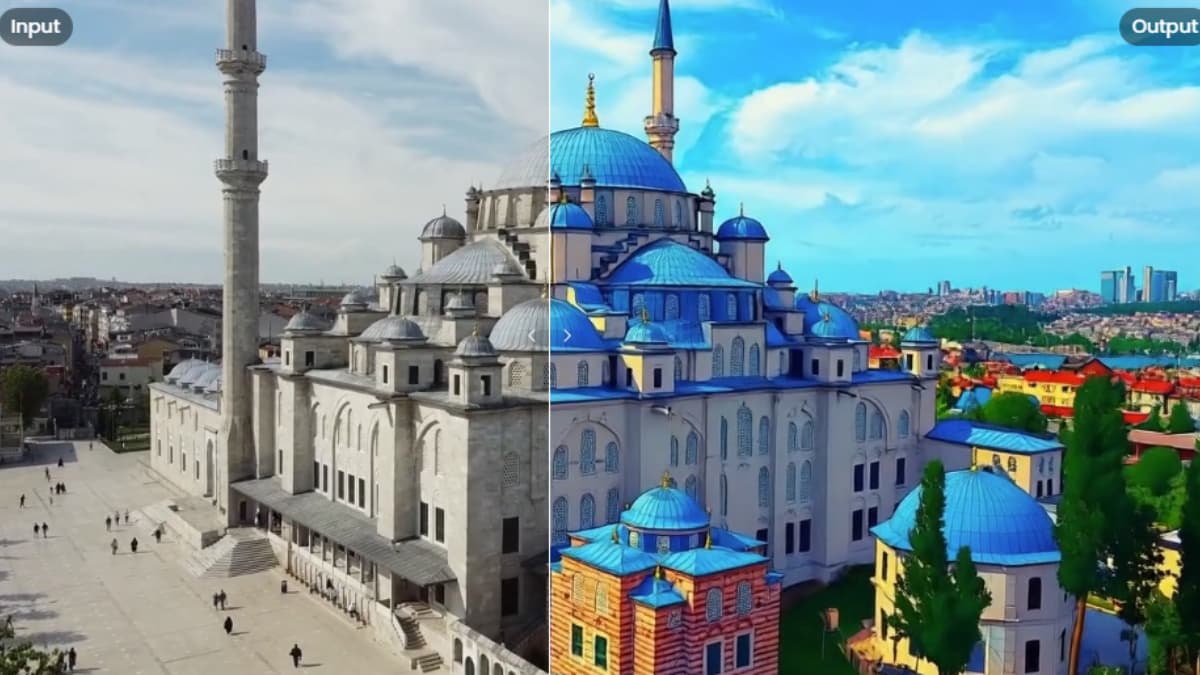

If you have been looking for open source tools to work with video using AI you have probably noticed something. Most of what gets covered is generation like creating new videos from scratch. The editing side, actually modifying existing footage with AI, has been much quieter. That is starting to change.
There are now open source models that can swap outfits, replace backgrounds, remove objects, change characters and apply styles to existing video using plain text instructions. Some are built specifically for editing. Others are generation models that fit naturally into a creative video workflow.
Either way they are all worth your time.
1. Kiwi-Edit
Text based video editing sounds simple until you actually try it. Most models either ignore your instruction, change too much, or lose the original motion entirely. Kiwi-Edit can handle all three problems reasonably well.
You give it a video, a text instruction, and optionally a reference image. It makes the edit. The motion stays. The scene stays. What changes is what you asked to change.
The reference image part is what genuinely surprised me. You can hand it a photo of a specific background and tell it to swap the scene to match that image. Not a text description, an actual image. That level of control is rare even in paid tools.
On OpenVE-Bench it scores 3.02, the best among open source methods. It beats VACE at 14B and DITTO at 14B despite being only 5B. At 1280×720 the output is actually usable quality.
Features of Kiwi-Edit
- Text instruction guided editing
- Reference image guided editing
- Style transfer, background replacement, object removal and insertion
- Preserves original motion and composition
VRAM requirements 16-24GB for comfortable inference at 720p. A single RTX 4090 or A100 handles it.
2. Lucy-Edit-Dev
Lucy-Edit-Dev does one thing really well, changing what someone is wearing in a video while keeping everything else exactly the same. The motion stays. The person stays. Just the outfit changes.
That sounds narrow until you see what it actually covers. Swap an outfit for a kimono. Turn a person into Harley Quinn. Replace a character with a polar bear. Change a shirt into a sports jersey. All from a plain text instruction.
Built on top of Wan 2.2 5B so the architecture is solid and it plugs into existing Diffusers workflows without much friction.
A few honest caveats though. Color changes are hit or miss, sometimes subtle, sometimes way too aggressive. Adding objects tends to attach them to the subject rather than placing them naturally in the scene. Global transformations like turning a beach into a snowfield can mess with the subject’s identity. The model is honest about these limitations in their own docs which I appreciate.
One thing to check before using it, the license is non-commercial. Free for personal use, research and experimentation. If you are building a product read the terms first.
Features of Lucy-Edit-Dev
- Clothing and outfit changes with motion preservation
- Character replacement and object swaps
- Scene and style transformations
- Pure text instructions, no masks or finetuning required
- Built on Wan 2.2 5B, Diffusers compatible
VRAM requirements Similar to Wan 2.2, 16GB minimum, 24GB recommended for comfortable inference.
3. MatAnyone 2
Background removal on video has always had one problem that nobody solved cleanly. Hair. Thin strands, flyaways, curly edges, every tool either chops them off or leaves a messy halo around the subject.
MatAnyone 2 handles this differently. Instead of just detecting where the subject ends it evaluates the quality of every pixel in the matte and corrects the ones it got wrong. The result is clean edges even on hair that would defeat most commercial tools.
Drop your video, click a few points on the first frame to mark the subject, and it handles the rest. Supports mp4, mov and avi.
Its Worth noting that training codes and the full dataset are still coming. What is available right now is inference only which is enough to use it practically. Check the license before using it commercially, it is NTU S-Lab License 1.0 not Apache or MIT.
I’ve covered MatAnyone 2 in detail in a dedicated article if you want the full breakdown including how it compares to other tools.
Features of MatAnyone 2
- Pixel level quality evaluation for clean edge detection
- Preserves hair strands and fine details other tools miss
- Interactive demo on HuggingFace, no install needed to test
- Supports mp4, mov and avi
VRAM requirements: Minimum 10GB. Runs on consumer GPUs comfortably.
Related: Industry-Grade Open-Source AI Video Models That Look Scarily Realistic
4. LTX 2.3
LTX 2.3 is not a dedicated editing model. It generates video and audio together from scratch. But it earns its place here because synchronized audio-video generation opens up creative workflows that pure editing models cannot cover.
Most video AI tools handle video only. You generate the clip, then figure out audio separately. LTX 2.3 generates both in a single pass synchronized from the same model, same prompt, same generation run. For content creators building scenes from scratch that is a genuinely different workflow.
22 billion parameters. ComfyUI support built in. Distilled version available for faster generation at 8 steps. Spatial and temporal upscalers for higher resolution and frame rate output. Fully trainable base model if you want to fine-tune for a specific style or motion.
If you need to modify existing footage Kiwi-Edit or Lucy-Edit are the right tools. LTX 2.3 is for building new video content from a prompt.
Features of LTX 2.3
- Synchronized audio and video generation in one model
- Text to video, image to video generation
- ComfyUI and PyTorch support
- Distilled version for faster inference
- Spatial and temporal upscalers included
VRAM requirements High end GPU recommended. 24GB VRAM for comfortable generation at reasonable resolutions.
Bonus: VOID
Removing an object from a video is not just about erasing pixels. If someone picks up a book and you remove the book, the hand is still curled around nothing. If a person knocks something over and you remove the person, the object still falls on its own. Most video editing tools miss this entirely.
VOID handles it. Built by Netflix Research, it removes objects along with every interaction they cause in the scene. Shadows, reflections, physical effects, displaced objects, all of it goes with the thing you deleted. What is left looks like the object was never there.
The way it works is through something called quadmask conditioning. Instead of a simple binary mask of what to remove, VOID uses a four value mask that tells the model exactly what to delete, what overlaps with it, what gets physically affected by its removal, and what to leave completely alone. That precision is why the results hold up where simpler approaches fall apart.
It is built on a 5B parameter CogVideoX foundation and fine tuned on paired counterfactual videos, essentially before and after footage of the same scene with and without the object, generated through physics simulation. The model learned what things look like when they were never there, not just what they look like with something painted over.
If you wanna know more about this model, here’s the full breakdown of Void AI
Features of VOID
- Object removal with physics aware interaction deletion
- Shadows, reflections and physical effects removed alongside the object
- Four value quadmask conditioning for accurate scene control
- Two pass inference, Pass 1 for standard removal, Pass 2 for improved temporal consistency on longer clips
- Automatic mask generation pipeline included using SAM2
- Apache 2.0 license, free for commercial use
Worth knowing
- Requires 40GB VRAM, an A100 is the realistic minimum, this is not a consumer GPU tool
- Default resolution is 384×672, not broadcast quality but usable for research and production prep work
- Pass 2 checkpoint is optional but recommended for longer clips where temporal consistency matters
The gap is closing
Dedicated video editing models are still rare. Kiwi-Edit and Lucy-Edit are genuinely impressive but the space is thin compared to what exists for image editing or even video generation.
The generation side is more mature. LTX 2.3 and the models in our dedicated video generation article show how far open source has come in the last year. Editing is catching up but it is not there yet.
If you are building a video workflow today the practical approach is combining what exists, generate with LTX 2.3, remove backgrounds with MatAnyone 2, edit specific elements with Kiwi-Edit. No single tool does everything yet.
That will change. The pace of open source video AI in 2026 suggests the gap between editing and generation capabilities will close faster than most people expect.