

I’ve used ComfyUI multiple times. It’s powerful, no question. But installing every model in it feels unnecessarily complicated, some require specific dependencies, version conflicts are tricky to fix, and one wrong install can break models that were already working fine.
I wanted something simpler. Portable. Something I could move between drives, use offline anytime That’s where Stability Matrix came in.
In simple terms it’s an open source package manager for AI models. No terminal setup, no Python conflicts. You pick what you want, it installs it, and you use it.
My preferred setup is WAN2GP, it supports image, video, audio and music generation all in one place, which covers pretty much everything I care about. But you can install whatever fits your workflow.
To show you how simple this actually is, let me walk you through one real example. I wanted to generate music locally. Completely offline. For free. Here’s exactly what happened.
Here’s exactly how I Run AI Models
I’ll use HeartMuLA, a free local music generation model, as the example. Same process works for video, image, TTS everything.
Step 1: Install & Launch Stability Matrix
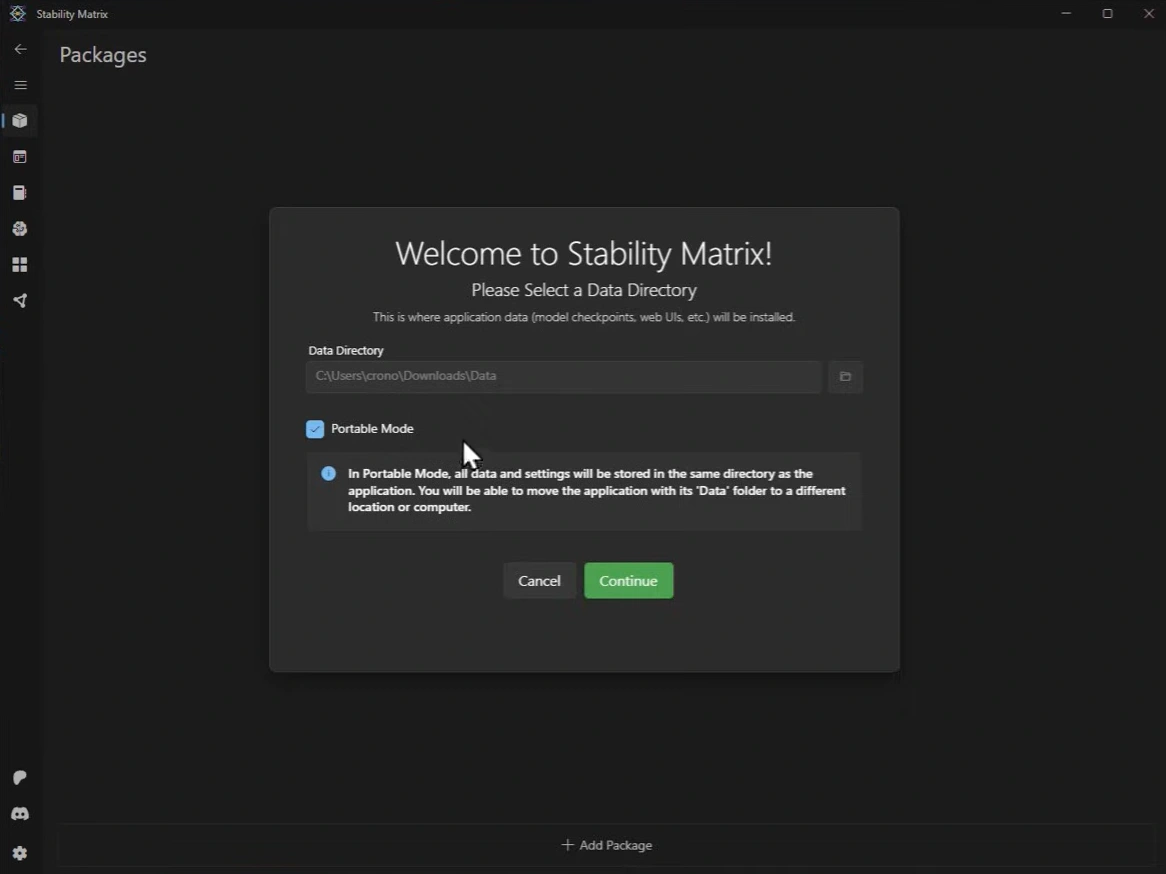
Download it for your OS and run the installer. On first launch it asks where you want to store everything. I checked the Portable Mode option, this stores all your data and models in the same folder as the app itself. That means you can move the entire thing to a different drive or computer anytime without reinstalling anything. Genuinely useful.
Step 2: Add WAN2GP Package
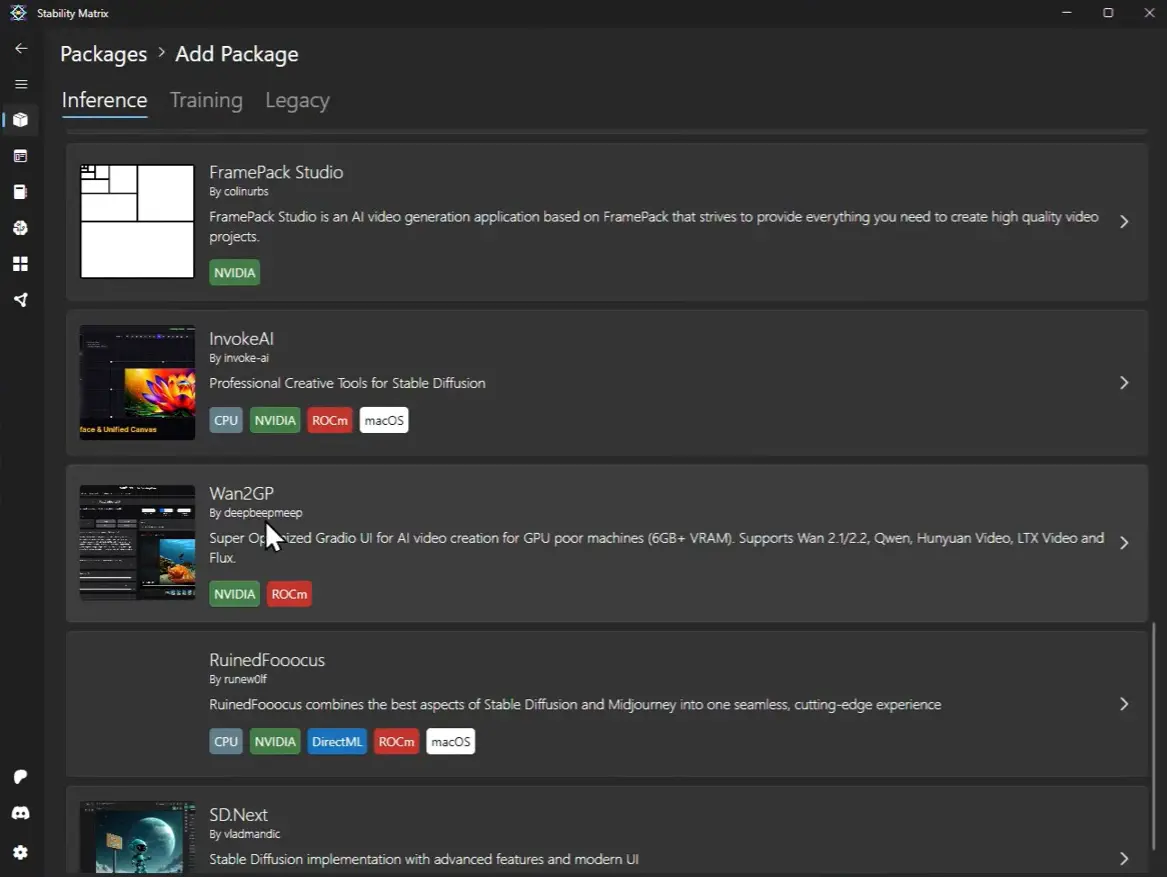
Once inside, hit the Add Package button at the bottom. It shows you a list of available packages. Search for WAN2GP and click install, No Terminal or python needed. It handles everything automatically.
Step 3: Launch WAN2GP
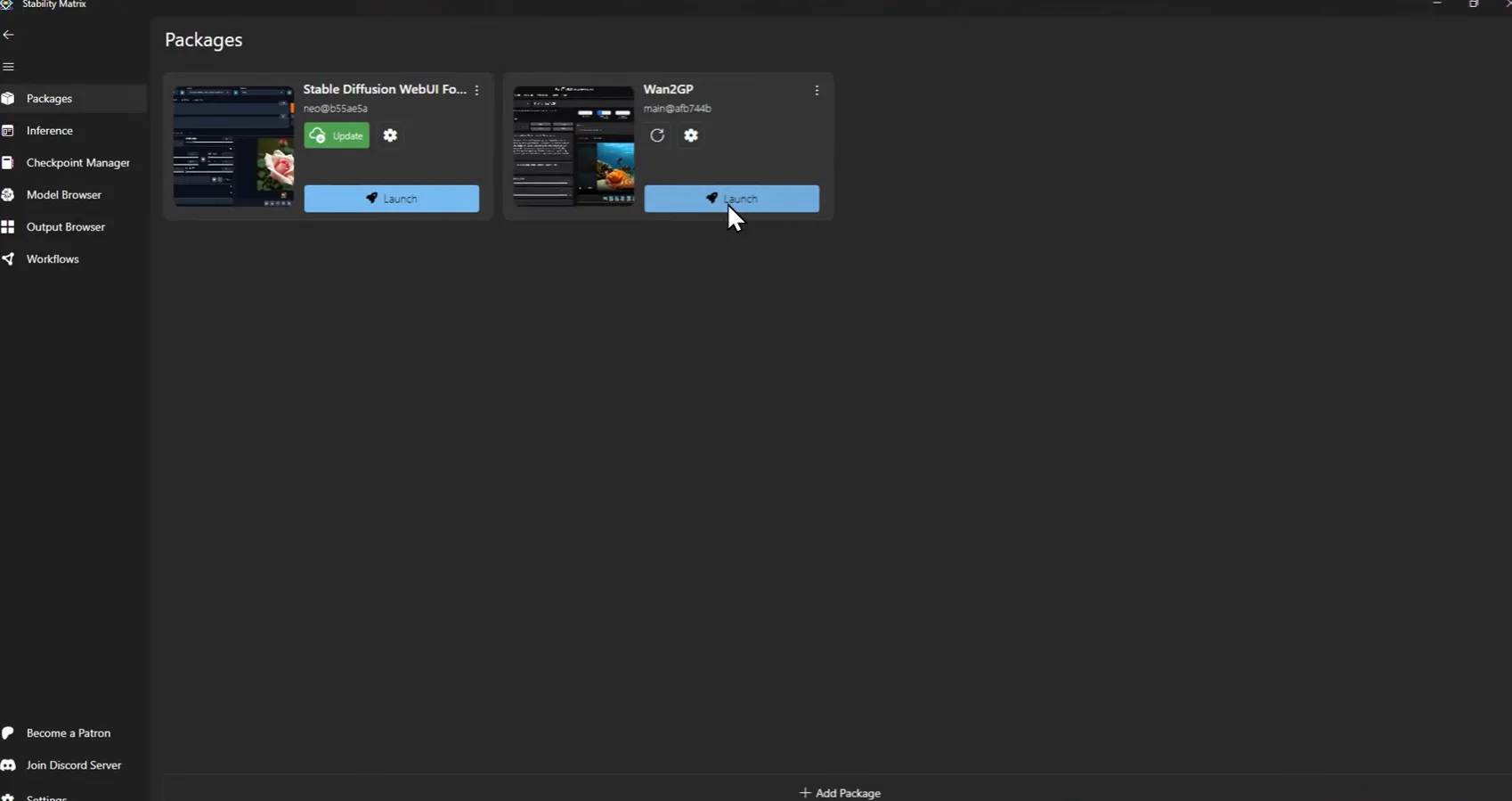
Go to All Packages, find WAN2GP, and hit the Launch button. Give it 20-30 seconds. You’ll see a local URL appear in the terminal, something like localhost:7860. That’s your app running locally.
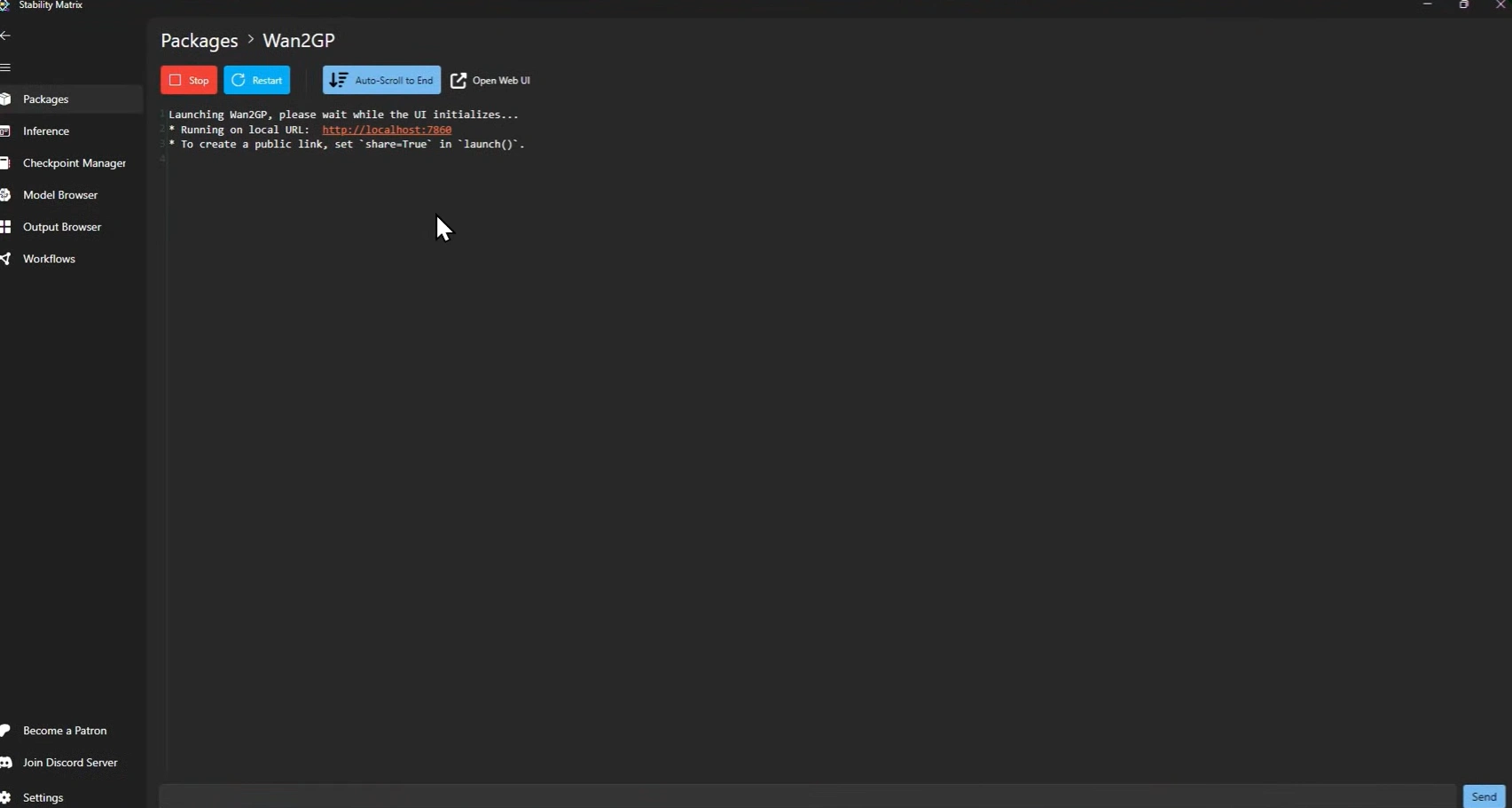
Step 4: Open in browser and pick your model
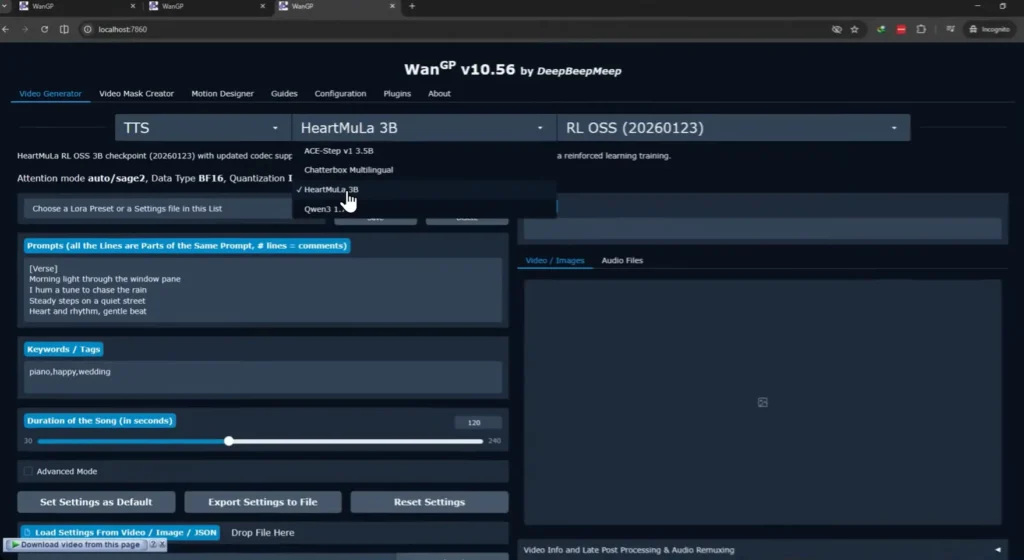
Open that URL in any browser. Make sure your internet is on for this part, first time only, it needs to download the model. I selected HeartMuLA-3b from the model list. It downloaded automatically, no manual setup needed.
After that first download it’s yours. Completely offline, anytime.
Step 5: Generate
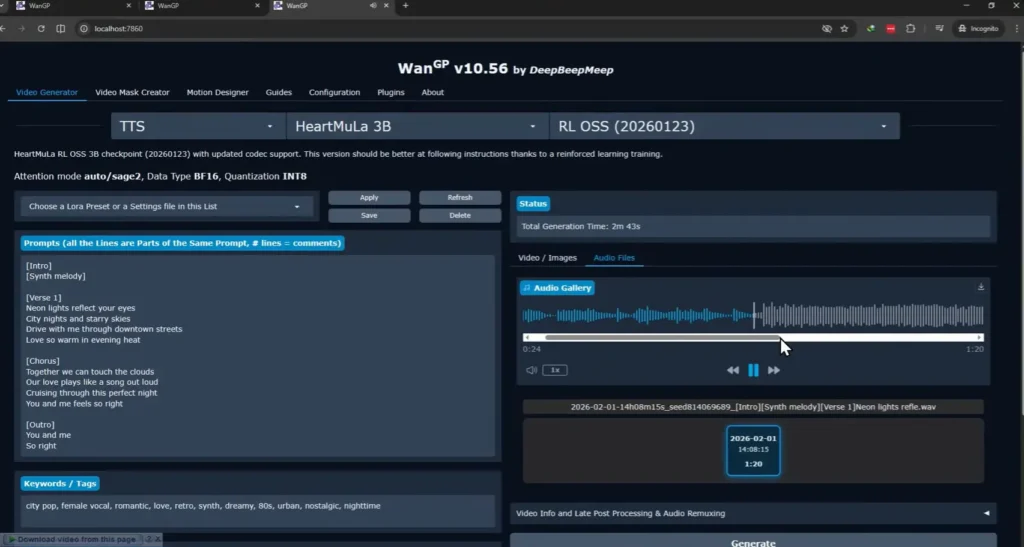
I pasted in some lyrics, hit generate, and waited. On my 8GB VRAM GPU it took around 1-2 minutes. Not instant, but for a fully local, completely free music generation that never touched a server. I’ll take it. The output was a proper track.
What else Stability Matrix can do
Music is just one thing. That’s what surprised me most about this tool, the scope of what it actually covers.
Through WAN2GP alone you can run image generation, video generation, text to speech, and music — all locally, all free, all from the same browser interface. Pick a model, download it once, use it offline forever. The process is identical every time.
But WAN2GP is just one package. Stability Matrix supports a long list of others including ComfyUI, Automatic1111, Fooocus, InvokeAI, and more. So if you’ve already been using any of those, you can manage them all from one place instead of juggling separate installs.
The model browser is also worth mentioning. It connects directly to CivitAI and HuggingFace, so you can browse, download, and organize models without leaving the app. No manual folder management, no hunting for the right file location.
And because it runs in portable mode, your entire setup — models, settings, everything — lives in one folder you can move to a new computer or external drive anytime.
Closing Thoughts
There are plenty of ways to run AI models locally. ComfyUI is great — powerful, flexible, and has a massive community behind it. But if you want something more straightforward to get started with, Stability Matrix is worth a look.