


File Information
| File | Details |
|---|---|
| Name | Quotio |
| Platform | macOS |
| Version | v0.7.10 |
| Format | .dmg |
| Size | 8.61MB |
| Category | Developer Tools • AI Utilities |
| License | Open Source (MIT license) |
| System Requirement | macOS 14.0 (Sonoma) or later |
| Github Repository | Quotio Github |
| Official Site | Quotio |
Table of contents
Description
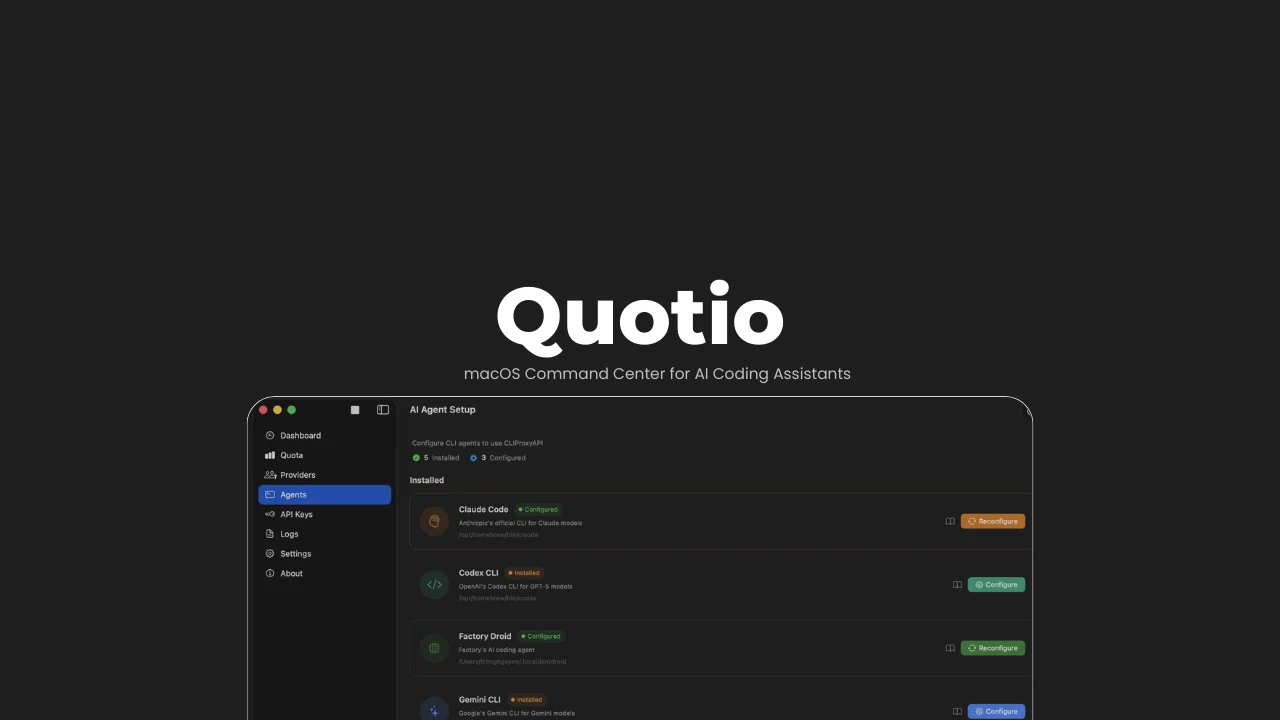
Quotio is a native macOS application that acts as a central command center for AI coding assistants.
It manages CLIProxyAPI, a local proxy server that powers AI agents and CLI tools, allowing developers to connect multiple AI providers, monitor usage, manage quotas, and configure agents all from one clean macOS interface.
Instead of juggling API keys, quotas & dashboards across different providers, It brings everything together in one place, built specifically for developers who rely on AI-assisted coding daily
Use Cases
- Manage all AI coding providers from a single macOS dashboard
- Route multiple AI agents through one local, secure proxy
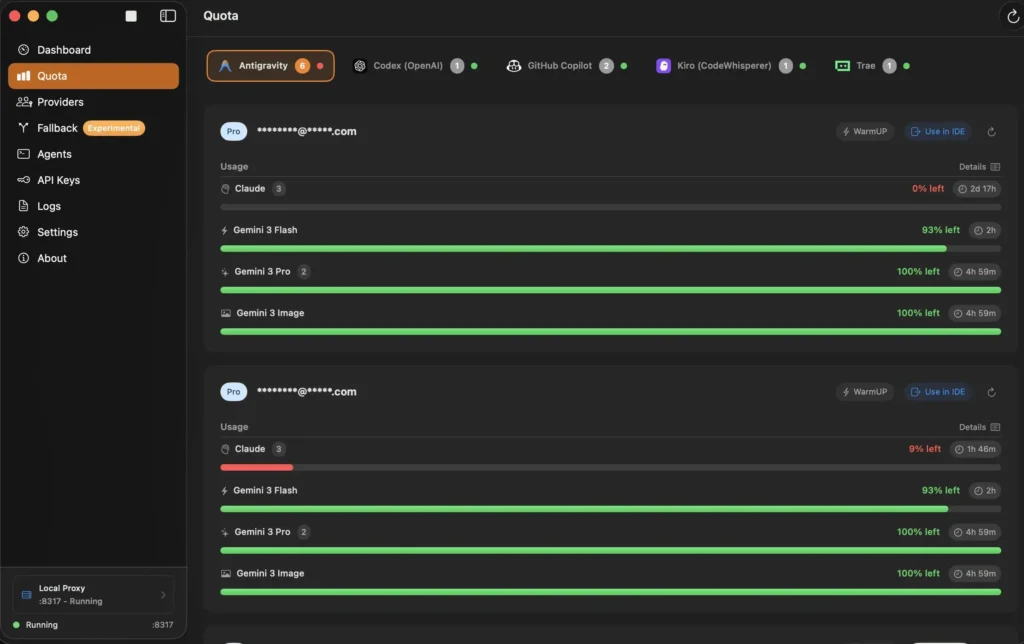
- Monitor token usage, request traffic, and quotas in real time
- Automatically switch providers when quotas are exhausted
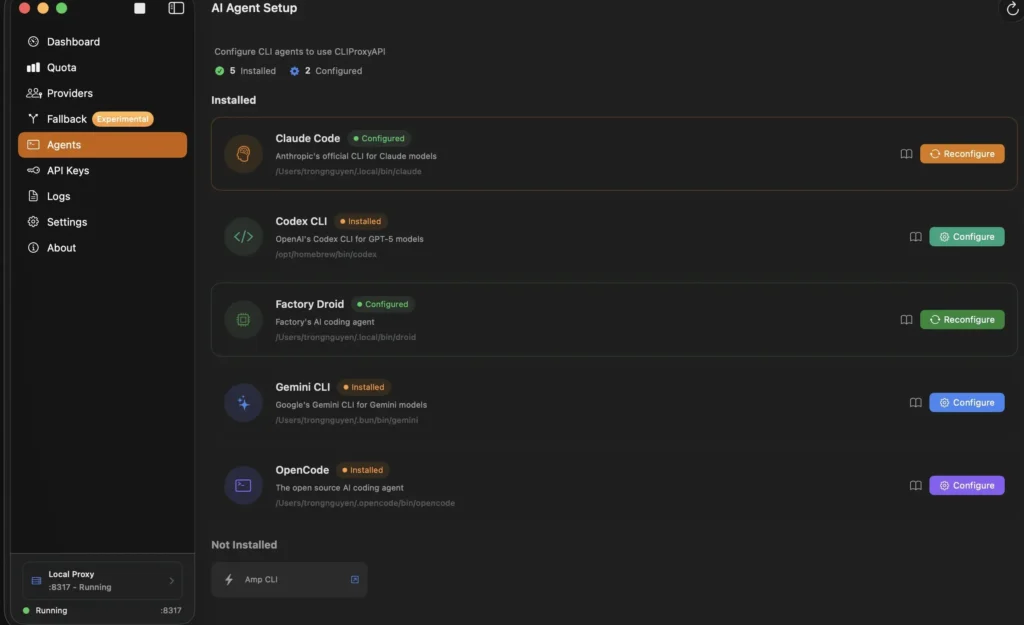
- Configure CLI-based AI tools without manual setup
Screenshots
Features of Quotio App
| Feature | What It Actually Does |
|---|---|
| Centralized AI Account Hub | Brings all your AI coding accounts into one place so you don’t have to juggle logins, tokens, or tools separately. |
| Local AI Proxy Engine | Runs a local proxy on your Mac that securely routes requests from coding agents to your AI providers—no cloud middleman involved. |
| Multiple Provider Connectivity | Supports a wide range of AI providers including Gemini, Claude, OpenAI Codex, Qwen, Vertex AI, GitHub Copilot, and more. |
| Quota-Only View Mode | Lets you quickly check usage limits and remaining quotas without starting the proxy server. |
| Automatic Agent Setup | Detects installed AI coding CLIs and configures them automatically to work with Quotio—saving manual setup time. |
| Live Usage Dashboard | Displays real-time request activity, token consumption, and overall system health in a clean dashboard. |
| Intelligent Quota Routing | Distributes requests across multiple accounts using smart strategies to avoid hitting limits too early. |
| Built-In API Key Control | Create and manage API keys locally for safe access to your proxy server. |
| Menu Bar Controls | Keeps server status, quotas, and provider info accessible from the macOS menu bar at all times. |
| Smart Notifications | Alerts you when quotas run low, accounts enter cooldown, or services experience issues. |
| IDE Usage Monitoring | Tracks AI usage inside supported IDEs like Cursor and Trae for visibility (monitoring only). |
| Request & Debug Logs | Gives full visibility into request and response logs for troubleshooting and performance tuning. |
| Customizable Server Settings | Control proxy ports, routing logic, auto-start behavior, and notification preferences. |
Recommended For You: Posturr for macOS: Smart, Privacy-First Posture Detection with Apple Vision
System Requirements
| Requirement | Details |
|---|---|
| Operating System | macOS 14.0 (Sonoma) or newer |
| Device Type | Mac (Apple Silicon or Intel-based) |
| Processor | Apple Silicon (M1, M2, M3) or Intel CPU |
| Memory (RAM) | Minimum 8 GB recommended for smooth multi-agent usage |
| Disk Space | Around 200 MB free space for installation |
| Internet Access | Required for OAuth authentication and provider connectivity |
| Network Permissions | Local network access to run the proxy server |
| macOS Security | Gatekeeper bypass needed (app not yet Apple-signed) |
How to Install Quotio??
- Download the Quotio
.dmgfile - Open the DMG and drag Quotio.app to Applications
- Launch the app
Note: The app is not yet signed with an Apple Developer certificate, macOS may block it. If that happens, run:
xattr -cr /Applications/Quotio.app
Then open the app normally.
How to Use Quotio??
1. Start the Proxy Server
Open Quotio and click Start on the dashboard to launch the local proxy.
2. Connect AI Accounts
- Go to Providers
- Select a provider
- Authenticate using OAuth or credentials
3. Configure AI Agents
- Open Agents
- Select a detected tool
- Click Configure
- Choose Automatic or Manual setup
4. Monitor Everything
- Dashboard -> System health & traffic
- Quota -> Per-account usage
- Logs -> Raw request & response data
Download Quotio: macOS Command Center for AI Coding Assistants
Conclusion
Quotio is a powerful macOS-native control panel for AI coding workflows.
If you use multiple AI providers, CLI agents, or coding assistants then this tool simplifies your setup. It gives you visibility, control & reliability in a clean macOS experience.




