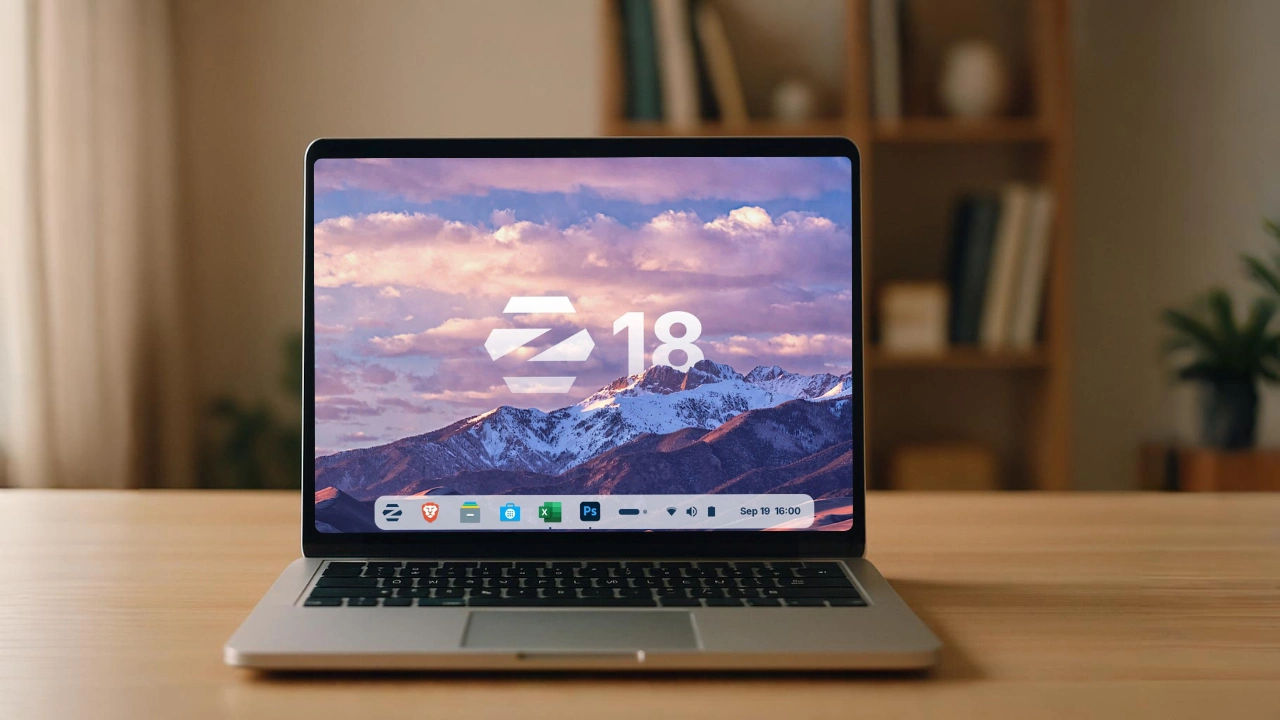

If you’re still using Windows 10 in 2026, you’re not doing anything wrong. Windows 10 still works. Your PC still works. But one important thing has changed: Microsoft has stopped maintaining it.
That means security updates are no longer coming. Nothing breaks overnight, but over time, this matters. Not because something will instantly go wrong, but because an unpatched system slowly becomes more vulnerable the longer it stays online. At that point, staying secure becomes your responsibility.
The good news? You don’t need to buy a new PC or force yourself into Windows 11.
Once you realize Windows isn’t the only option, your current machine can feel completely new again – faster, lighter, and fully up to date. Modern Linux operating systems in 2026 are stable & surprisingly familiar for Windows users.
And here’s the best part, these operating systems can run many Windows apps. Thanks to mature compatibility layers like Wine 10.0 and Proton 10.0, a large number of .exe applications work smoothly without major effort.
So if you’re ready to move on from Windows 10, here are three Windows-like Linux operating systems that look modern, feel familiar, run better on older PCs, and keep your system secure.
Table of contents
1. Zorin OS 18 (Core)
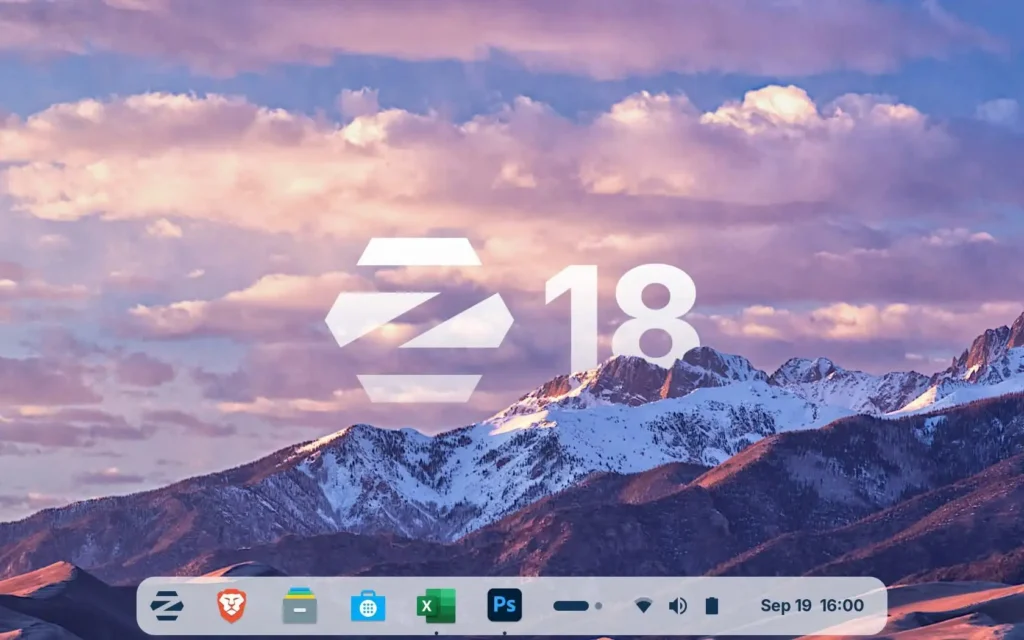
It is the easiest Windows 10 alternative without the learning curve.
If there’s one Linux operating system designed specifically for people coming from Windows, it’s Zorin OS. It has existed since 2008 with a very clear goal: make Linux powerful and genuinely easy to use for regular users.
Zorin OS 18 Core is the free, standard edition, and it’s built on Ubuntu 24.04 LTS, which means long-term stability and security updates until June 2029. In other words, it’s already more future-proof than Windows 10.
Why Zorin OS feels familiar??
Zorin doesn’t try to “teach” you Linux. Instead, it meets you where you are.
- The taskbar is where you expect it.
- The Start menu behaves like Windows.
- System settings feel logical, not overwhelming.
A Windows 10 user can sit down and start using Zorin OS without tutorials or relearning muscle memory.
Features of Zorin OS 18 (Core)
| Feature | Why It Matters |
|---|---|
| Windows-like Interface | Designed so Windows 10 users feel at home instantly. Start menu, taskbar, and system tray are exactly where you expect—no learning curve, no UI shock. |
| Windows App Support (.exe files) | Built-in one-click Wine installer. Double-click an .exe, and Zorin guides you through setup automatically, no terminal commands or manual configuration. |
| Native OneDrive Integration | Connect your Microsoft OneDrive directly inside the file manager. Files sync like a local folder. |
| Search Everywhere (Fast & Private) | A system-wide search similar to Windows Search or macOS Spotlight, but fully local. No cloud processing, no data tracking, & noticeably faster results. |
| Advanced Window Snapping & Tiling | Powerful window snapping and layout management, comparable to Windows 11 FancyZones, smoother animations and more intuitive controls. |
Pros & Cons of Zorin OS
Pros
- Faster on older hardware
No telemetry, no background AI processes, no forced services. Even older dual-core PCs feel noticeably snappier. - Privacy-first by design
No tracking, No Recall-Feature - Modern kernel support
Uses newer Linux kernels, giving excellent compatibility with modern CPUs, including recent Intel, AMD, and Ryzen AI chips. - Visual polish
Zorin is widely considered one of the most beautiful Linux desktops with rounded corners, subtle animations, and glass-like effects that often look better than Windows 11.
Cons
- Not ideal for extremely low-end PCs
Systems with less than 4GB RAM may struggle. In those cases, Zorin OS Lite is a better option. - NVIDIA drivers can be tricky
Like most Linux distros, NVIDIA GPUs may require extra setup compared to AMD or Intel.
Installation Guide: Visit ZorinOS Installation Guide
Note: Some layouts are paid
Certain desktop styles (Mac-like dock or centered Windows 11 layout) require Zorin OS Pro. Core still works perfectly without them.
2. Linux Mint
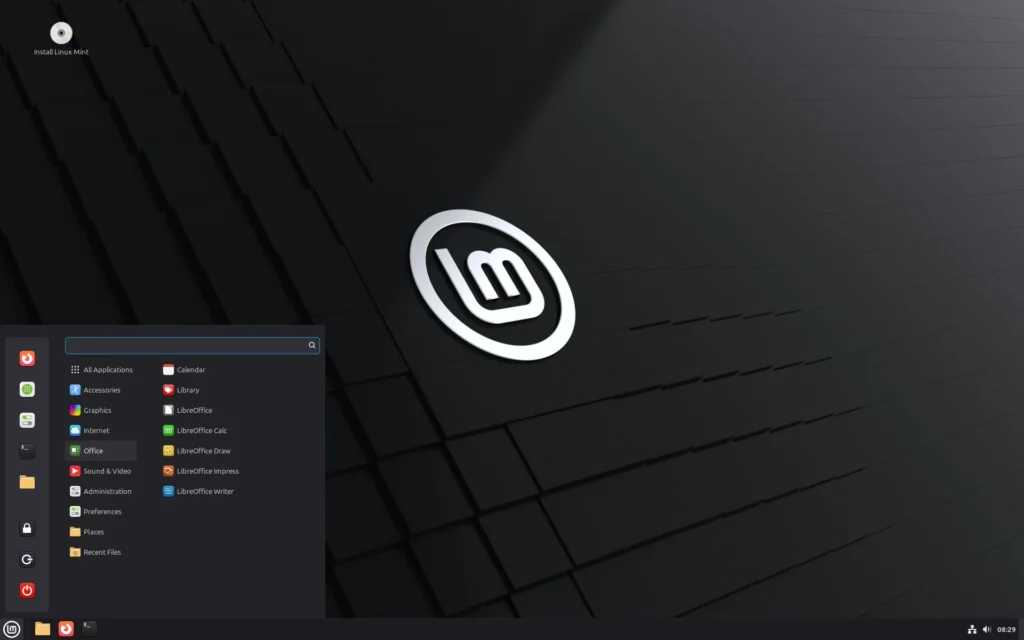
Linux Mint has always focused on one simple idea making computers easy and comfortable to use. It does not chase trends or force big changes. Instead it delivers a system that feels familiar, reliable & calm. In 2026 that approach is exactly why so many Windows users trust it.
It is the most widely recommended desktop operating systems in the Linux world. It comes with the applications most people need already installed so you can start using your PC right after setup.
It is based on Ubuntu and Debian which gives it a strong and stable foundation. On top of that Linux Mint focuses heavily on usability comfort and long term stability especially for everyday users and former Windows users.
It is built for people who want their computer to work the same way every day without surprises or constant adjustments.
Features of Linux Mint
| Feature | Why it matters |
|---|---|
| Familiar desktop layout | The Cinnamon desktop feels immediately comfortable for Windows users. The menu taskbar and system tray are exactly where you expect them to be. |
| Works out of the box | Wi Fi audio printers and media codecs work immediately after installation without extra setup. |
| Windows app support | With Wine Proton Steam Lutris and Heroic many Windows apps and games can run smoothly on Linux Mint. |
| Stable update system | Updates are carefully managed and never forced. You decide when and what to update which helps avoid unexpected issues. |
| System snapshots | Automatic system snapshots let you restore your entire system if something goes wrong making experimentation safe. |
| Privacy by design | No telemetry no cloud dependency & no tracking. Your system works fully offline if you want it to. |
Everyday use feels familiar
- For productivity Linux Mint includes LibreOffice which handles documents spreadsheets presentations and PDFs including Microsoft Office formats.
- For creative work you can use tools like GIMP Inkscape and Blender directly from the software manager.
- For entertainment you can watch YouTube Netflix listen to Spotify podcasts and online radio without extra configuration.
- For gaming Linux Mint supports Steam with thousands of games available and modern compatibility layers that make many Windows games playable.
- Web apps can also be turned into desktop apps so websites feel like native software.
Pros & Cons of Linux Mint
Pros
• Extremely stable and reliable even after years of use
• Very easy for Windows users to understand instantly
• Runs fast on older and low-end hardware
• No telemetry tracking or forced online accounts
• Excellent update manager with full user control
• Built-in system snapshots make it easy to recover from mistakes
• Large helpful community with years of documentation
• It is completely free and open source
Cons
• Visual design is simple rather than flashy
• There is No built-in OneDrive integration by default
• Some modern UI features arrive slower than on trend-focused distros
• NVIDIA drivers can still require manual setup on some systems
Installation Guide: Linux Mint Installation Guide
Also Read: 11 Must-Have Software I Install on Every New PC
3. AnduinOS
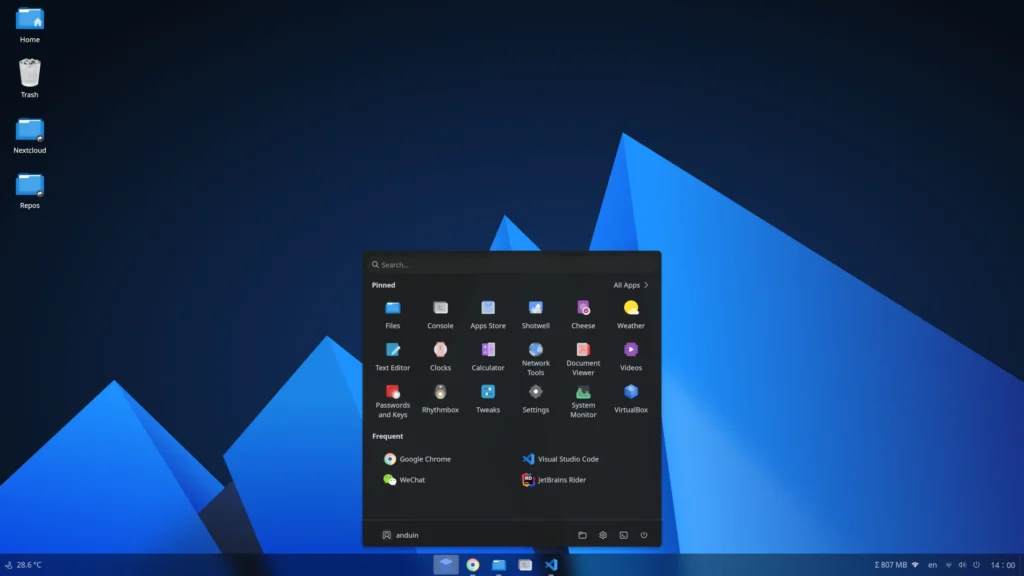
AnduinOS is a clean, Ubuntu-based operating system designed for people who want a familiar desktop experience without being tracked, monitored, or nudged into cloud accounts. It removes telemetry entirely and focuses on doing one thing well: letting your computer work for you, quietly and efficiently.
What makes AnduinOS especially interesting is who built it. It is created by Anduin Xue, a former software engineer at Microsoft. That background shows. The system feels thoughtfully designed, not experimental, and it understands the small expectations Windows users have, like predictable behavior, sensible defaults & ease of use.
It’s built on Ubuntu, software compatibility is excellent. You get access to a massive ecosystem of apps, long-term stability, and reliable hardware support. Graphical apps are delivered through Flatpak, which keeps them sandboxed and reduces the risk of system-wide breakage.
For users coming from Windows, this balance is reassuring. You get something modern and secure, without feeling like you’ve jumped into unknown territory.
Features of AnduinOS
| Feature | Why it matters |
|---|---|
| Zero telemetry | No tracking, no profiling, no background data collection |
| Built on Ubuntu | Stable base with excellent app and hardware support |
| Flatpak apps | Better security and fewer broken updates |
| Lightweight system | Fast performance even on older PCs |
| Windows app support | Many .exe apps run using Wine |
| LTS and Standard releases | Choose long-term stability or newer features |
Pros & Cons of AnduinOS
Pros
- Privacy-first design with absolutely no telemetry
- Very fast and responsive, even on aging hardware
- Ubuntu compatibility makes software easy to find
- Clean, modern desktop that feels intentional
- Flatpak sandboxing improves stability and security
- Free & Open Source
- Designed with real-world users in mind
Cons
- Smaller community compared to Linux Mint
- GNOME-based layout may feel unfamiliar to classic Windows users
- Fewer built-in customization options out of the box
- Relies on a relatively small development team
Installation Guide: AnduinOS Installation Guide
Also Read: I Replaced Canva With These 9 Open Source Desktop Apps in 2026
Which One Should You Choose?
If you’re coming from Windows 10, the “best” choice really depends on what you value most. All three are solid, secure, and modern but each one shines in a slightly different way.
Choose Zorin OS if you want a Modern , “one-click” transition
Zorin OS 18 feels the most polished right out of the box. Its unique “Windows App Support” feature detects when you’re trying to run a .exe file and helps you set it up automatically. It’s the best pick if you want a system that look modern, feels premium, & just works with minimal effort.
Choose Linux Mint if you want “set-it-and-forget-it” workhorse
Linux Mint is the safest long-term choice. It uses the “Cinnamon” desktop, which is famously easy for Windows 7 & 10 users to navigate. If you want a system that stays out of your way, doesn’t change its layout during updates, and runs fast on older hardware, Mint is the gold standard for stability.
Choose AnduinOS if you want a lightweight Windows 11 clone
AnduinOS is good if you want a clean, telemetry-free system with excellent performance. Built by a former Microsoft engineer, it feels familiar but removes all tracking by design. It’s especially appealing if you want full control over your system.
Still unsure?
You don’t have to decide right away. All three can be tested using a live USB without installing anything. Try them for an hour, see which one feels right, your PC will tell you.
Comparison of All Three Operating Systems
| Feature | Zorin OS 18 Core | Linux Mint 22.3 | AnduinOS 1.4+ |
|---|---|---|---|
| Best for | Visual polish and ease of use | Long-term stability | Windows 11–style look with privacy |
| Overall vibe | Modern and premium | Classic and familiar | Minimalist and clean |
| Windows app support | Built-in one-click Wine setup | Manual setup via tools like Bottles | Supported via Wine |
| System speed | Fast with smoother UI animations | Fastest and very lightweight | High performance |
| Privacy | No tracking | No tracking | No tracking |
| Cost | Free (Pro version is paid) | Completely free | Completely free |
| Update support | Until June 2029 | Until April 2029 | LTS supported until 2029 |
Wrapping Up
Staying on Windows 10 isn’t a mistake, But staying protected is our responsibility
Now that official support has ended, upgrading to a safer operating system isn’t about chasing trends or learning something completely new. It’s about protecting your system, your personal data, and the time you’ve already invested in your PC.
What makes options like Zorin OS, Linux Mint, & AnduinOS so reliable is that they don’t ask you to start over. They feel familiar, run efficiently on older hardware, and stay fully updated with modern security fixes. You get control back, without sacrificing usability.
If you care about privacy, long-term security, and making your existing PC last longer, switching to a modern Linux-based operating system is one of the smartest upgrades you can make today. Your hardware is still capable, it just needs software that’s ready for the future.