
File Information
| Name | Loop Habit Tracker – Free Open Source Habit Tracker for Android |
|---|---|
| Version | v2.3.1 (Stable) |
| File Size | 10.2MB |
| Platform | Android |
| License | Open Source (GNU GPL v3) |
| Official Repository | GitHub Loop Habit Tracker |
| Developer | Álinson Santos Xavier |
Table of contents
Description
Loop Habit Tracker is a free, open-source Android application designed to help users build and maintain positive habits over time. It focuses on simplicity, privacy, & long-term habit formation.
Missing a day doesn’t instantly break your progress, and long-term consistency is rewarded more than short streaks. This makes Loop ideal for users who want sustainable habit growth without pressure.
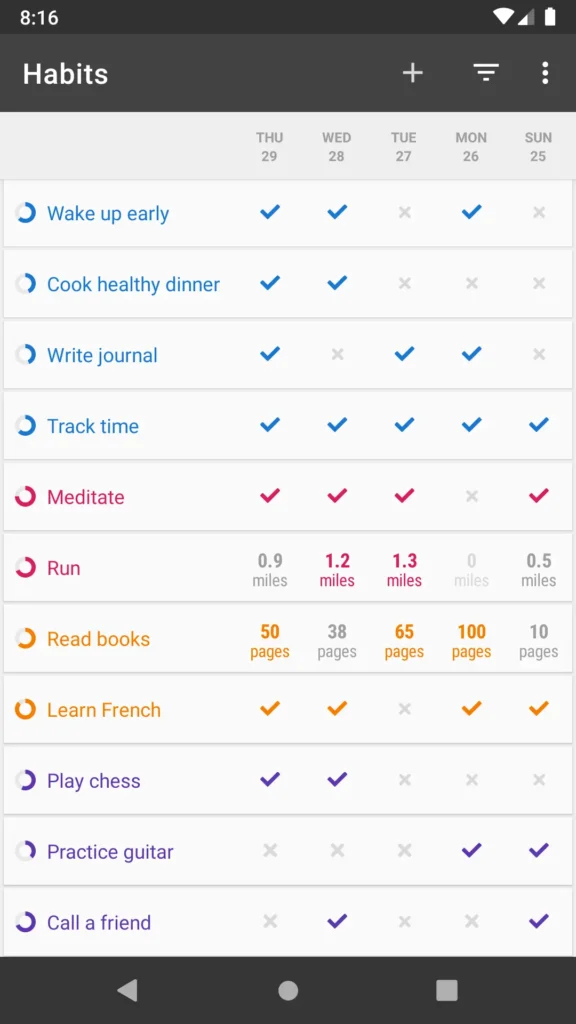
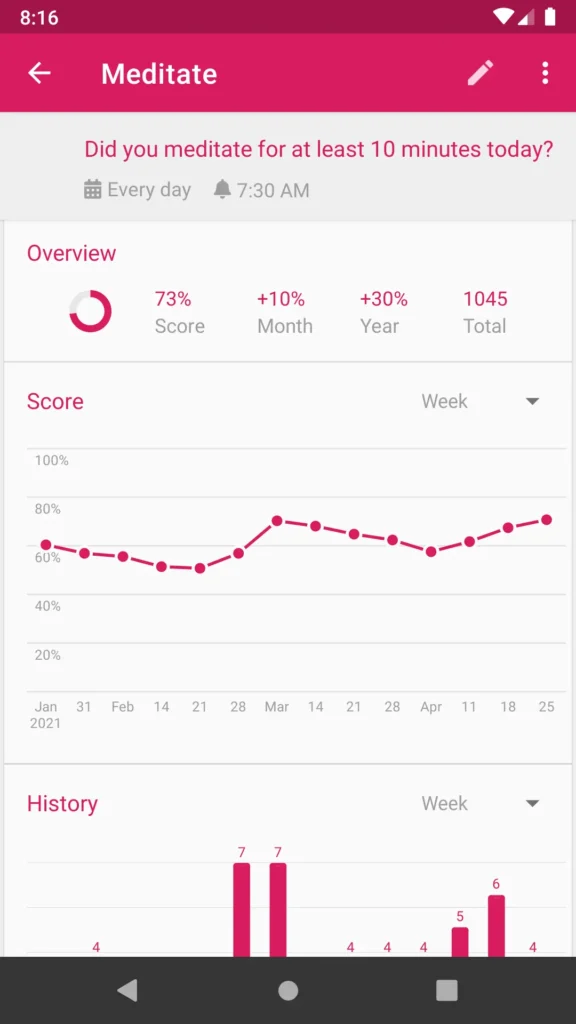
Loop works entirely offline, requires no account, and never sends your data anywhere. Detailed graphs and statistics allow you to track your progress visually, helping you understand how your habits evolve over weeks, months, and years.
Screenshots
Features of Loop Habit Tracker
| Feature | Description |
|---|---|
| Minimal & Lightweight UI | Clean, fast, and distraction-free interface optimized even for older Android devices |
| Flexible Scheduling | Supports daily habits, alternate days, and custom weekly schedules |
| Smart Reminders | Individual notifications for each habit at your chosen time |
| Home Screen Widgets | Track and update habits directly from Android home screen widgets |
| Data Export | Export habit data to CSV or SQLite formats for analysis or backup |
| Fully Offline | No internet connection or account required |
| Ad-Free & Open Source | No ads, no tracking, no in-app purchases (GPLv3 licensed) |
System Requirements
| Platform | Minimum Specification |
|---|---|
| Android | Android 5.0 or newer |
| Storage | ~10 MB free space |
How to Install Loop Habit Tracker App??
- Download the latest APK from the download section below.
- Enable “Install unknown apps” in Android settings (if required)
- Install the app.
- Launch Loop Habit Tracker from your app drawer.
Download Loop Habit Tracker App For Android
Advantages of Using Loop Habit Tracker
- 100% Free & Open Source: No ads, no hidden costs
- Privacy-First Design: Your data never leaves your device
- Realistic Habit Tracking: No streak anxiety or punishment-based tracking
- Offline-Friendly: Works anywhere, anytime
- Lightweight & Fast: Perfect for low-end and older Android devices
- Community-Driven Development: Transparent development with community contributions
Conclusion
Loop Habit Tracker is an excellent choice for anyone serious about building long-term habits without distractions or privacy concerns. If you value simplicity & control over your data, Loop Habit Tracker is absolutely worth trying.