


File Information
| File | Details |
|---|---|
| Name | Fooocus |
| Version | 2.3.0 |
| File Size | 1.28 GB (models optional) |
| Platforms | Windows, macOS, Linux |
| License | GPL-3.0 license |
| Official Repository | Fooocus |
Table of contents
Description
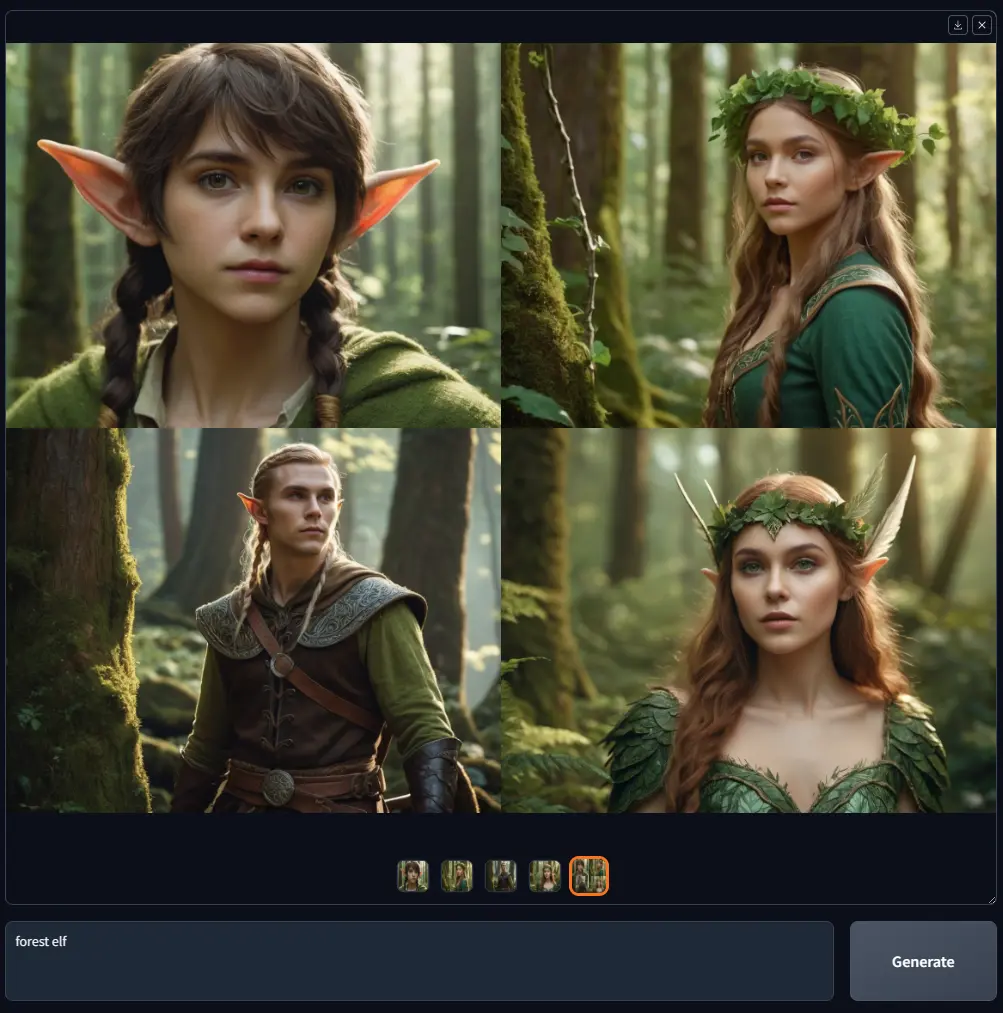
Fooocus reimagines offline image generation by allowing users to focus solely on prompts & images. It eliminates the complexity of manual adjustments, making it ideal for beginners & advanced users alike. Fooocus simplifies the generation process: from downloading to producing the first image, only less than three clicks are needed.
The software is in Limited Long-Term Support (LTS) mode, with bug fixes only, thanks to mashb1t’s effort. While there are no plans to migrate to newer architectures immediately, Fooocus remains powerful, stable, and fully capable of producing professional-quality images offline.
Fooocus supports multiple presets like Anime, Realistic, and General, and offers advanced features such as Upscale, Inpaint/Outpaint, Image Prompts, FaceSwap, and prompt reweighting, giving users flexibility similar to platforms like Midjourney, LeonardoAI, and ComfyUI.
Features of Fooocus
| Feature | Fooocus Functionality |
|---|---|
| Text-to-Image | High-quality results without complex prompt engineering |
| Input Image Processing | Upscale, Variation (Subtle/Strong), Inpaint/Outpaint, Image Prompt |
| Prompt Weighting | Inline reweighting for embeddings & LoRAs |
| Presets | Anime, Realistic, General (Automatic or manual switching) |
| Sampling | Advanced sampler with Sharpness, Guidance, Style, Aspect Ratio control |
| Face Editing | InsightFace FaceSwap |
| Multi-Prompt Support | Multiple lines of prompts, wildcard processing, arrays, inline LoRAs |
| Offline Capability | Fully offline with optional local model downloads |
| Model Compatibility | Supports SDXL models from Civitai |
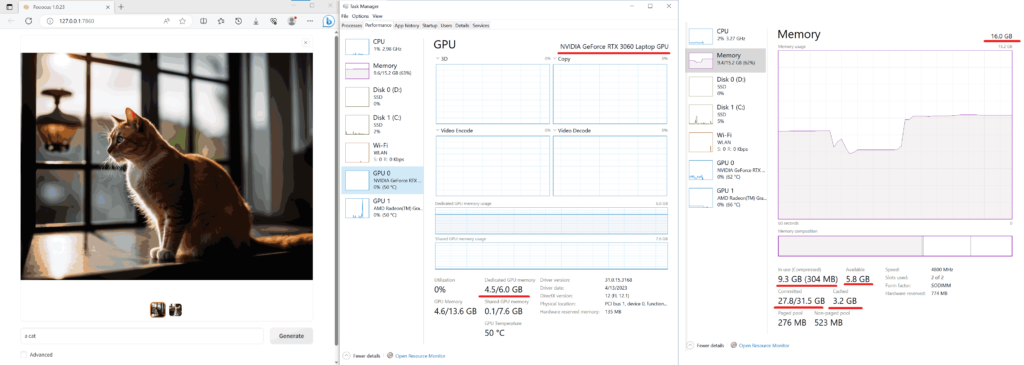
| GPU Optimization | Requires Nvidia GPU (4GB VRAM min), AMD supported via DirectML/ROCm beta |
Screenshots
Minimal System Requirements
| Platform | GPU | Minimal GPU Memory | Minimal System Memory | Notes |
|---|---|---|---|---|
| Windows/Linux | Nvidia RTX 4XXX | 4GB | 8GB | Required system swap for optimal performance |
| Windows/Linux | Nvidia RTX 3XXX | 4GB | 8GB | Usually faster than RTX 2XXX |
| Windows/Linux | Nvidia RTX 2XXX | 4GB | 8GB | Acceptable for most generations |
| Windows/Linux | Nvidia GTX 1XXX | 8GB (*6GB uncertain) | 8GB | Only marginally faster than CPU |
| Windows | AMD GPU | 8GB | 8GB | DirectML support, ~3x slower than Nvidia RTX 3XXX |
| Linux | AMD GPU | 8GB | 8GB | ROCm beta support, ~1.5x slower than Nvidia RTX 3XXX |
| Mac | Apple M1/M2 | Shared | Shared | Significantly slower than dedicated GPU |
| CPU Only | Windows/Linux/Mac | 0GB | 32GB | ~17x slower than Nvidia RTX 3XXX |
How to Install Fooocus AI Image Generator??
Windows (.7z)
- Download the Official .7z File from Download Section Below.
- Extract the Archive to your preferred folder.
- Run
run.batto launch Fooocus. - The first launch automatically downloads default models to
Fooocus\models\checkpoints. You can also download models manually to speed up the process. - To use Anime or Realistic presets, run
run_anime.batorrun_realistic.bat. Models will be auto-downloaded.
Linux (Python / Anaconda)
- Clone the Repository:
git clone https://github.com/lllyasviel/Fooocus.git cd Fooocus - Create Conda Environment:
conda env create -f environment.yaml conda activate fooocus pip install -r requirements_versions.txt - Launch Fooocus:
python entry_with_update.py --preset anime - Models will auto-download to
Fooocus\models\checkpoints.
For native Python venv:
python3 -m venv fooocus_env
source fooocus_env/bin/activate
pip install -r requirements_versions.txt
python entry_with_update.py
AMD GPU Users: Replace torch with ROCm version as needed for Linux; DirectML for Windows.
macOS (.dmg)
- Install Conda & PyTorch Nightly with MPS support.
- Clone Fooocus Repo:
git clone https://github.com/lllyasviel/Fooocus.git cd Fooocus - Create Conda Environment:
conda env create -f environment.yaml conda activate fooocus pip install -r requirements_versions.txt - Launch Fooocus:
python entry_with_update.py --preset realistic- Mac M1/M2 users may need
--disable-offload-from-vramto speed up loading.
- Mac M1/M2 users may need
Download Fooocus: The Best Open Source Offline Image Generation Software Based on Stable Diffusion XL
Conclusion
Fooocus is an exceptional open-source offline AI image generator, offering high-quality results with minimal setup. Its simplicity, offline privacy, and advanced prompt features make it a preferred alternative to online generators like Midjourney, LeonardoAI, and ComfyUI. Whether for casual creative use or professional projects, Fooocus provides an efficient, GPU-optimized, and fully open-source solution for text-to-image generation.




