



File Information
| Property | Details |
|---|---|
| Name | qBittorrent |
| Version | Windows: 4.6.7, macOS: 4.6.7, Linux: 4.6.7 |
| File Size | Windows: 36 MB, macOS: 41 MB, Linux: 107 MB |
| Platform | Windows (64-bit), macOS, Linux |
| License | GPLv2 (Open Source) |
| Official Repository | GitHub |
Table of contents
Description
qBittorrent is a powerful, free, and open-source torrent client designed to provide an efficient, lightweight, and ad-free alternative to popular clients. Compatible with Windows, macOS, and Linux, qBittorrent is loved by millions worldwide for its speed, simplicity, and advanced features. Built using Qt and C++, it ensures a fast, reliable, and resource-friendly torrenting experience.
Whether you are downloading large files, managing multiple torrents, or creating your own torrent files, qBittorrent provides a clean interface, comprehensive features, and full cross-platform support. Its open-source license means it is completely free to use and modify, giving users full control and transparency.
Features of QBitTorrent Client
| Feature | Description |
|---|---|
| Cross-Platform | Runs on Windows, macOS, Linux |
| Built-in Search | Search torrents directly from qBittorrent |
| Sequential Download | Stream media while downloading |
| Bandwidth Scheduling | Limit upload/download speeds |
| RSS Support | Automatically download from RSS feeds |
| Advanced Control | Priority, queue, and scheduling options |
| Torrent Creation | Easily create your own torrent files |
| Encryption | Supports protocol encryption for privacy |
| Ad-Free | No advertisements, fully clean interface |
| Open Source | GPLv2 license, community-driven updates |
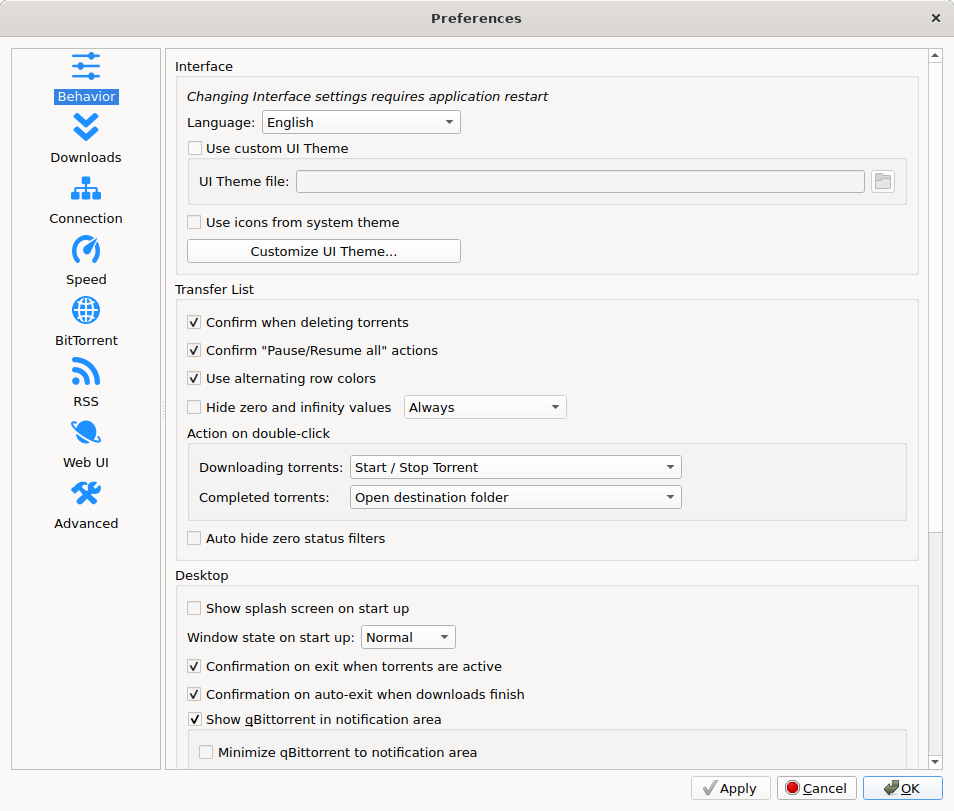
Screenshots

System Requirements
| Property | Details |
|---|---|
| OS | Windows 10 or later, macOS 10.12 or later, Linux (Modern distributions) |
| Processor | Intel/AMD x64 compatible CPU |
| RAM | 1 GB minimum, 2 GB recommended |
| Storage | 100 MB for installation |
| Internet | Required for torrenting |
How to Install QbitTorrent??
Windows (.exe)
- Download
qbittorrent_4.6.7_lt20_qt6_x64_setup.exe. - Double-click the
.exefile to run the installer. - Choose your preferred language and click Next.
- Accept the license agreement and click Next.
- Select the installation location and click Next.
- Choose additional tasks like creating a desktop shortcut and click Next.
- Click Install and wait for the process to complete.
- Click Finish to launch qBittorrent.
macOS (.dmg)
- Download
qbittorrent-4.6.7_lt20.dmg. - Open the
.dmgfile and drag the qBittorrent app to the Applications folder. - Open the Applications folder and double-click qBittorrent to launch.
Linux (.AppImage)
- Download the AppImage
- Get the file
qbittorrent-4.6.7_lt20_x86_64.AppImagefrom the official site or trusted source.
- Get the file
- Make the AppImage executable
Open a terminal and navigate to the folder where the AppImage is downloaded. Then run:chmod +x qbittorrent-4.6.7_lt20_x86_64.AppImage - Run the AppImage
- Execute the file directly from the terminal:
./qbittorrent-4.6.7_lt20_x86_64.AppImage - Or double-click the file in your file manager if your environment supports it.
- Execute the file directly from the terminal:
- Optional: Create a Desktop Shortcut
- Some Linux desktop environments allow you to right-click → Make Shortcut or Add to Applications Menu.
- Alternatively, you can manually create a
.desktopfile for easy access.
- Usage
- qBittorrent will run without installation. All settings and torrents are saved in your home directory by default.
- You can now start adding torrents, using RSS feeds, or creating new torrent files.
Download qBitTorrent For Windows , macOS & Linux
Why Choose qBittorrent?
qBittorrent is perfect for anyone seeking a reliable, free, and ad-free torrent client. With advanced features, cross-platform support, and lightweight design, it is ideal for both casual users and power users. Its open-source nature ensures transparency, security, and community-driven improvements.
Whether you are downloading large files, streaming media, or creating torrents, qBittorrent provides the fastest, safest, and most user-friendly solution for all your torrenting needs.




