


File Information
| Name | n8n |
|---|---|
| Type | Workflow automation platform |
| File Types | .zip, .tar.gz |
| Platforms | Windows, macOS, Linux |
| License | Open Source |
| Category | Automation & Integration |
| Version | 1.108.2 Latest Release |
| Developer | n8n.io |
Table of contents
Description
n8n is one of the best free open source alternatives to expensive workflow automation tools. It allows you to connect multiple apps & services, automate repetitive tasks & streamline business processes with ease. Unlike most closed platforms, n8n offers full flexibility with no vendor lock-in, giving you the power to host it locally or on your preferred server.
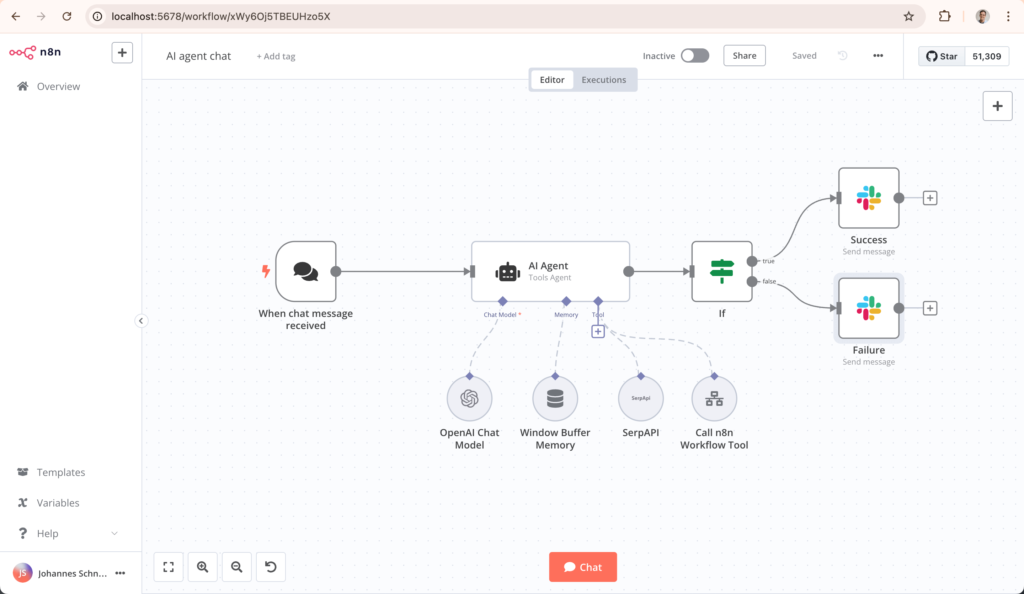
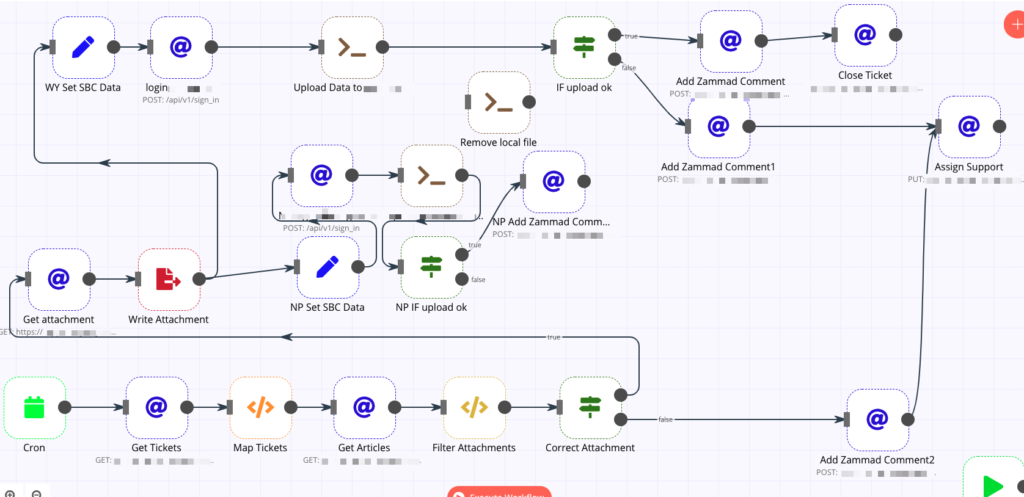
With n8n, you can build complex workflows visually using its intuitive drag & drop interface. Whether you are a developer, a data analyst or a business professional, you can create powerful automation without deep coding knowledge. It integrates with hundreds of popular applications & services including Google Sheets, Slack, Discord, GitHub, Notion, Airtable, Trello, and many more.
The advantage of using n8n is that it is self-hosted, highly customizable & built for privacy. Unlike cloud-only tools, your data remains secure under your control. Since it is open source, developers can extend its functionality with custom nodes & integrations.
This makes n8n not just a tool but a complete automation ecosystem that adapts to your workflow needs. It is a must-have for teams & individuals who want advanced automation without the high costs of enterprise SaaS solutions.
Features of n8n
- Open Source & Self-Hosted for complete data privacy
- Drag & Drop workflow editor with an intuitive visual builder
- Connects to 350+ apps & services including Google, Slack, GitHub, Airtable & more
- Supports complex workflows with conditional logic & branching
- Easily extendable with custom nodes & community contributions
- Cross-platform support for Windows, macOS & Linux
- REST API support to integrate with custom systems
- Secure & scalable for both individual users & large organizations
Screenshots
System Requirements
| Component | Minimum Requirement |
|---|---|
| Operating System | Windows 10 or later, macOS 11+, Linux (Ubuntu/Debian recommended) |
| Processor | Dual Core 2.0 GHz or higher |
| Memory (RAM) | 4 GB (8 GB recommended for heavy workflows) |
| Storage | 500 MB free disk space |
| Node.js | v18 or later |
| Database (Optional) | PostgreSQL or MySQL for production setups |
How to Install n8n??
Before starting the installation process, make sure to scroll down to the Download section & download the required file in .zip or .tar.gz format.
Installation Steps
- Extract the downloaded .zip or .tar.gz file to your desired location
- Ensure you have Node.js v18 or higher installed on your system
- Open terminal or command prompt & navigate to the extracted folder
- Run the command:
npm install npm run start - Open your browser & go to
http://localhost:5678to access the n8n interface - Start creating & customizing your workflows
For production environments, it is recommended to use Docker or set up with PostgreSQL/MySQL for scalability.




