


- Advertisement -
File Info
| File | Details |
|---|---|
| Name | Inkscape |
| Version | Latest Stable Release (e.g. 1.4.2) |
| License | Open Source (GPL) |
| Platforms | Windows, macOS, Linux |
| File Size | Varies by platform (90MB to 120MB) |
| Official Website | inkscape.org |
Table of contents
Description
Inkscape is a professional, free, and open-source vector graphics editor used by designers, illustrators, and artists worldwide. Whether you’re creating logos, icons, illustrations, or designing for the web, Inkscape offers powerful tools similar to Adobe Illustrator without the cost.
With support for SVG, PDF, EPS, AI, and many other formats, it’s a must-have tool for anyone working with vector graphics.
Key Features of Inkspace
Object Creation and Drawing Tools
- Freehand drawing using Pencil, Pen (Bezier and B-Spline), and Calligraphy tools
- Basic shapes: rectangles, ellipses, stars, spirals, polygons
- Text tool with on-canvas editing and multi-line support
- Image embedding and vector tracing
- Cloning and tiling tools for pattern-based designs
Object Manipulation
- Move, scale, rotate, and skew with mouse or keyboard input
- Grouping and ungrouping of objects
- Layer support with advanced z-order control
- Object alignment and distribution tools
- Snapping options, grids, guides, and isometric grids
Fill, Stroke, and Color Tools
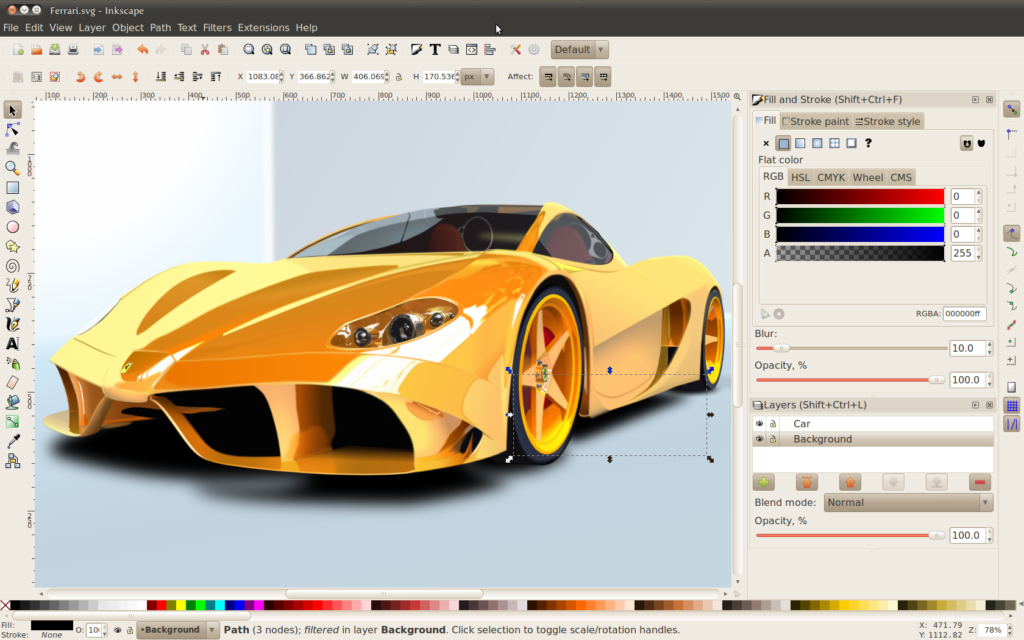
- Fill types: solid, gradient (linear, radial, mesh), and pattern
- Multiple color models: RGB, HSL, CMYK, wheel
- Customizable stroke style: width, dash patterns, markers
- Real-time gradient editing on canvas
- Full color palette support including import/export
Path Editing
- Convert objects to paths
- Node editing: move, insert, delete, join, break, smooth, auto-smooth
- Boolean operations: union, difference, intersection, exclusion
- Dynamic and linked offsets
- Simplify paths and use live path effects
Text Support
- Create and edit multi-line text
- Supports Right-to-Left (RTL) and complex scripts
- Text on path and text in shape support
- Kerning, letter spacing, and line spacing controls
- Use system fonts, variable fonts, and create SVG fonts
File Format Compatibility
- Native support for SVG
- Export to PNG, PDF, EPS, DXF, and more
- Import formats: AI, EPS, PDF, PNG, JPG, DXF, and more
- Command-line support for batch processing
- Built-in XML editor for manual SVG editing
User Interface and Workflow
- Dockable dialogs and customizable layout
- Multiple view modes: outline, preview, greyscale, print
- Zoom levels up to 25,000%
- Configurable keyboard shortcuts
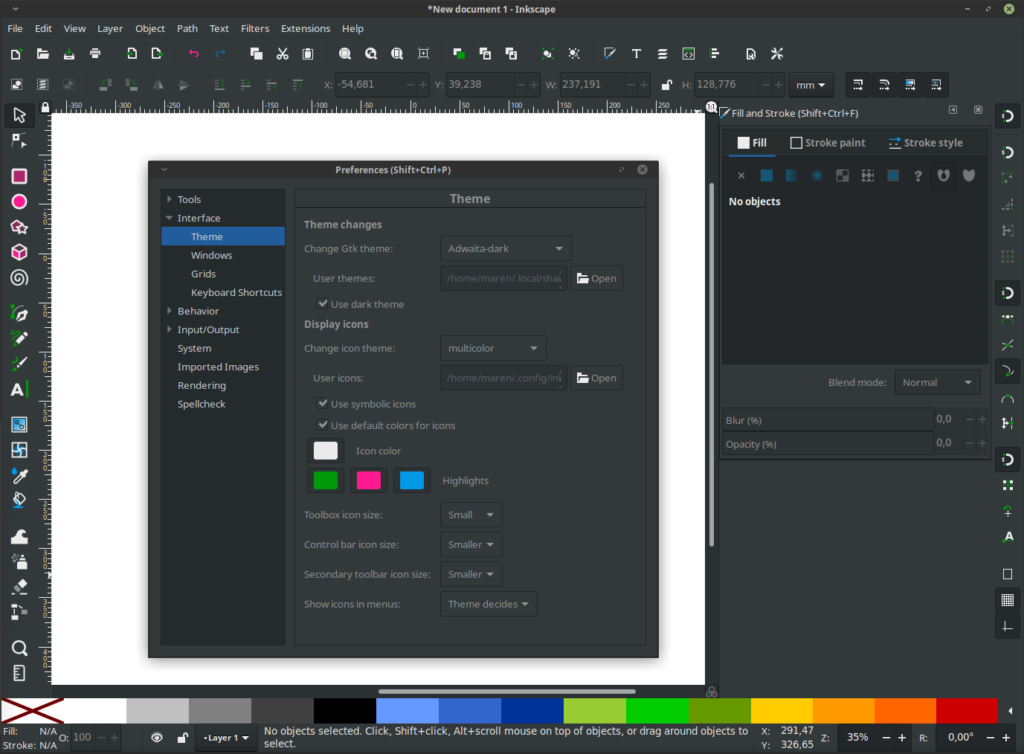
- Light and dark themes
Extensions and Plugins
- 150+ built-in extensions
- Community-contributed plugin support
- Python scripting for custom tools
- Export to G-code for plotters and cutters
- Access to Inkscape Extension Store
Templates and Community Support
- 90+ prebuilt templates for print, web, icon design, etc.
- Save and share your custom templates
- Strong open-source community with forums and tutorials
- Active development and frequent updates
Screenshots
System Requirements
Windows:
- Windows 7 or newer (64-bit)
- 4 GB RAM (8 GB recommended)
- 300 MB free disk space
- GPU acceleration (optional)
macOS:
- macOS 10.14 (Mojave) or later
- 4 GB RAM minimum
- 300 MB free disk space
- Compatible with both Intel & Apple Silicon (via Rosetta)
Linux:
- Works with most distros (Ubuntu, Fedora, Arch, etc.)
- GTK3 and modern display manager recommended
- 4 GB RAM minimum
How to Install??
For Windows:
- Download the
.exeinstaller from the link below. - Double-click and follow the setup instructions.
- Launch Inkscape from the Start Menu.
For macOS:
- Download the
.dmgfile from the link below. - Open the file and drag Inkscape to your Applications folder.
- Launch it via Spotlight or Finder.
For Linux:
- Download AppImage from the link below.
- Make the AppImage Executable
After downloading, open your terminal and navigate to the directory where the AppImage is saved. Run the following command:
chmod +x Inkscape-*.AppImage
This command makes the file executable.
Step 3: Run the AppImage
Now run the AppImage using this command:
./Inkscape-*.AppImage
Inkscape should launch immediately without needing installation.




