
File Information
| File | Details |
|---|---|
| Name | Upscayl |
| Version | v2.15 (Stable) |
| License | Open Source (AGPL-3.0 license) |
| Platform | Windows, macOS, Linux |
| Developer | Upscayl Team (Open Source Contributors) |
| Size | 250 MB |
| Category | AI Image Upscaler, Productivity, Open Source |
| Github Repository | Github Upscayl |
| Official Site | Upscayl |
Table of contents
Description
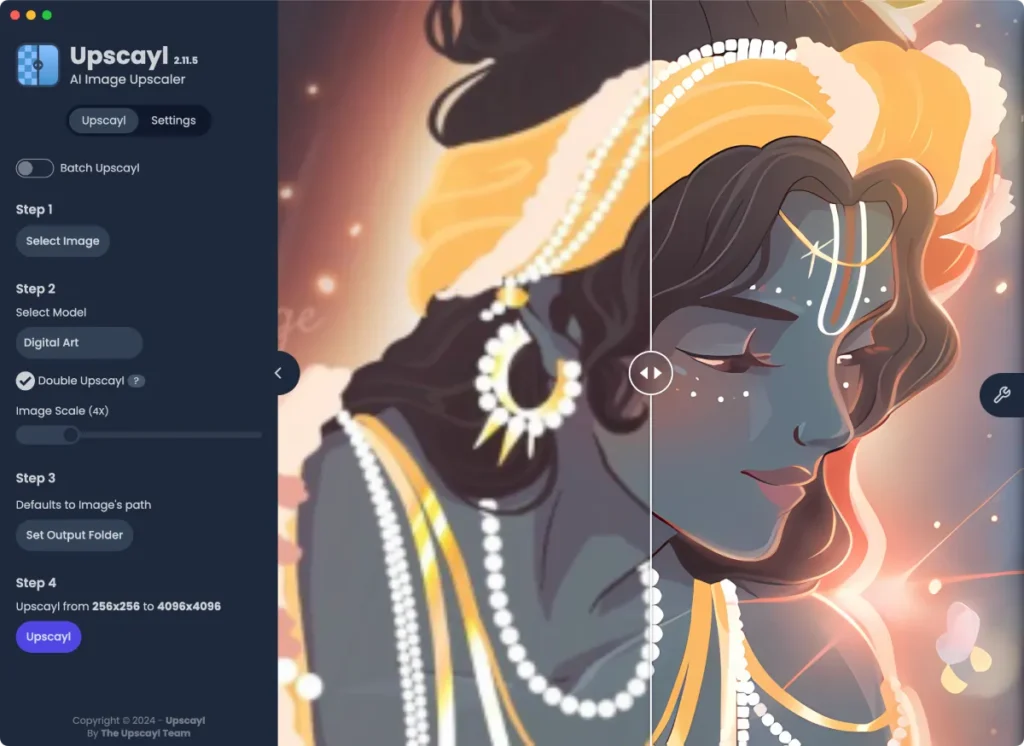
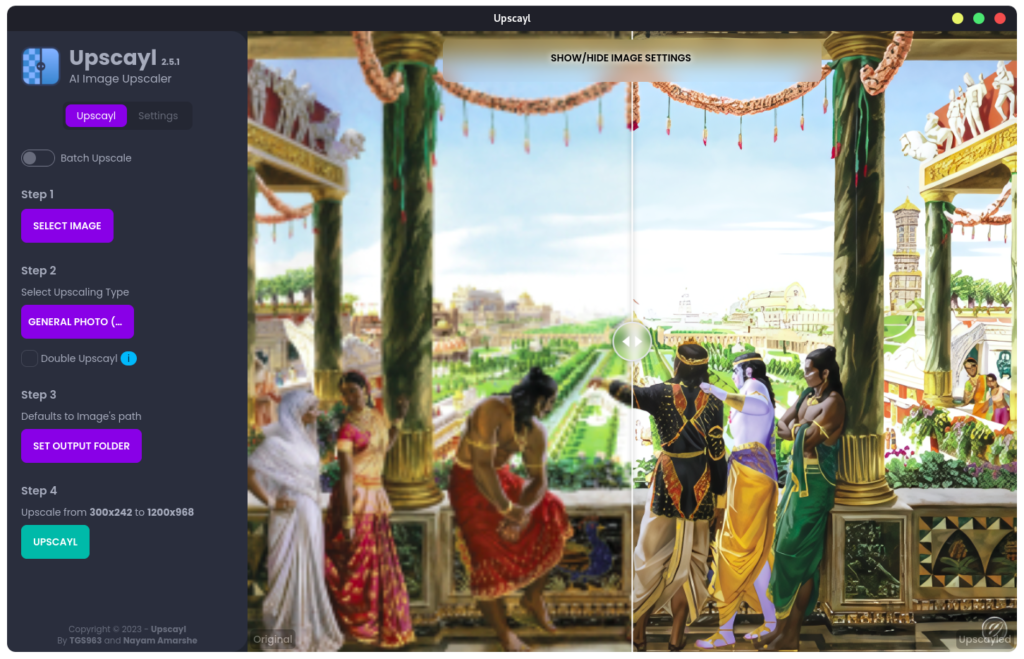
Upscayl is a powerful open-source AI-based image upscaling tool that helps you enhance low-resolution images using state-of-the-art machine learning models. Whether you’re a designer, photographer, or content creator, Upscayl offers an intuitive interface and great results. With a revamped interface, Upscayl now feels smoother, faster, and more intuitive than ever. This update brings multi-language support, so whether you speak English, Russian, Japanese, French, Spanish, Portuguese, Vietnamese, Indonesian, or Chinese, you’re all set!
But wait, there’s more. A brand-new High Fidelity model has been added, delivering stunning upscales with insane detail. Want to preview your upscaled masterpiece in a new Lens Viewer? You’re covered there too.
The app now tracks stats like how many images you’ve upscaled and your average upscaling time because who doesn’t love seeing their progress? And if you’re new to the app, a handy onboarding dialog gets you set up the right way from the start.
Features of Upscayl
| Feature | Description |
|---|---|
| AI Super Resolution | Enhance pixelated images with clarity |
| User-Friendly Interface | Minimalistic and beginner-friendly UI |
| Cross-Platform | Works on Windows, Mac, and Linux |
| Free & Open Source | 100% free with no ads or hidden costs |
| Batch Processing | Upscale multiple images at once |
| Custom AI Models | Support for multiple upscaling engines |
Screenshots
System Requirements
| Component | Requirement |
|---|---|
| OS | Windows 10+, macOS 11+, Linux (AppImage) |
| Processor | Intel i3 / AMD Ryzen 3 or better |
| RAM | 4 GB |
| GPU | Integrated Graphics (for CPU mode) |
| Storage | 200 MB of free space |
How To Install ?
For Windows:
- Download the
.exeinstaller from the link above. - Double-click the installer to begin setup.
- Follow the on-screen instructions to complete the installation.
- Once installed, open Upscayl from your desktop or start menu.
- Done! You’re ready to upscale your images.
For macOS:
- Download the
.dmgfile from the link above. - Open the downloaded file and drag Upscayl into your Applications folder.
- Go to Applications and double-click Upscayl to launch it.
- If macOS prevents you from opening it:
- Right-click the app and choose “Open”.
- Confirm the security dialog that appears.
- Start upscaling in style!
For Linux:
- Download the
.AppImageor your preferred package format (e.g.,.debor.tar.gz). - For AppImage:
- Right-click the file → Properties → Permissions tab → Check “Allow executing file as program”.
- Then double-click the AppImage to run.
- For
.deb:- Open Terminal in the download folder and run: bashCopyEdit
sudo dpkg -i upscayl-x.x.x.deb sudo apt-get install -f
- Open Terminal in the download folder and run: bashCopyEdit
- Done! You can now launch Upscayl from your app menu.
Download Upscayl Free AI Image Upscaler for Windows, Mac & Linux (2025)
Conclusion
Upscayl is a creative companion that transforms your pixelated memories and low-res images into crisp masterpieces. If you’re a professional photographer, a designer rescuing vintage graphics, or just someone who wants to make their cherished photos look their absolute best, Upscayl has your back.