

Discord has been catching heat over its new verification rules. You’ve probably seen the threads everywhere.
At some point I stopped scrolling and asked myself, Why does hanging out with friends online suddenly feel like paperwork?
So I started looking for better alternatives to discord that don’t care who you are. They respect your privacy and still deliver a Discord-level experience.
Some are great for gamers who want low-latency voice and familiar server layouts. Others are better for smaller communities that want tighter control or even self-hosting
instead of ranking them from best to worst, I’ve grouped them by what they’re actually good at.
1. Stoat
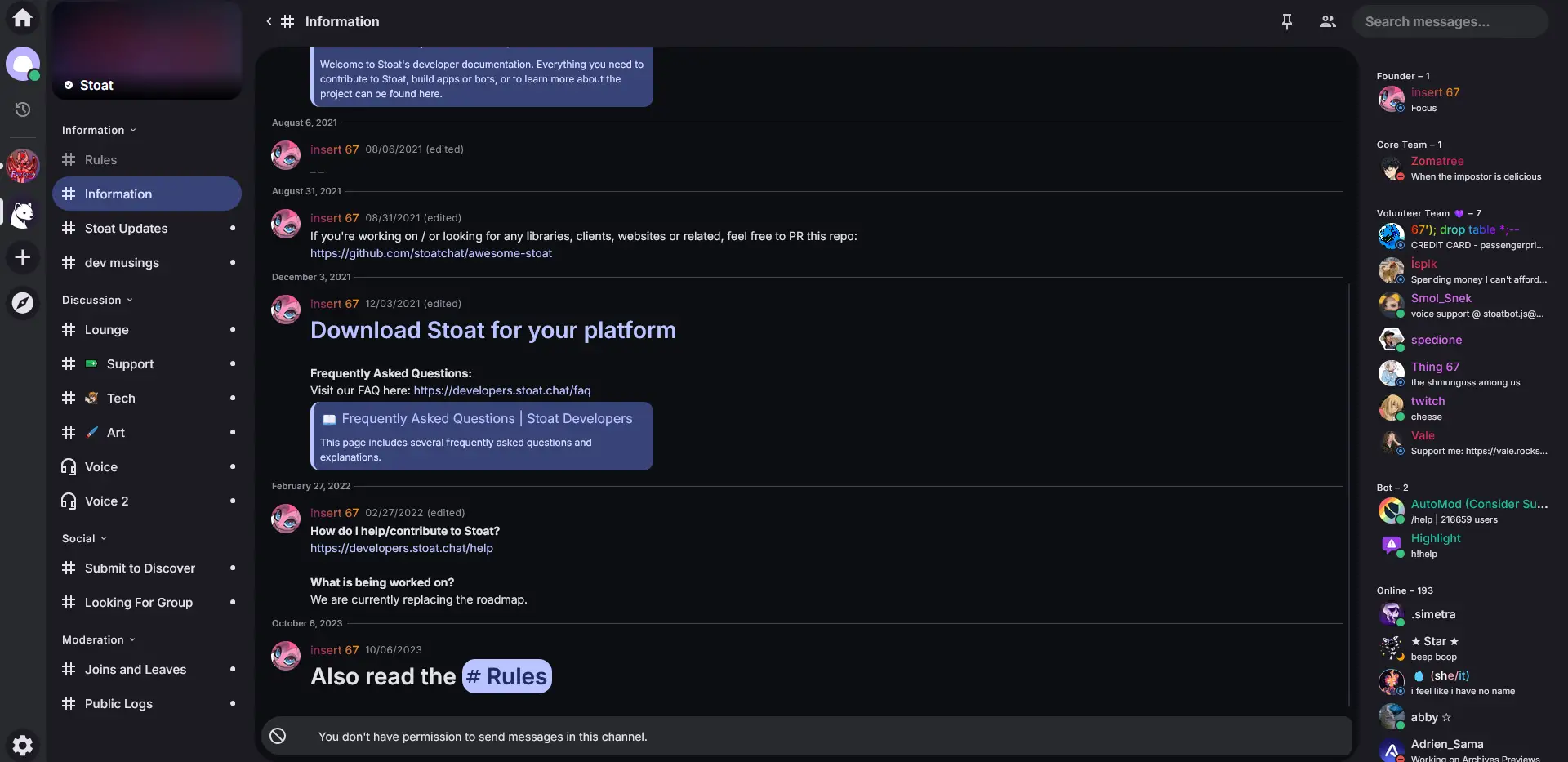
In my search for the best Discord alternatives, Stoat was one of the first platforms I actually signed up for and tested properly.
And honestly? The layout is very Discord-like, servers on the left, channels in the middle, chat on the right. it feels Less bloated.
Stoat is fully open-source and community-driven. There are no No ads or trackers. It just feels like a chat app built for communities..
Features of Stoat
- Servers with channels and role-based permissions
- Direct messages and group chats
- Voice chat support
- File and image sharing
- Bot support
What It Doesn’t Do (Yet)
- The user base is still small
- Fewer bots and integrations compared to Discord
- Does’t support video calling or screen sharing (yet).
Best For
- Smaller communities that value privacy and control
- Gamers who want something that feels like Discord
If you’re interested in knowing more about Stoat, I’ve written a detailed article on Is Stoat The New Discord?
2. Fluxer
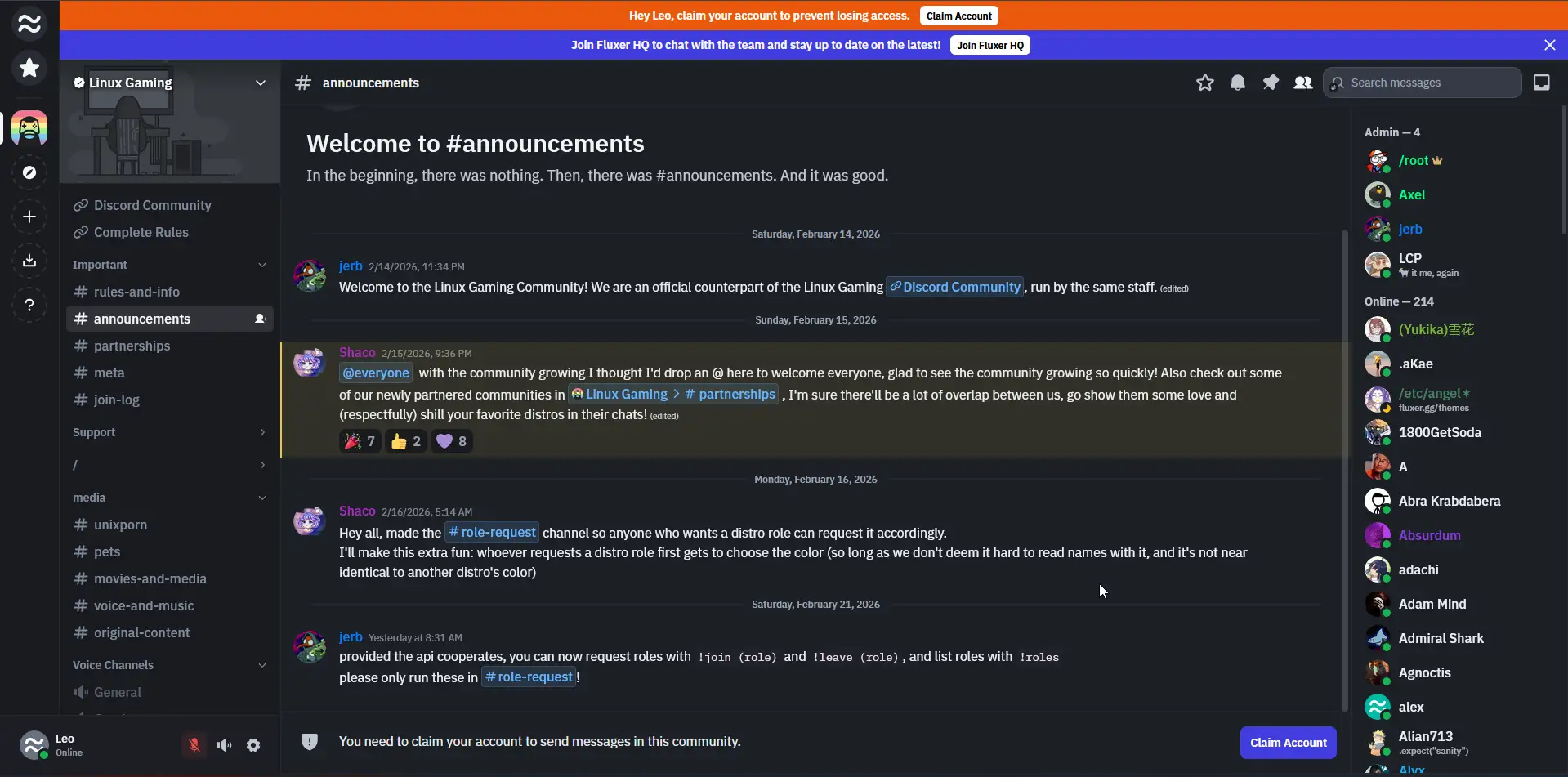
Fluxer surprised me. It felt more complete than I expected especially for something fully open source.
It’s free to use, and you can even try it in your browser without giving up your email. That alone lowers the barriers.
Interface-wise, it feels modern. DMs, group chats, channels, all where you expect them. Voice and video work out of the box & Screen sharing is built in.
You can use it casually with friends, or go deeper and self-host your own backend if you want full ownership.
It’s one of the few open-source chat apps that feels ready for everyday use.
Features of Fluxers
- DMs, group chats, and community channels
- Voice, video calls, and built-in screen sharing
- Noise suppression and echo cancellation
- Full Markdown support
- Granular roles and moderation tools
- Message search and quick channel switcher
- Custom emojis and custom CSS themes
- Self-hosting support (AGPLv3)
What It Doesn’t Do (Yet)
- Smaller ecosystem compared to Discord
- Mobile app still developing
- Fewer third-party integrations
- Community discovery isn’t as strong as larger platforms
Best For
- Small to mid-sized communities
- Friends who want voice, video, and screen sharing without relying on Discord
- Users who may eventually want to self-host
3. Cinny
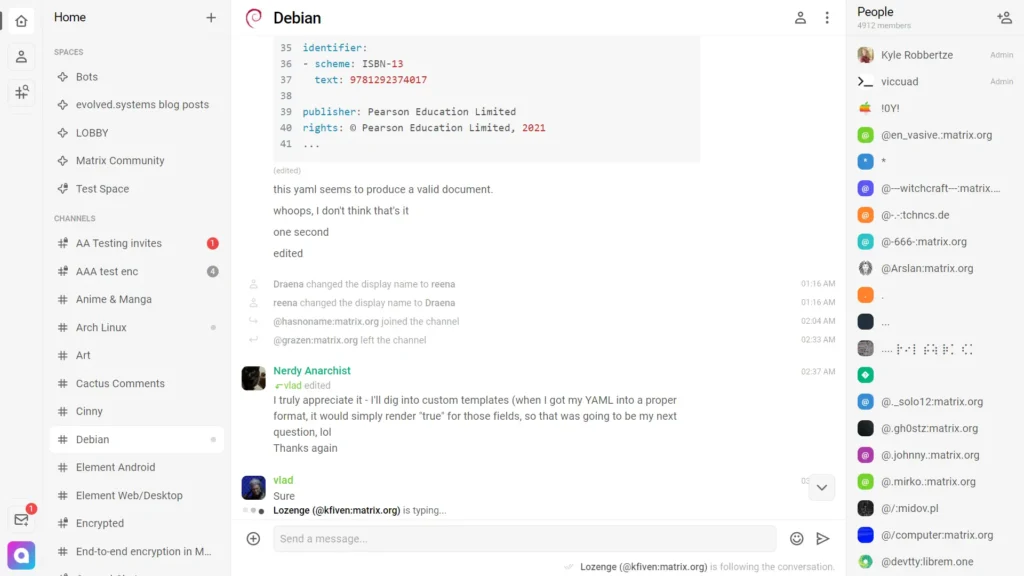
Cinny isn’t its own chat network. It’s a client built on top of Matrix, which means your conversations don’t live on one company’s servers. Matrix is decentralized and built around secure, encrypted communication.
The first thing I noticed about Cinny wasn’t the tech, though. It was the interface.
It’s clean & Minimal without feeling empty. DMs are separated from channels. Navigation feels organized. And yes it has end-to-end encryption (E2EE)
That said, Cinny is more “power user” than plug-and-play. If you’ve never used Matrix before, there’s a small learning curve.
Features of Cinny
- Built on the decentralized Matrix network
- End-to-end encrypted conversations
- Clean, modern interface
- DMs separated from channels for better organization
What It Doesn’t Do (Yet)
- Smaller public communities than mainstream platforms
- Voice and large-scale community features aren’t as flexible as Discord
Best For
- Privacy-focused users who want decentralization
- Developers and tech-savvy communities
- People who care more about control than convenience
Also Read: Open-Source AI Music Generators That Create Studio-Quality Songs
4. Rocket.chat
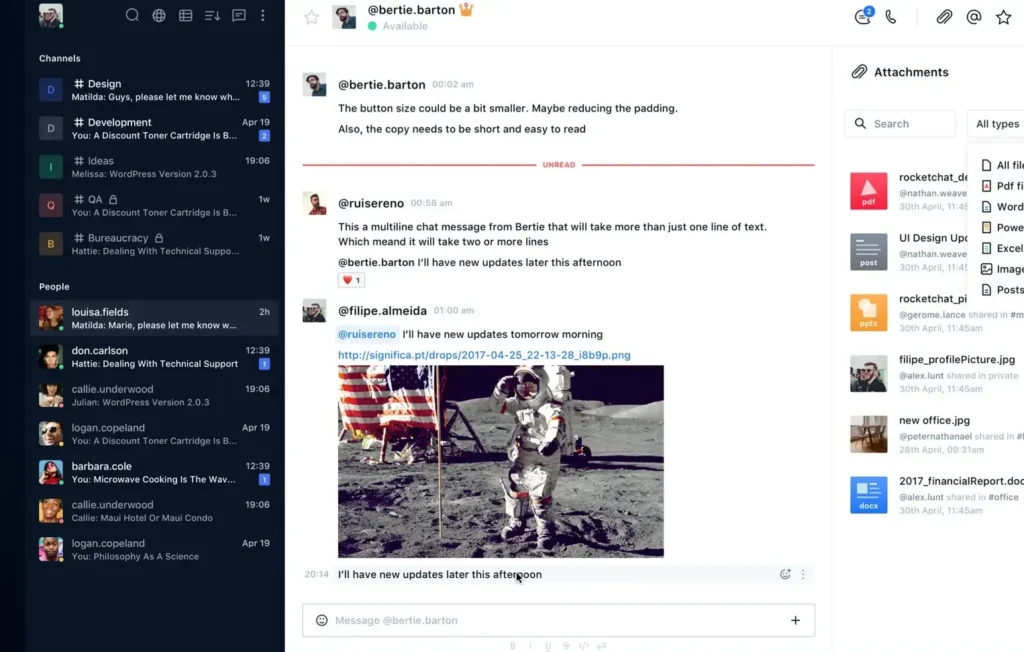
This isn’t just a Discord alternative for friend groups. It’s used by critical infrastructure teams. That alone tells you what kind of platform this is.
It gives you far more say over how your community runs. Moderation tools are stronger. Permissions are more granular. You can lock things down or open them up exactly how you want.
The interface is more professional rather than gamer-friendly. But for communities that want long-term reliability, that’s not a bad thing.
Features of Rocket.chat
- Channels, DMs, and threaded conversations
- Voice and video calls
- Strong moderation and role controls
- Searchable message history
- Integrations and extensibility
- Open-source core
What It Doesn’t Do As Well
Interface feels more work-focused than fun
- Slightly heavier to set up than plug-and-play apps
- Some advanced features are tied to paid plans
- Not as socially “lively” as Discord
Best For
- Structured communities that want tighter moderation
- Study groups, professional circles, and organized communities
- Users who want Discord-like features with more control
Also Read: AI Image Generators You Can Run on Consumer GPUs
5. Element
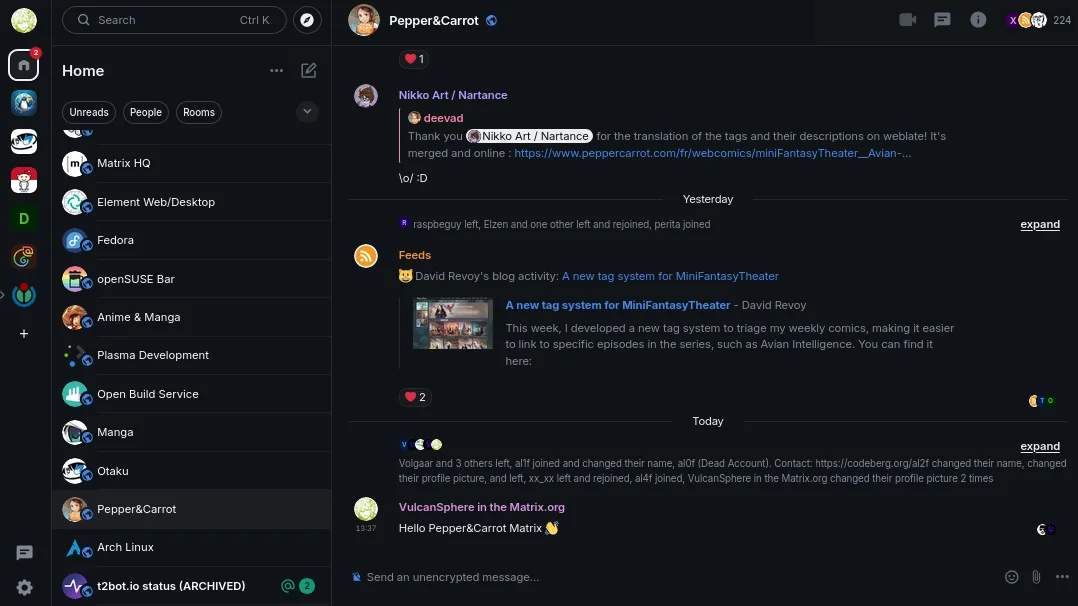
Element is one of the most established clients built on top of the Matrix network. If you’ve heard of Matrix before, chances are you’ve heard of Element too.
Using it feels more structured than Discord. Conversations are organized, encryption is strong, and everything runs on a decentralized network rather than a single company’s servers.
You can use it straight from your browser, install the desktop app, or grab the mobile version. For most users, it’s just: sign up, join a server (called “rooms” in Matrix), and start chatting.
That said, it does feel more secure messaging platform than hang out and game. It’s built with privacy and interoperability in mind first, fun second.
Features of Element
- Built on the decentralized Matrix network
- End-to-end encrypted messaging
- Browser, desktop, and mobile apps
- Cross-platform syncing
- Strong security and compliance focus
- Open-source and actively maintained
What It Doesn’t Do As Well
- Slight learning curve compared to Discord
- Interface feels more productivity-focused than social
- Voice/video isn’t as smooth as Discord’s native experience
Best For
- Teams that want secure messaging without vendor lock-in
- Users who want a mature, privacy-first alternative
- Tech-savvy communities already exploring Matrix
Wrapping Up
You don’t need to prove who you are to join a conversation.
If Discord still works for you, great. If it doesn’t, these five platforms prove something important: community doesn’t require surrendering control. The choice is yours.