
File Information
| File | Details |
|---|---|
| Name | Heroic Games Launcher |
| Version | v2.20.1 |
| Developer | Heroic Games Launcher Community |
| License | GPL-3.0 license (Open Source) |
| Platforms | Windows, macOS, Linux |
| Size | 146MB (exe) • 175MB (dmg) • 164MB (AppImage) • 131MB (deb) |
| Primary Use | Launch and manage games from Epic, GOG and Amazon |
| Github Repository | Github/HeroicGamesLauncher |
| Official Site | HeroicGamesLauncher |
Table of contents
Description
Heroic Games Launcher is an open-source desktop launcher that lets you manage and play games from multiple platforms like Epic Games Store, GOG, and Amazon Games, all from a single unified interface.
It focuses on delivering a smooth and customizable experience across Linux, Windows, and macOS.
Instead of installing separate launchers for every game store, Heroic acts as a central hub where you can install, launch, update, and organize your entire library.
The launcher integrates several powerful open-source projects behind the scenes to make this possible, including tools that allow Epic Games titles to run on Linux using compatibility layers like Wine and Proton.
Screenshots
Features of Heroic Games Launcher
| Feature | Description |
|---|---|
| Multi-Store Support | Access and manage games from Epic Games Store, GOG, and Amazon Games. |
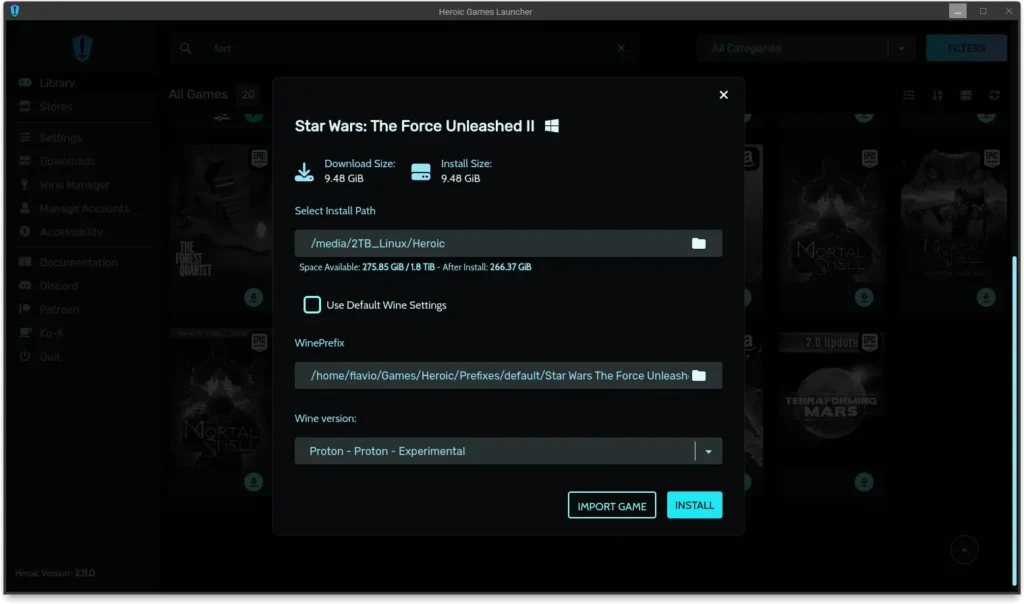
| Game Installation Manager | Install, update, repair, or move games easily from the launcher. |
| Import Existing Games | Detect and import games that are already installed on your system. |
| Linux Compatibility | Play Windows games on Linux using Proton or Wine compatibility layers. |
| Cloud Save Sync | Sync supported game saves with cloud services. |
| Custom Themes | Personalize the launcher with custom themes and UI settings. |
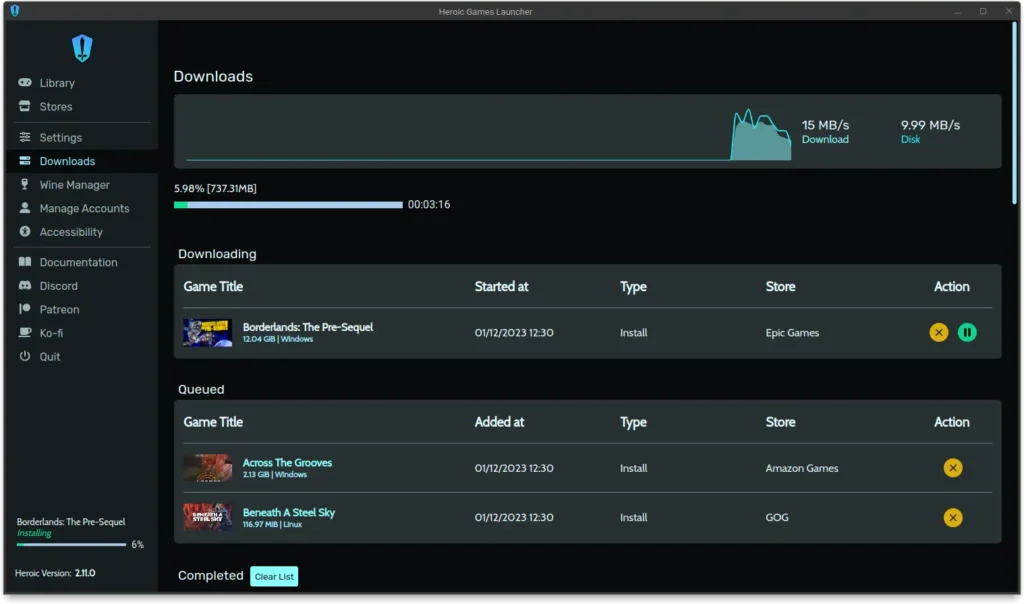
| Download Queue | Manage multiple downloads and updates simultaneously. |
| Game Compatibility Info | Check ProtonDB and Steam Deck compatibility for games. |
| External Game Support | Add and launch games or apps outside supported stores. |
| Game Library Organization | Create custom categories to organize your collection. |
System Requirements
| Component | Requirement |
|---|---|
| Operating System | Windows 10/11, macOS 14+, Linux |
| Linux Distros | Ubuntu 20.04+, Fedora 33+, Arch Linux & derivatives |
| Processor | Modern 64-bit CPU |
| RAM | 4 GB minimum (8 GB recommended) |
| Storage | ~300 MB for launcher |
| Internet | Required for login, downloads and updates |
How to Install Heroic Games Launcher??
Windows (.exe)
- Download the Heroic Games Launcher
.exeinstaller. - Double-click the installer file.
- Follow the installation wizard.
- Launch Heroic from the Start Menu or Desktop shortcut.
- Log in with your Epic, GOG, or Amazon account.
macOS (.dmg)
- Download the Heroic
.dmgfile. - Double-click the file to mount the installer.
- Drag the Heroic app into the Applications folder.
- Open the application from Launchpad or Applications.
Linux (.AppImage)
- Download the Heroic
.AppImagefile. - Make the file executable from your file manager.
- Double-click the file to launch the app.
- Log in and start managing your games.
Linux (.deb)
- Download the Heroic
.debpackage. - Double-click the package to open it in your Software Manager.
- Click Install.
- Launch Heroic from your applications menu.
Download Heroic Games Launcher: Open-Source Launcher for Epic, GOG & Amazon Games
Tools That Power Heroic
Heroic integrates with several open-source tools that enable game compatibility and store access.
These Projects include:
- Legendary (Epic Games CLI client)
- GOGDL for GOG downloads
- Nile for Amazon Games
- Proton compatibility layer
- Wine and Wine-Staging
- DXVK and VKD3D for graphics translation
These tools help Heroic run Windows games on Linux and macOS while maintaining performance.
A Better Way to Manage Games Across Multiple Stores
Heroic Games Launcher offers a powerful alternative to traditional game launchers by bringing multiple platforms into one unified interface.
Instead of juggling different store clients, you can install, launch, and organize your games from a single application.
For gamers who prefer open-source software, customization, and cross-platform compatibility, It provides a flexible and modern way to manage their entire game library.