
Most small AI models are a compromise. You give up reasoning for size, or vision for speed. Qwen3.5-4B doesn’t seem to have gotten that memo.
Alibaba just dropped Qwen3.5, and the 4B version is the one worth paying attention to. It thinks before it answers, reads images and video, handles 201 languages, and sits on a context window of 262,144 tokens, longer than most models ten times its size. All of that in something small enough to run on your own machine.
I tested it and went through the benchmarks so you don’t have to. It’s seriously capable, but not without its limits.
Table of contents
What’s Special About Qwen3.5-4B
Alibaba trained the whole thing together from the start from text, images, and video in one unified model
The vision side is genuinely different from what you usually see at this size. I tested it myself and for most things it works exactly as you’d hope. Drop in a screenshot, a diagram, a photo, it tells you what’s in it accurately. The one place it stumbled was location and landmark identification.
It would give a confident answer that was just wrong. Not often, but worth knowing before you rely on it for anything image-research heavy.
The other thing worth mentioning is thinking mode. It’s on by default, which means the model reasons through a problem before giving you an answer rather than just firing back the first thing it generates. For a 4B model that’s unusual. Most models this size skip that entirely.
And it runs on a regular machine. I tested it on 16GB RAM with 6GB VRAM and it handled everything without complaints.
Qwen3.5-4B vs Llama 3.2 3B and GPT-4o Mini
Numbers only tell part of the story, but they tell enough. Here’s how Qwen3.5-4B sits against the two most obvious alternatives, Meta’s Llama 3.2 3B if you want something local, and GPT-4o Mini if you’re okay staying in the cloud.
| Feature | Qwen 3.5-4B | Llama 3.2-3B | GPT-4o mini (Cloud) |
|---|---|---|---|
| Parameters | 4 Billion | 3.21 Billion | Approx 8 Billion (Active) |
| Context Window | 262k Tokens | 128k Tokens | 128k Tokens |
| Multimodal? | Native (Text, Image & Video) | Text-Only | Vision-Enabled |
| Thinking Mode | Enabled by Default | No | No |
| VRAM Needed | Around 3GB (4-bit GGUF) | Around 2.5GB (4-bit GGUF) | API only |
| Languages | 201 | 8 | Multilingual |
| License | Apache 2.0 | Meta License | Closed |
How to Run Qwen3.5-4B Locally?
There are multiple ways to run this model on your own machine like using Ollama, Hugging Face Transformers but most of them assume you’re comfortable with the terminal. If you just want to get it running without the setup headache, here’s the way I did it.
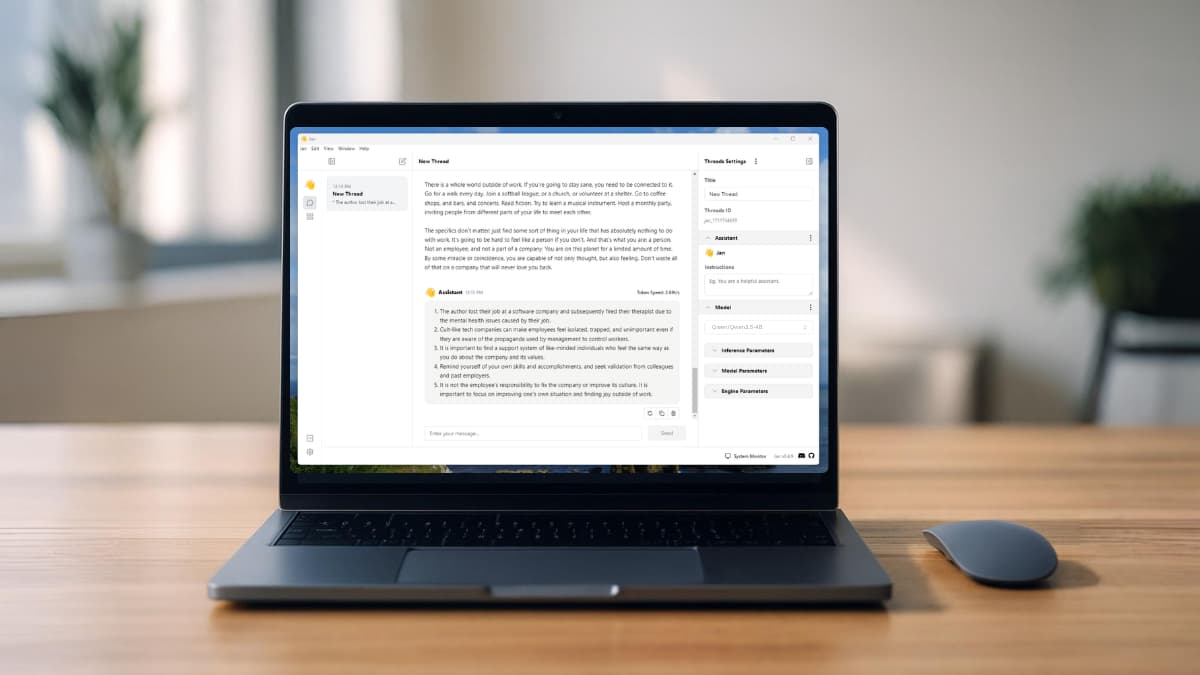
I used Jan AI, a free desktop app that lets you run local models through a clean interface.
Steps to Install Qwen3.5-4B
- Download and install Jan AI App
- Open the app and head to the Hub section
- Search for Qwen3.5-4B
- Download the GGUF version by Unsloth
- That’s it! load the model and start chatting
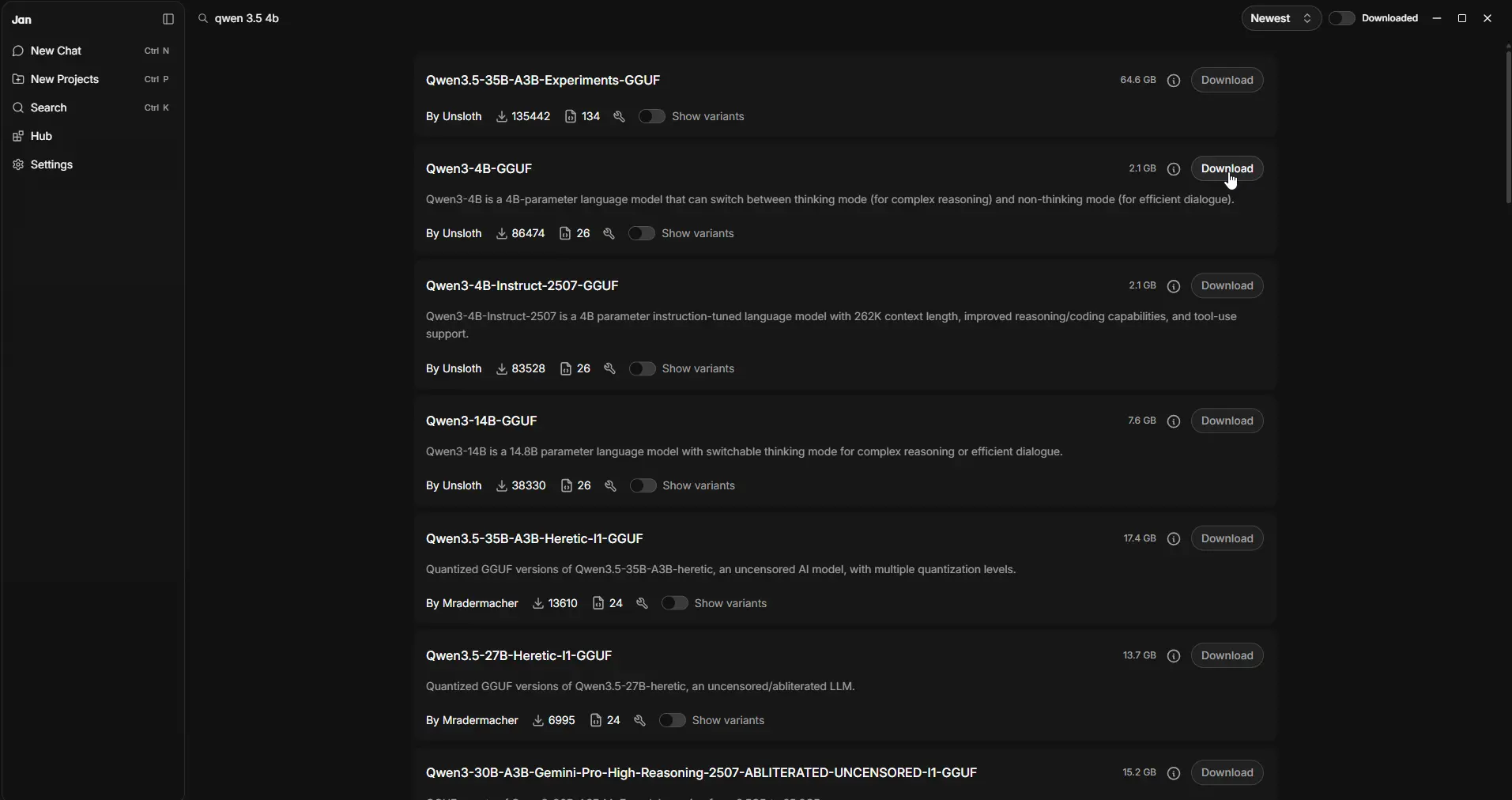
The GGUF by Unsloth is the quantized version, which means it’s compressed to run efficiently on consumer hardware. That’s what I ran on my 16GB RAM, 6GB VRAM setup without any issues.
If you’re more technical and want full control over inference settings, the official Qwen3.5 page on Hugging Face has setup guides for vLLM and SGLang.
Is Qwen3.5-4B Actually Worth It?
On the vision side it works well for most things. I dropped in images and it described them accurately like i gave it some screenshots & general scenes. Where it got shaky was location and landmark identification. It would confidently tell you something that was just wrong. Not something you’d want to rely on if image accuracy is critical for your work.
Text and reasoning is where it genuinely surprised me. For a 4B model it holds up well. Ask it something complex and it thinks through it before answering.
The benchmark numbers back that up, on GPQA Diamond, a graduate-level STEM reasoning test, it scores 76.2. GPT-OSS-20B, a model five times its size, scores 71.5. On MMLU-Pro it hits 79.1 against GPT-OSS-20B’s 74.8.
But here’s the thing worth keeping in mind before you go in with big expectations. This is the small version. 4 billion parameters. And it’s completely open source. The fact that it handles vision, reasons through problems, supports 201 languages, and runs on a regular laptop at this size is what makes it worth paying attention to.
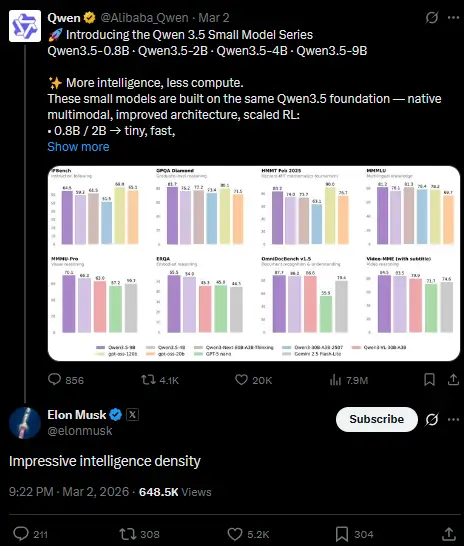
And it’s not just the benchmarks talking. Elon Musk called it “impressive intelligence density” in a reply on X — which for an open source 4B model says something.
Closing Thoughts
Qwen3.5 comes in bigger versions too. There’s a 9B and larger variants that will obviously outperform this one. But I specifically picked the 4B because I wanted to see how it holds up on a real consumer grade GPU, the kind most of us actually have.
Most people are not running a data center at home. If a model needs 24GB VRAM it’s just not practical for many people. The 4B hits a sweet spot where the hardware requirements are realistic and the performance still holds up for everyday tasks.
For a free open source model that runs privately on your own machine, it’s hard to complain.