
File Information
| Property | Details |
|---|---|
| App Name | LocalSend |
| Version | v1.15.4 |
| License | Apache-2.0 license |
| File Size | ~40–50 MB (APK variant) |
| Developer / Publisher | Tien Do Nam & Open Source Community |
| GitHub Repository | LocalSend (GitHub) |
| Supported Platform | Android (Primary Focus) |
| Category | File Sharing / AirDrop Alternative |
| Security | Encrypted via HTTPS with on-device certificates |
Table of contents
Description
LocalSend is a free, open-source file sharing app that allows you to securely send files and messages between nearby devices over your local Wi-Fi network — no internet, no ads, no tracking. Designed as a true AirDrop alternative for Android, LocalSend ensures fast, private, and encrypted file transfer across all major platforms.
It is a cross-platform communication tool that works entirely offline. It uses a REST API with HTTPS encryption to securely exchange data between devices connected to the same local network.
It does not rely on any external servers, everything happens locally, ensuring complete privacy and zero data leaks.
Features of LocalSend For Android
| Feature | Description |
|---|---|
| Offline & Secure | Works entirely over local Wi-Fi; no internet required. |
| Fast File Transfer | Transfers files directly between devices at LAN speed. |
| End-to-End Encryption | Every connection is secured via self-signed TLS/SSL certificates. |
| Cross-Platform Support | Available for Android, iOS, Windows, macOS, and Linux. |
| No Account Needed | Instantly start sharing — no registration or login required. |
| Open Source | 100% transparent and community-driven development. |
| Share Anything | Send photos, videos, documents, APKs, and more. |
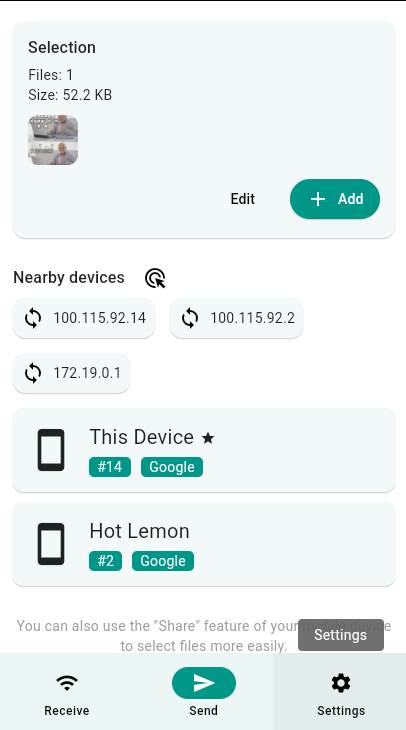
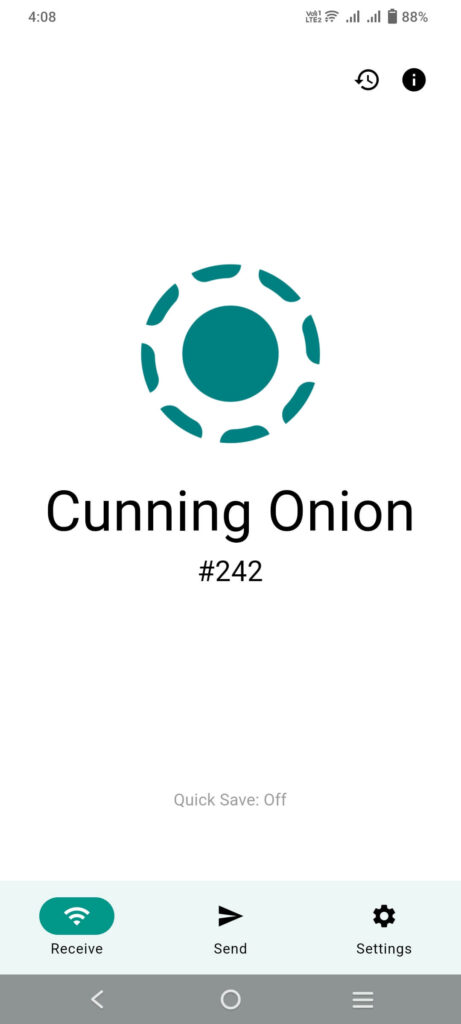
Screenshots
System Requirements
| Platform | Minimum Version | Notes |
|---|---|---|
| Android | 5.0 (Lollipop) | Fully supported |
| iOS | 12.0 | Available on App Store |
How to Install LocalSend??
If you prefer to install manually using the APK:
- Download the latest LocalSend
.apkfile from download section below - On your Android phone, enable “Install from Unknown Sources” in Settings → Security.
- Open the downloaded APK file and tap Install.
- Once installed, launch LocalSend and grant the necessary Wi-Fi & storage permissions.
- Start sharing files instantly, no setup required
Download LocalSend Open Source Alternative to Airdrop for Android
Conclusion
LocalSend is the perfect AirDrop alternative for Android, combining speed, security, and privacy, all while being completely open-source. Whether you’re sharing files between your phone and laptop or across multiple devices offline, LocalSend ensures a smooth, encrypted, and internet-free experience.
It’s free, private, and built by the community, a must-have utility for anyone who values local and secure data sharing.