
File Information
| Property | Details |
|---|---|
| Name | Lumina-DiMOO |
| Version | Latest (Active Development) |
| License | Apache License 2.0 |
| Platform | Windows, Linux, macOS (Python-based) |
| Framework | PyTorch |
| Developer | Alpha-VLLM |
| Official Repository | Lumina-DiMOO |
Table of contents
Description
Lumina-DiMOO is a state-of-the-art open source multimodal AI system, designed as a completely free and flexible Nano Banana alternative. This model is capable of text-to-image generation, image editing, inpainting, style transfer, subject-driven creation, controllable generation, extrapolation, and advanced image understanding, all in a single, developer-friendly framework.
Built on PyTorch and fully compatible with Python environments across Windows, macOS, and Linux, Lumina-DiMOO is ideal for developers, AI researchers, and content creators who want full control over multimodal AI without proprietary restrictions.
It is a fully discrete multimodal diffusion language model that integrates text, images, and reasoning capabilities into a single framework. Its design enables:
- Text-to-Image Generation — produce photorealistic images, illustrations, and conceptual art from descriptive text prompts
- Image Editing & Inpainting — add, remove, or replace objects in images with precision
- Style Transfer — transform images into specific artistic styles while preserving content
- Subject-Driven Generation — generate variations or context-specific images of a subject
- Controllable Generation — customize compositions, lighting, and perspective according to user instructions
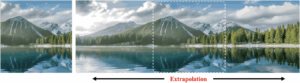
- Extrapolation — extend scenes beyond existing boundaries for creative continuity
- Image Understanding & Reasoning — interpret visuals, answer questions, or solve analytical tasks
Lumina-DiMOO is benchmarked to outperform other multimodal models across multiple experimental datasets, including GenEval, DPG, and Image Understanding, making it a high-performance, free alternative to commercial solutions.
Features of Lumina-DiMOO
| Category | Feature / Capability | Description / Example |
|---|---|---|
| Text-to-Image Generation | Prompt-Based Image Creation | Generate photorealistic or artistic images from descriptive text, e.g., “A serene snow-capped mountain lake” |
| Image Editing | Object Addition / Removal | Add objects like a butterfly, bike, or bowl of food, or remove unwanted elements from images |
| Style Transfer | Artistic Transformation | Transform images into specific artistic styles such as book illustration, cinematic, or painterly styles |
| Subject-Driven Generation | Subject-Centric Image Variations | Generate variations of a subject in different contexts, lighting, or settings |
| Controllable Generation | Composition & Lighting Control | Adjust composition, perspective, and lighting according to instructions |
| Inpainting & Extrapolation | Extend / Complete Scenes | Add missing elements, extend landscapes, or complete image boundaries |
| Image Understanding | Visual Question Answering & Reasoning | Interpret images, answer questions, solve angle or object recognition tasks |
| Multimodal Integration | Text + Image + Reasoning | Combine text prompts with visual input for complex multimodal outputs |
| Cross-Platform | Windows, macOS, Linux | Run on all major OS with Python and GPU support |
| Open Source | Apache 2.0 License | Free to use, modify, and distribute |
| High Benchmark Scores | GenEval, DPG, Image Understanding | Outperforms other multimodal models in multiple datasets |
| Community-Driven | Active Development | Continuous improvements by developers and researchers |
| Developer Friendly | Python / PyTorch Based | Easy integration, scriptable demos, modular architecture |
| GPU & Distributed Support | CUDA, Multi-GPU, Metal (macOS) | Efficient for large-scale or high-resolution image generation |
Generations From Lumina-DiMOO

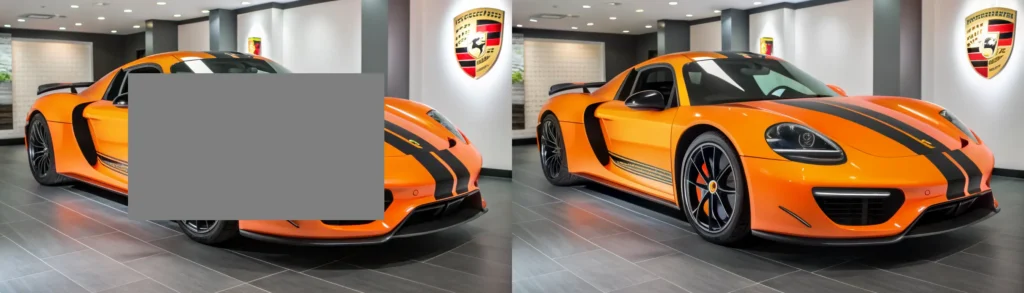
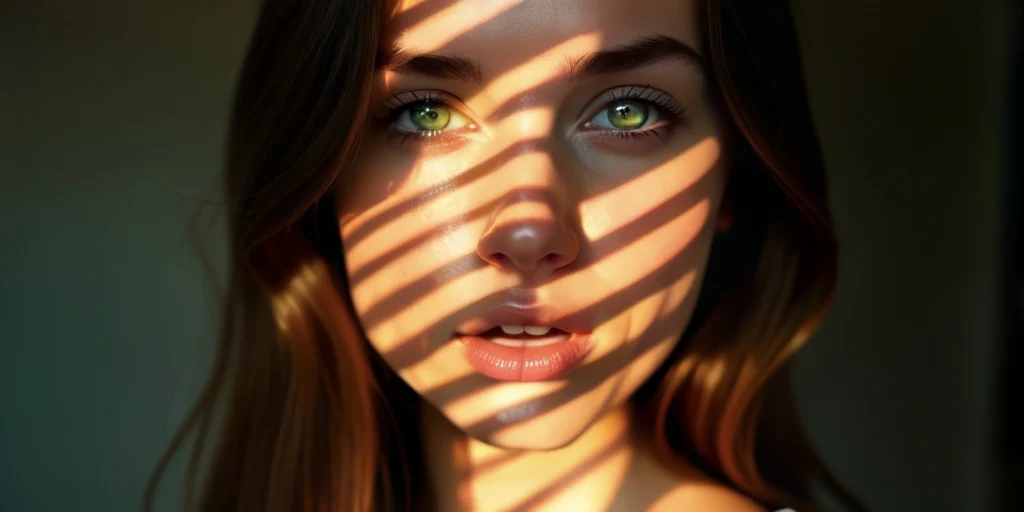
System Requirements
| Platform | Minimum Requirements |
|---|---|
| Windows | Windows 10+, Python 3.10+, CUDA GPU with 6GB+ VRAM |
| macOS | macOS 12+, Python 3.10+, CPU or Metal GPU support |
| Linux | Ubuntu 20.04+, Python 3.10+, NVIDIA GPU with CUDA 11+ recommended |
How to Install Lumina DiMOO??
Step 1: Clone the Repository
git clone https://github.com/Alpha-VLLM/Lumina-DiMOO.git
cd Lumina-DiMOO
Step 2: Create a Virtual Environment
python -m venv venv
source venv/bin/activate  # For macOS/Linux
venv\Scripts\activate     # For Windows
Step 3: Install Dependencies
pip install -r requirements.txt
Step 4: Run Inference or Training
To generate images or test inference:
python scripts/inference.py --prompt "A futuristic city at sunset"
To begin training or fine-tuning:
python scripts/train.py --config configs/train_config.yaml
Run Lumina DiMOO In ComfyUI
To run Lumina Image in comfy ui the best and easy steps are follows
- Update ComfyUI or download the latest ComfyUI
- Use the all-in-one checkpoint we provide:
- Download lumina_2.safetensors and put it in your
ComfyUI/models/checkpoints directory. - Try dragging in the example workflow!
Advantages of Lumina-DiMOO
- All-in-One AI — Covers generation, editing, understanding, and reasoning
- Open Source — Fully free and modifiable, unlike Nano Banana
- High Benchmark Scores — Proven accuracy across multiple multimodal datasets
- Community-Driven — Continuously improved by developers and researchers
- Flexible Deployment — Run locally or in distributed GPU environments
Download Lumina-DiMOO Open Source Nano Banana Alternative Model Weights and Repository
During the installation of the Model as shown in the installation section, Model weights will be downloaded automatically, You can also visit the Hugging Face Repo For Model weights for manual downloads here